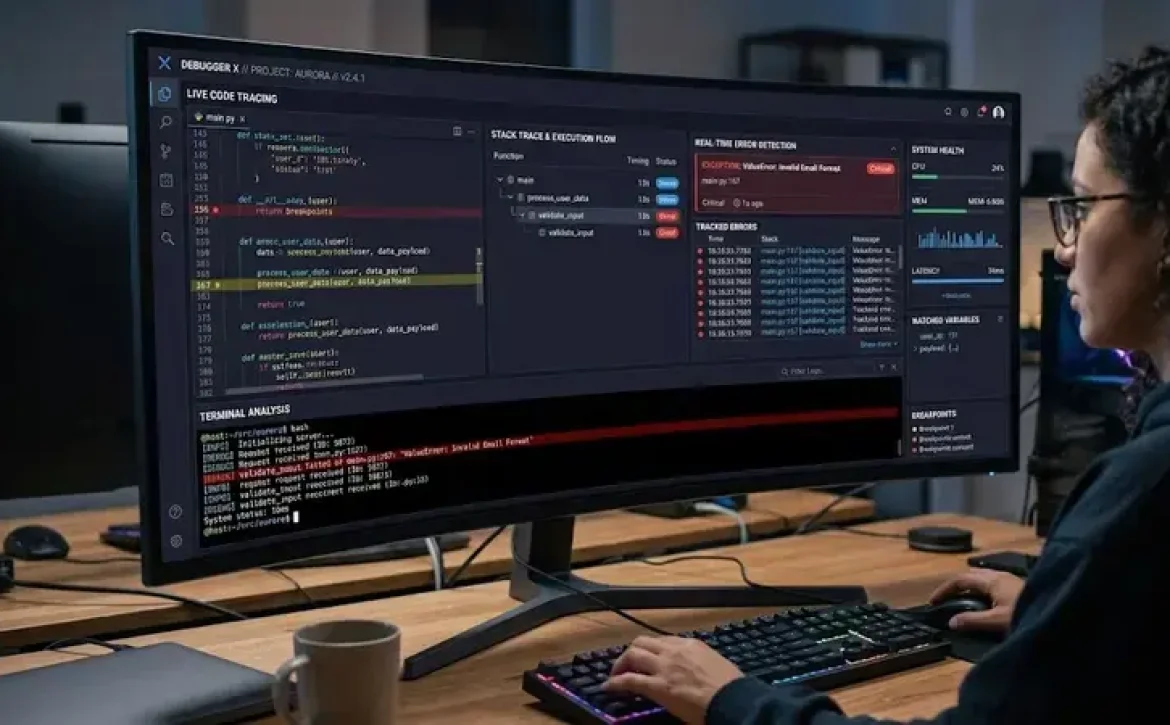
Arduino debugging software is a collection of software and hardware utilities used to detect, analyze, and resolve programming or circuit-related issues in Arduino-based systems. It supports developers working with serial communication, sensors, ESP32 boards, STM32 microcontrollers, and embedded C++ applications. Effective debugging reduces system failures, improves code reliability, and helps validate real-time hardware behavior.
Key Takeaways
- Arduino debugging software helps diagnose coding and hardware issues.
- Serial Monitor remains the most widely used debugging method.
- ESP32 and STM32 boards support advanced debugging features.
- Arduino Uno has limited native debugging capabilities.
- Hardware tools such as JTAG and SWD improve troubleshooting accuracy.
- Arduino IDE 2.x introduced improved debugging support.
Software Debugging Tools
STM32 Debugging Software and What Is Arduino Debugging Software Used For?
Arduino debugging software is used to monitor code execution, inspect variables, test communication protocols, and troubleshoot hardware interactions. Most Arduino projects use serial debugging through the Arduino IDE, while advanced boards support hardware debugging interfaces.
Common uses include:
- Detecting syntax and logic errors
- Monitoring sensor output values
- Testing serial communication
- Validating PWM and GPIO behavior
- Troubleshooting ESP32 and STM32 firmware
| Debugging Method | Primary Use | Supported Boards |
| Serial Monitor | Text-based debugging | Most Arduino boards |
| SWD/JTAG Debugging | Real-time hardware debugging | STM32, ESP32 |
| Breakpoints | Step-by-step execution | Advanced IDE tools |
| Logic Analyzer | Signal monitoring | External hardware |
Arduino debugging software free download options are commonly available through the Arduino IDE ecosystem and open-source debugging utilities.
Hardware and Software Debugging Tools
Software Used to Debug C++ Code and How Does Arduino IDE Support Debugging?
Arduino debugging software includes both software-based and hardware-assisted tools. The selection depends on board compatibility and project complexity.
Popular tools include:
- Arduino IDE Serial Monitor
- GDB Debugger
- PlatformIO Debugger
- OpenOCD
- J-Link Debug Probes
- ESP-Prog Debugger
- STM32CubeIDE Debugger
Many users also search for Arduino debugger solutions compatible with ESP32 and STM32 development boards because these platforms support advanced debugging features unavailable on older Arduino Uno models.
Hardware tools often include:
- USB-to-Serial adapters
- Logic analyzers
- JTAG interfaces
- SWD probes
Arduino Uno debugging not supported is a common limitation because classic Uno boards lack native hardware debugging architecture.
Programming Debug Software
Software Used to Debug C++ Code and How Does Arduino IDE Support Debugging?
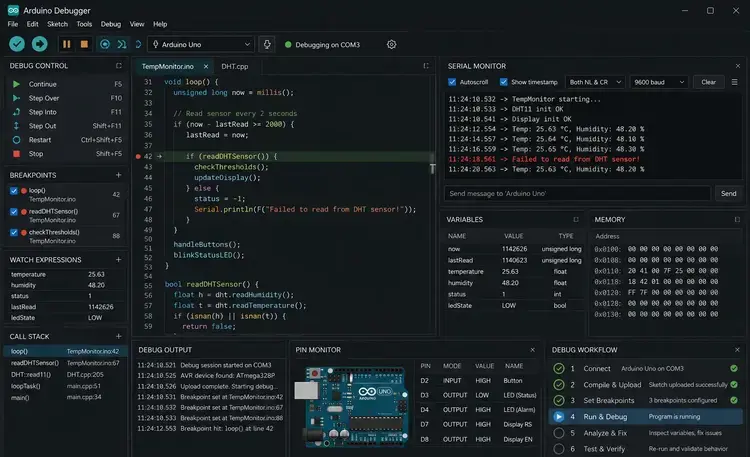
Arduino debugging software within Arduino IDE supports serial-based debugging and integrated breakpoint debugging on compatible boards. Arduino IDE 2.x introduced enhanced debugging capabilities for newer boards.
Key debugging functions include:
- Variable inspection
- Breakpoint control
- Call stack viewing
- Serial logging
- Real-time monitoring
Basic Serial Debugging Example
void setup() {
Serial.begin(9600);
}
void loop() {
int sensorValue = analogRead(A0);
Serial.println(sensorValue);
delay(1000);
}
This method prints sensor readings directly to the Serial Monitor for troubleshooting.
Arduino IDE debug ESP32 workflows are especially popular because ESP32 supports integrated debugging through OpenOCD and GDB.
What Are the Limitations of Arduino Debugging Software?
Arduino debugging software capabilities vary by board architecture, memory size, and processor support.
Common limitations include:
- Limited RAM for debug logging
- No native breakpoints on older AVR boards
- Restricted real-time inspection
- Serial communication overhead
- Incomplete debugging support in low-cost boards
| Board | Native Debug Support |
| Arduino Uno | No |
| Arduino Uno R4 | Yes |
| ESP32 | Yes |
| STM32 | Yes |
Arduino code debugger online tools exist, but most professional debugging still relies on local IDE environments and physical hardware connections.
How Can Developers Improve Arduino Debugging Accuracy?
Arduino debugging software becomes more effective when combined with structured testing practices.
Recommended practices include:
- Use descriptive serial logs
- Test one hardware module at a time
- Validate power supply stability
- Monitor memory consumption
- Use version-controlled firmware
Related topics often discussed with Arduino debugging software include Arduino IDE, STM32 debugging software, ESP32 debugging tools, and software used to debug C++ code.
Conclusion
Arduino debugging software is evolving toward integrated real-time diagnostics, cloud-connected testing, and advanced hardware debugging support for IoT development. Modern boards such as ESP32, STM32, and Arduino Uno R4 now provide improved debugging frameworks compared to earlier AVR-based platforms.
Developers working with embedded systems can also benefit from understanding broader concepts such as approaches of debugging in software engineering for structured troubleshooting and validation strategies across software and hardware environments.
FAQ
What is Arduino debugging software?
Arduino debugging software is a set of tools used to identify and fix errors in Arduino code and connected hardware systems.
Does Arduino Uno support hardware debugging?
Classic Arduino Uno boards do not support native hardware debugging because the AVR architecture lacks integrated debugging hardware.
Which Arduino IDE version supports debugging?
Arduino IDE 2.x supports enhanced debugging features for compatible boards such as ESP32, STM32, and Arduino Uno R4.
Can ESP32 boards use Arduino debugging software?
Yes. ESP32 boards support advanced debugging through OpenOCD, GDB, and PlatformIO integrations.
Is Arduino debugging software free?
Most Arduino debugging software tools, including Arduino IDE and OpenOCD, are available as free downloads.
Sources
- https://docs.arduino.cc/learn/microcontrollers/debugging/
- https://www.arduino.cc/en/software
- https://www.arduino.cc/pro/software-plc-ide
- https://forum.arduino.cc/t/debugging-ide-2-3-2/1270808
- https://docs.arduino.cc/tutorials/uno-r4-minima/debugger/
- https://randomnerdtutorials.com/software-debugger-arduino-ide-serialdebug-library/
- https://www.youtube.com/watch?v=V__84YSHvB4
- https://forum.arduino.cc/t/simple-arduino-debugging-tool/363684