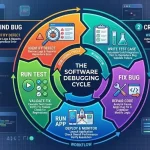
Debugging process in software engineering is the structured method of finding, diagnosing, and fixing software defects that cause incorrect behavior, crashes, or performance issues. It is a fundamental activity throughout the software development lifecycle and helps ensure software meets functional and quality requirements. Effective debugging reduces maintenance costs, improves user experience, and supports reliable software deployment.
Key Takeaways
- Debugging is the process of locating and correcting software defects.
- Effective debugging follows a structured sequence of analysis and verification.
- Root-cause analysis is essential for long-term defect resolution.
- Embedded systems require specialized debugging approaches.
- Modern debugging relies on both manual techniques and automated tools.
- Regression testing helps prevent new issues after fixes are applied.
- Debugging directly contributes to software quality and reliability.
What Is Debugging in Software Development?
The debugging process in software engineering involves locating the root cause of software errors and implementing corrective actions to eliminate them.
Debugging differs from testing:
| Activity | Purpose |
| Testing | Detects defects |
| Debugging | Identifies and fixes defects |
Common software defects include:
- Logic errors
- Syntax errors
- Runtime exceptions
- Memory leaks
- Integration failures
- Performance bottlenecks
Many developers also explore related topics such as what is debugging in programming, debugging examples, debugging tools in software engineering, and what is debugging in C when learning software troubleshooting techniques.
Steps in the Debugging Process in Software Engineering
The debugging process in software engineering typically follows these steps:
1. Identify the Defect
Detect unexpected behavior through testing, monitoring, or user reports.
2. Reproduce the Problem
Create a consistent scenario where the issue occurs.
3. Collect Diagnostic Information
Gather:
- Error logs
- Stack traces
- System metrics
- User inputs
4. Analyze the Root Cause
Examine code execution paths and dependencies to locate the source of failure.
5. Implement the Fix
Modify code, configuration, or system components to eliminate the defect.
6. Verify the Solution
Retest the software to confirm the issue is resolved.
7. Perform Regression Testing
Ensure the fix has not introduced new defects elsewhere.
Typical Debugging Process Diagram
- Error Detection
- Problem Reproduction
- Data Collection
- Root Cause Analysis
- Code Correction
- Verification
- Regression Testing
Why Is Debugging Important in Software Engineering?
The debugging process in software engineering supports software quality and operational stability.
Key benefits include:
- Improves software reliability
- Enhances system security
- Reduces maintenance costs
- Increases application performance
- Supports regulatory and quality standards
- Improves customer satisfaction
Industries such as healthcare, finance, telecommunications, aerospace, and automotive software rely heavily on structured debugging practices to meet quality and safety requirements.
Debugging Embedded Software: Common Challenges and Solutions
Embedded systems present unique debugging challenges because hardware and software interact closely.
Common Challenges
- Limited memory resources
- Real-time processing constraints
- Hardware communication failures
- Device-specific configurations
- Timing synchronization issues
Common Solutions
- Hardware emulators
- Real-time trace analysis
- JTAG debugging interfaces
- Simulation environments
- Automated diagnostic testing
For example, debugging embedded software in microcontrollers such as STM32 devices often requires hardware-assisted troubleshooting and signal analysis.
Popular Debugging Tools Used in Software Engineering
Several tools support the debugging process in software engineering.
| Tool | Primary Use |
| GNU Debugger (GDB) | C/C++ debugging |
| Visual Studio Debugger | Application debugging |
| LLDB | Native application analysis |
| WinDbg | Windows system debugging |
| JTAG Debuggers | Embedded system debugging |
| Valgrind | Memory analysis |
| Eclipse Debugger | Java development debugging |
Tool selection depends on application type, programming language, and deployment environment.
Debugging Methods and Techniques in System Software
System software often requires specialized debugging approaches.
Common Debugging Techniques
Brute Force Debugging
Uses extensive logging and output analysis.
Backtracking
Traces execution backward from the failure point.
Cause Elimination
Systematically removes potential causes until the defect is identified.
Program Slicing
Focuses analysis on code segments affecting a specific variable or output.
Automated Debugging
Uses software tools to detect and isolate faults.
Organizations commonly combine multiple techniques to improve defect resolution efficiency.

Conclusion
The debugging process in software engineering follows a structured framework of defect identification, root-cause analysis, correction, verification, and regression testing. As software systems become more complex, disciplined debugging practices remain essential for maintaining reliability, security, and performance. Understanding these principles also provides valuable continuity with broader concepts covered in software engineering debugging.
FAQs
What is the debugging process in software engineering?
The debugging process is a systematic method for identifying, analyzing, fixing, and verifying software defects.
What are the main steps of debugging?
The primary steps are defect identification, reproduction, diagnosis, correction, verification, and regression testing.
What tools are commonly used for debugging?
Popular tools include GDB, Visual Studio Debugger, LLDB, WinDbg, Valgrind, and JTAG-based debuggers.
Why is debugging important?
Debugging improves software reliability, security, performance, and maintainability while reducing operational risks.
What is debugging in C?
Debugging in C involves identifying and correcting syntax, logic, memory, and runtime errors using debugging tools and diagnostic techniques.
Sources
- https://www.geeksforgeeks.org/software-engineering/software-engineering-debugging/
- https://www.frugaltesting.com/blog/what-is-debugging-in-software-engineering
- https://www.edureka.co/blog/what-is-debugging/
- https://www.theknowledgeacademy.com/blog/what-is-debugging/
- https://www.ibm.com/think/topics/debugging
- https://www.meegle.com/en_us/topics/debugging/debugging-in-software-engineering
- https://www.naukri.com/code360/library/debugging-in-software-engineering
- https://www.ranorex.com/blog/what-is-debugging-software-testing/
- https://www.tutorialspoint.com/software_testing_dictionary/debugging.htm