Free debug softwares are applications that help developers detect coding issues, runtime failures, memory leaks, and performance bottlenecks in software systems. They are commonly used in desktop, mobile, embedded, and cloud application development environments. Why are these tools important? They reduce troubleshooting time, improve software quality, and support structured testing workflows across industries such as finance, healthcare, retail, and SaaS development.
Key Takeaways
- Free debug softwares help developers identify and fix software errors efficiently.
- Windows and Android platforms provide multiple free debugging solutions.
- x64dbg and WinDbg are widely used for 64-bit Windows debugging.
- Android debugging commonly uses ADB, Logcat, and Android Studio tools.
- Debugging supports software testing, API analysis, and performance optimization.
- Selecting the right debugger depends on platform, language, and project complexity.
What Are the Best Free Debug Softwares Available Today?
Free debug softwares include desktop debuggers, API troubleshooting platforms, and mobile debugging tools. The most commonly used solutions support Windows, Android, and cross-platform development.
| Tool | Primary Use | Platform |
| x64dbg | Reverse engineering and debugging | Windows |
| WinDbg | Kernel and user-mode debugging | Windows |
| Android Debug Bridge (ADB) | Android device debugging | Android |
| Jam | Bug reporting and session debugging | Web |
| ZZZ Code AI Debugger | Code issue analysis | Web |
| Software Verify Tools | Memory and crash debugging | Windows |
Best free debug software solutions often include:
- Breakpoint management
- Stack tracing
- Memory inspection
- API request monitoring
- Real-time log analysis
People frequently compare these tools with free debugger for Windows, debugging tools in software testing, and Debugging Tools for Windows 10 download resources.
How Do Free Debug Softwares Work?
Free debug softwares monitor software execution and identify abnormal behavior during runtime. They allow developers to pause execution, inspect variables, and isolate faulty code segments.
Common debugging functions include:
- Setting breakpoints
- Tracking variable states
- Monitoring CPU and memory usage
- Inspecting call stacks
- Detecting crashes and exceptions
Industry-standard debugging practices often follow:
- Unit testing workflows
- Static code analysis
- Runtime diagnostics
- Regression testing procedures
Many organizations combine debugging with CI/CD pipelines to improve release stability.
Which Free Debug Software Is Best for Windows 10?
Free debug software for Windows 10 typically focuses on desktop applications, driver debugging, and low-level system analysis.
Common Windows Debugging Tools
- WinDbg
- Developed by Microsoft
- Supports kernel debugging
- Used for crash dump analysis
- x64dbg
- Popular open-source debugger
- Supports 32-bit and 64-bit applications
- Commonly used for reverse engineering
- Software Verify Tools
- Focuses on memory leaks and crash detection
- Useful for C and C++ applications
Debug 64-bit download free options are commonly associated with x64dbg because it supports advanced 64-bit debugging operations.
What Are the Best Free Debugging Apps for Android?
Free debug software for Android helps developers troubleshoot mobile applications, analyze logs, and monitor device performance.
Popular Android Debugging Tools
| Tool | Main Function |
| ADB | Device communication and diagnostics |
| Android Studio Debugger | App execution analysis |
| Logcat | Real-time Android logs |
| Stetho | Network and database inspection |
Best free debugging app for Android solutions usually support:
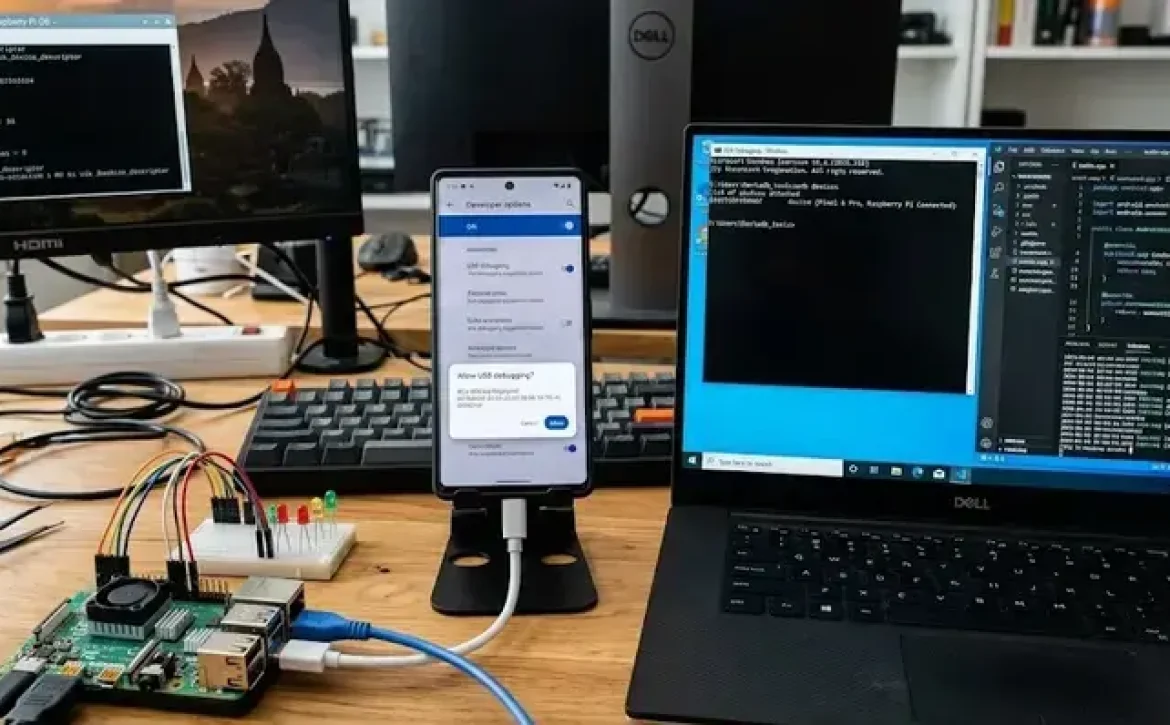
- USB debugging
- APK inspection
- Emulator diagnostics
- Performance profiling
Android debugging practices often align with Google’s Android development standards and mobile testing guidelines.
How Are Debugging Tools Used in Software Testing?
Free debug softwares are integrated into software testing workflows to improve defect detection and application stability.
Debugging in Testing Includes:
- Functional testing
- Performance testing
- Security testing
- API monitoring
- Regression validation
For example:
- REST API debugging tools inspect request-response behavior.
- Memory debugging tools identify resource leaks.
- Mobile debuggers analyze app crashes and ANR errors.
A related area often discussed alongside debugging is software profiling, log monitoring, and automated testing frameworks used in enterprise QA processes.
What Features Should You Look for in Free Debug Softwares?
Free debug softwares vary by platform and technical capability. Selecting the correct tool depends on project requirements.
Important Features
- Multi-platform support
- Real-time log capture
- Stack trace visualization
- Memory analysis
- API inspection
- Remote debugging capability
Selection Considerations
- Programming language compatibility
- Operating system support
- 32-bit or 64-bit debugging
- Integration with IDEs
- Security and compliance needs
Enterprise teams often prioritize tools that support scalable troubleshooting and standardized development environments.

Conclusion
Free debug softwares play a critical role in maintaining software quality, improving application stability, and reducing troubleshooting time across desktop, mobile, and cloud environments. As development ecosystems continue evolving, organizations increasingly rely on structured debugging frameworks, automated diagnostics, and integrated testing workflows to support reliable deployments. Businesses researching advanced troubleshooting methods often also explore related topics such as debugging softwares for enterprise-scale application management.
FAQ
What are free debug softwares?
Free debug softwares are tools used to identify, analyze, and fix software errors without requiring paid licenses.
Which is the best free debug software for Windows?
WinDbg and x64dbg are among the most commonly used free debuggers for Windows systems.
Are free debug softwares available for Android?
Yes. Android Debug Bridge (ADB) and Android Studio debugging tools are widely used free options for Android debugging.
What is a 64-bit debugging tool?
A 64-bit debugging tool is software designed to analyze and troubleshoot applications built for 64-bit operating systems and processors.
Why are debugging tools important in software testing?
Debugging tools help developers detect runtime issues, memory leaks, crashes, and API failures before software deployment.
Sources
https://thectoclub.com/tools/best-debugging-tools/
https://zzzcode.ai/code-debug
https://learn.microsoft.com/en-us/windows-hardware/drivers/debugger/debugger-download-tools
https://sourceforge.net/projects/x64dbg/
https://www.moesif.com/blog/technical/api-tools/The-Best-Free-REST-API-Debugging-Tools-For-Developing-APIs/
https://x64dbg.com/
https://developer.android.com/tools/a
https://jam.dev/
https://www.softwareverify.com/free-software/