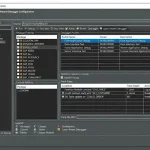
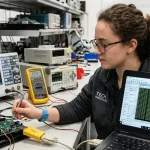
abb drive debug software is a group of ABB engineering and diagnostic applications used to configure, monitor, and troubleshoot industrial drive systems. These tools support communication with ABB drives such as ACS800 and ACS880 models through serial, Ethernet, or fieldbus connections. They are commonly used during commissioning, preventive maintenance, firmware management, and real-time fault analysis in industrial automation environments.
Key Takeaways
- abb drive debug software supports industrial drive diagnostics and maintenance.
- ABB Drive Composer is widely used for configuration and monitoring.
- DriveWindow Light supports commissioning and troubleshooting tasks.
- Structured debugging reduces downtime and improves drive reliability.
- STM32 debugging software is relevant in embedded motor-control integration.
- Official ABB software downloads improve compatibility and security.
Hardware and Software Debugging Tools for ABB Drive Systems
abb drive debug software supports multiple hardware interfaces and engineering utilities used for industrial motor diagnostics and parameter configuration.
Common ABB diagnostic tools
| Tool | Main Function |
| ABB Drive Composer | Configuration and monitoring |
| ABB DriveWindow Light | Basic startup and diagnostics |
| ABB DriveWindow 64-bit | Advanced networking and maintenance |
| DriveDebug | Legacy ABB drive debugging |
Typical hardware used
- USB-to-drive communication adapters
- Fiber optic communication modules
- Ethernet-based commissioning tools
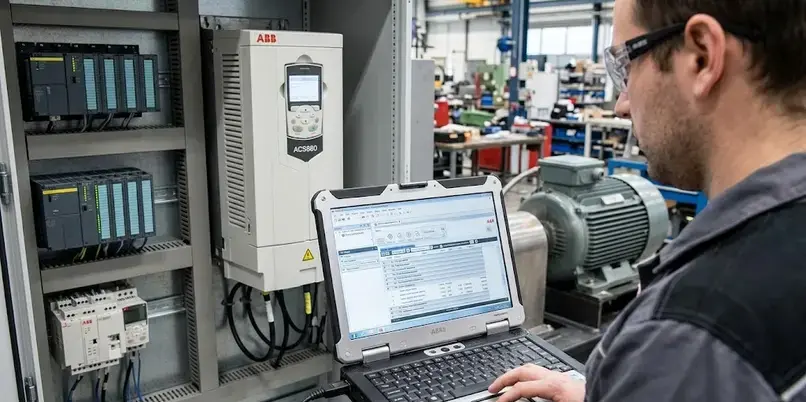
- Industrial laptops with ABB engineering software
Many facilities using ABB ACS800 Drive software download packages rely on IEC 61800-compliant maintenance procedures for adjustable speed drive systems.
Software Testing vs Debugging in ABB Drive Maintenance
Software testing verifies expected drive operation, while debugging identifies and resolves faults within configuration, firmware communication, or runtime behavior.
Examples include:
- Testing parameter accuracy during commissioning
- Debugging motor overload alarms
- Verifying encoder signal integrity
- Identifying communication timeout errors
Testing is preventive, while debugging is corrective within ABB drive maintenance workflows.
Software Debugging Techniques Used in ABB Drive Troubleshooting
abb drive debug software uses several structured troubleshooting methods to identify operational and communication faults.
Common debugging techniques
- Real-time signal monitoring
- Fault history analysis
- Parameter comparison
- Oscilloscope-style trend logging
- Firmware event tracing
Diagnostic examples
| Fault Type | Typical Cause |
| Overcurrent | Motor load imbalance |
| Undervoltage | Power supply instability |
| Ground fault | Cable insulation damage |
| Encoder fault | Signal interruption |
ABB Drive composer entry tools are frequently used for graphical diagnostics and parameter backup during troubleshooting operations.
A related group of tools often discussed alongside these platforms includes ABB Drive Composer, ABB DriveWindow Light, and DriveWindow Light Software utilities.
STM32 Debugging Software and Industrial Drive Diagnostics
STM32 debugging software is commonly used in embedded motor-control development environments where microcontrollers interface with industrial drives.
Industrial engineering teams may use STM32 debugging utilities for:
- Embedded firmware validation
- PWM signal analysis
- Communication protocol testing
- Sensor feedback verification
This approach is common in custom motor-control systems integrated with ABB automation infrastructure.
Process Tools & Techniques Used in Debugging During Software Development
abb drive debug software environments follow structured debugging procedures during industrial software development and commissioning.
Standard debugging workflow
- Establish drive communication
- Read active parameter groups
- Analyze diagnostic event logs
- Validate firmware compatibility
- Apply corrective configuration changes
- Retest operational behavior
Important engineering practices
- Maintain parameter backup files
- Use version-controlled firmware updates
- Verify safety interlocks before testing
- Document all commissioning modifications
These procedures improve traceability and reduce operational downtime in manufacturing systems.
What Is the Debugging Process in Software Testing for Drive Systems?
The debugging process in software testing for drive systems involves identifying, isolating, and correcting faults affecting drive performance or communication.
Typical stages include:
- Fault reproduction
- Signal tracing
- Parameter inspection
- Firmware validation
- Corrective testing
This process is essential for maintaining stable motor control and industrial automation reliability.
How Can Users Access abb drive debug software Download Tools?
abb drive debug software download packages should be obtained from official ABB resources or trusted engineering repositories.
Common downloadable utilities
- abb drive debug software free download packages
- ABB Drive Composer
- ABB DriveWindow 64-bit
- ABB DriveWindow Light
Safe installation recommendations
- Match software version with drive generation
- Confirm Windows compatibility
- Verify firmware support before commissioning
- Use administrator installation permissions
Legacy tools such as DriveDebug may have lifecycle limitations depending on ABB drive family support status.
Conclusion
abb drive debug software remains an essential category of industrial engineering tools for drive commissioning, diagnostics, and predictive maintenance. As industrial automation systems continue integrating advanced monitoring and communication technologies, standardized debugging frameworks will remain critical for operational reliability and lifecycle management.
Organizations managing industrial software environments may also benefit from understanding related diagnostic methods such as abap software layer aware debugging for broader enterprise troubleshooting continuity.
FAQ
What is abb drive debug software?
abb drive debug software refers to ABB utilities used for industrial drive diagnostics, commissioning, and parameter management.
Is ABB Drive Composer free?
ABB Drive Composer offers entry-level editions with basic functionality, while advanced versions may require licensing.
What is ABB DriveWindow Light used for?
ABB DriveWindow Light is used for startup, parameter editing, and troubleshooting of ABB drive systems.
Does DriveDebug support modern ABB drives?
DriveDebug mainly supports older ABB drive platforms and may not fully support newer drive generations.
Can ABB drive software run on 64-bit Windows systems?
Yes. ABB DriveWindow 64-bit and current ABB Drive Composer releases support modern Windows operating systems.
Sources
- https://www.abb.com/global/en/areas/motion/digital-tools/legacy-drive-tools
- https://new.abb.com/drives/de/software-tools/drivedebug
- https://www.scribd.com/document/357218624/DriveDebug-Software-tools-ABB-Drives-pdf
- https://abb-oy-drivedebug.software.informer.com/
- https://drivedebug.software.informer.com/
- https://library.e.abb.com/public/812b49b7739149b7bfab86712d16fa0b/Life_cycle_announcement_DriveDebug_revA.pdf?x-sign=wv1z0mTOX35mEKDRZmKqREdwDtKe79FxUyXzvFGB9IJelrmizfIfoCdwtEJ1Jgwn
- https://www.abb.com/global/en/areas/motion/digital-tools/drive-application-programming
- https://www.abb.com/global/en/areas/motion/digital-tools/drive-composer
- https://www.scribd.com/document/357105922/DriveDebug-Software-Tools-ABB-Drives
- https://onlineplcsupport.com/how-to-navigate-abb-acs-800-drive-window-software-without-confusion/