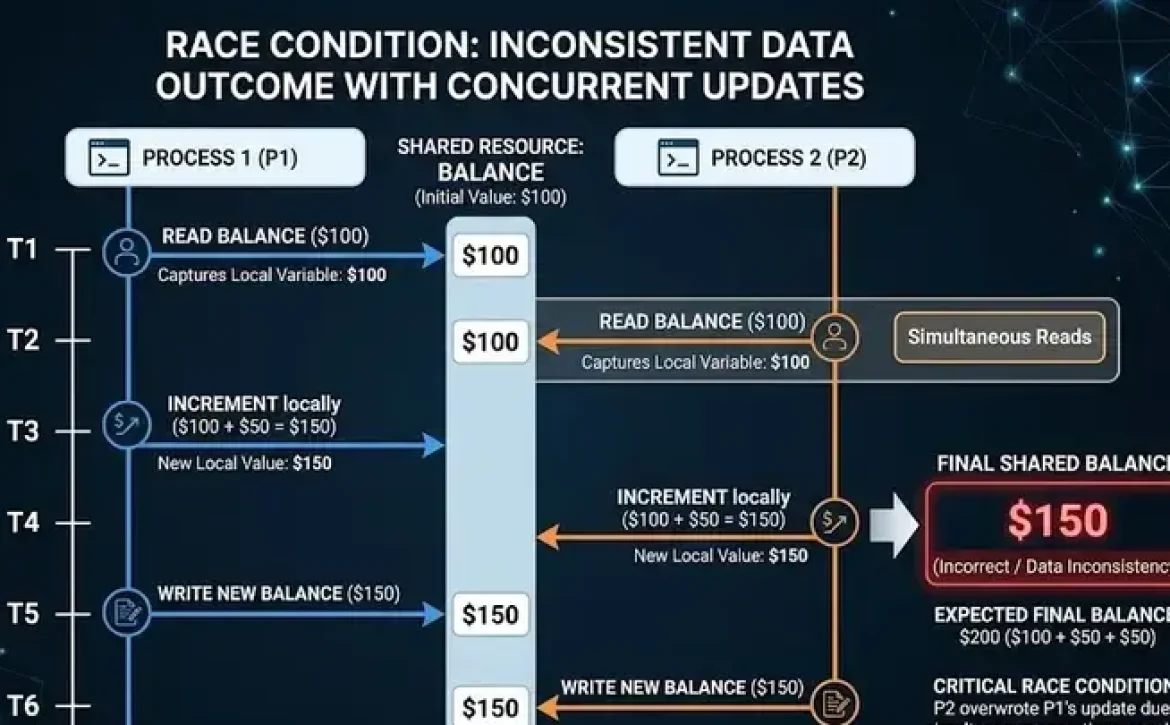
Debugging web services refers to the process of detecting, analyzing, and resolving errors that occur when applications communicate through APIs or service endpoints. It involves examining request–response cycles, server logs, authentication flows, and network interactions. Proper debugging ensures web services function correctly across distributed systems and prevents failures that may affect application performance or data integrity.
Key Takeaways
- Debugging web services identifies and resolves API communication errors.
- The process involves analyzing requests, responses, and server logs.
- Tools like Postman, Visual Studio, and network analyzers support troubleshooting.
- Structured debugging steps help isolate and fix service failures efficiently.
- Effective debugging improves system reliability and integration performance.
What Is Debugging Web Services and Why Is It Important?
Debugging web services focuses on identifying faults in API communication between applications. These issues often occur during request processing, data serialization, authentication, or network transmission.
Common debugging targets include:
- API endpoint failures
- Invalid request parameters
- Authentication or authorization errors
- Timeout or network connectivity problems
- Data format inconsistencies (JSON or XML)
Typical debugging workflow:
| Stage | Description |
| Detection | Identify service errors or unexpected responses |
| Isolation | Determine which endpoint or component caused the issue |
| Analysis | Examine logs, stack traces, or request payloads |
| Resolution | Modify code or configuration |
| Validation | Test the corrected service |
Without systematic debugging, service integrations may produce unstable or inconsistent application behavior.
How Does Debugging Web Services Work in Practice?
Debugging web services works by inspecting the communication flow between a client application and a service endpoint.
Key diagnostic techniques include:
1. Request Inspection
- Analyze HTTP methods (GET, POST, PUT, DELETE)
- Verify headers, parameters, and authentication tokens
2. Response Analysis
- Check status codes (200, 404, 500)
- Validate response body format
3. Log Monitoring
- Server logs reveal execution errors and exceptions
4. Breakpoint Debugging
- Developers pause execution within service logic
Example debugging scenario:
| Issue | Debugging Action |
| 401 Unauthorized | Verify authentication tokens |
| 500 Internal Server Error | Inspect server stack trace |
| Timeout error | Evaluate network latency or service load |
Which Tools Are Commonly Used for Debugging Web Services?
Developers rely on specialized tools that capture and analyze service communication.
Common debugging tools include:
API Testing Tools
- Postman
- SoapUI
- Insomnia
Development Environment Debuggers
- Visual Studio debugging tools
- Eclipse debugging utilities
- IntelliJ IDEA debugger
Network Monitoring Tools
- Wireshark
- Fiddler
- Browser developer tools
For example, Visual Studio debugging web services allows developers to set breakpoints in API controllers and inspect variables during runtime.
Many developers studying what is debugging in programming, the debugging process, or debugging examples encounter these tools when learning how to do debugging effectively.
What Are the Most Common Web Service Errors?
Web service failures usually originate from configuration mistakes, code defects, or infrastructure limitations.
Typical error categories include:
| Error Type | Description |
| Authentication Failure | Invalid API keys or tokens |
| Data Format Error | Incorrect JSON or XML structure |
| Endpoint Misconfiguration | Incorrect service URL |
| Network Failure | DNS or connectivity problems |
| Server Exception | Application logic error |
Example:
HTTP 500 Internal Server Error
This response usually indicates a server-side exception that must be traced using logs or a debugger.
What Are the Standard Steps for Debugging Web Services?
Industry debugging practices follow a structured sequence to prevent incomplete troubleshooting.
Seven common debugging steps:
- Reproduce the error consistently
- Inspect API requests and responses
- Check service logs and error messages
- Use breakpoints in service code
- Validate configuration settings
- Apply fixes and run integration tests
- Confirm the issue no longer occurs
This structured debugging process improves reliability in distributed service environments.
How Can Developers Improve Web Service Debugging Efficiency?
Efficient debugging requires disciplined testing and monitoring strategies.
Recommended practices:
- Implement detailed logging for service endpoints
- Use automated API testing tools
- Validate input parameters before processing
- Monitor API performance metrics
- Maintain versioned API documentation
Some related topics commonly explored alongside this subject include debugging tools, debugging examples, what is debugging in C, and how to learn debugging when studying broader software troubleshooting practices.
Conclusion
Debugging web services is a structured diagnostic practice that ensures reliable communication between distributed applications. By combining logging, debugging tools, and standardized testing steps, developers can isolate faults and maintain stable API integrations.
Understanding these practices also complements broader software troubleshooting topics, including What are professional software debugging services, which examine structured debugging support within professional development environments.
FAQ
How to debug a web service?
Debug a web service by inspecting API requests, analyzing server logs, setting breakpoints in code, and validating service responses.
Which IDE is best for debugging?
Popular IDEs for debugging include Visual Studio, IntelliJ IDEA, and Eclipse because they support breakpoints, variable inspection, and step execution.
What are the 7 debugging steps?
The seven debugging steps are reproducing the error, inspecting requests, checking logs, setting breakpoints, validating configuration, applying fixes, and verifying results.
What is debugging in web technology?
Debugging in web technology is the process of identifying and fixing issues in web applications, APIs, and server communication layers.
What is debugging in programming?
Debugging in programming is the systematic identification and correction of errors in software code that cause incorrect behavior or failures.
Sources
https://aws.amazon.com/what-is/debugging/
https://www.ibm.com/docs/en/imdm/11.6.0?topic=services-debugging-web
https://stackoverflow.com/questions/12581932/how-to-debug-web-service
https://download.oracle.com/otn_hosted_doc/jdeveloper/1012/web_services/deb_wsabout.html
https://yupingohanga.medium.com/starting-the-debugger-for-web-services-in-node-52a294e6d99c
https://www.ni.com/docs/en-US/bundle/labview/page/testing-and-debugging-a-web-service-on-the-application-web-server-real-time-windows.html?srsltid=AfmBOoouhCGSYkK13g96B0wQ5KnCGHmw-fsSIW-SHoa1D3E_6Yx8-y6v
https://arquiconsult.com/en/debug-attach/
https://mybusinesscentraldiary.wordpress.com/2020/04/25/debugging-web-services-in-saas/
https://techdocs.audiocodes.com/session-border-controller-sbc/mp-1288/user-manual/version-740/Content/UM/Debugging%20Web%20Services.htm