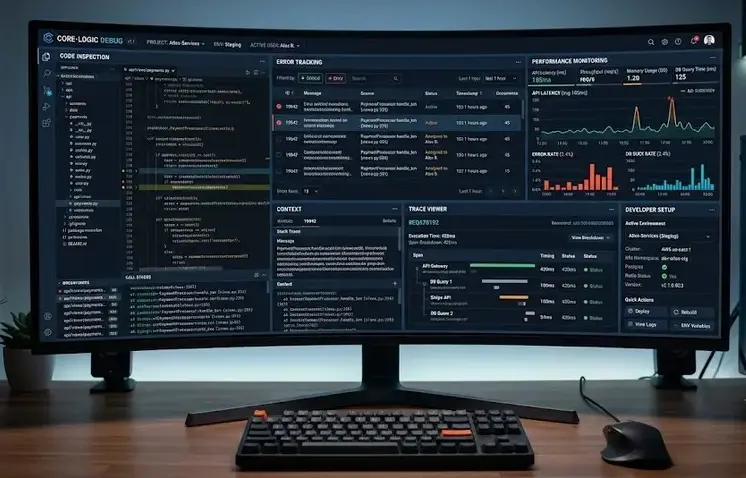
Software debugging tools are programs designed to identify, isolate, and correct errors, defects, and unexpected behavior in software applications. They provide developers with visibility into code execution, memory usage, system interactions, and runtime performance. As software systems become more complex, effective debugging tools help reduce development time, improve software quality, and support reliable deployment across multiple platforms.
Key Takeaways
- Software debugging tools help identify and resolve software defects efficiently.
- Different development environments require specialized debugging solutions.
- Embedded debugging often combines hardware and software analysis.
- Mobile debugging focuses on performance, stability, and user experience.
- System-level debugging tools support operating system and driver development.
- Structured debugging processes improve software quality and reliability.
- Modern development workflows integrate debugging with testing and monitoring practices.
What Are Software Debugging Tools and Why Are They Important?
Software debugging tools help developers observe program behavior, identify faults, and verify corrective actions before software reaches production environments.
Key Functions
- Detect coding errors and logical defects
- Monitor runtime performance
- Analyze memory allocation and leaks
- Track system events and exceptions
- Validate software behavior under different conditions
Benefits
| Benefit | Description |
| Improved Reliability | Reduces software failures and crashes |
| Faster Development | Accelerates issue identification |
| Better Performance | Detects bottlenecks and inefficiencies |
| Enhanced Security | Identifies vulnerabilities and unsafe code |
| Easier Maintenance | Simplifies troubleshooting after deployment |
Common discussions about software debugging tools often include software testing tools, application monitoring platforms, and performance analysis utilities.
Software Debugging Process: Stages, Cycles, and Techniques
Software debugging tools support a structured debugging process that helps developers resolve issues systematically.
Typical Debugging Cycle
- Identify the defect
- Reproduce the issue
- Analyze root causes
- Apply corrective changes
- Test the solution
- Verify system stability
Common Debugging Techniques
- Breakpoint debugging
- Step-by-step execution
- Log analysis
- Memory inspection
- Static code analysis
- Dynamic runtime analysis
Industry Practices
Many organizations integrate debugging into continuous integration and quality assurance workflows. Standards such as ISO 25010 emphasize software quality characteristics including reliability, maintainability, and performance efficiency that benefit from effective debugging practices.
Popular Software Debugging Tools for Web, Mobile, Embedded, and System Development
Software debugging tools vary based on platform requirements, programming languages, and hardware environments.
Software Debugging Tools List
| Tool | Primary Use |
| GDB | Linux and embedded debugging |
| WinDbg | Windows system debugging |
| Visual Studio Debugger | .NET and C++ development |
| Chrome DevTools | Web application debugging |
| Android Studio Debugger | Android application debugging |
| LLDB | LLVM-based development |
| SonarQube | Code quality analysis |
| JTAG Debuggers | Embedded hardware debugging |
Software Debugging Tools Examples
- Browser debugging using Chrome DevTools
- Kernel debugging with WinDbg
- Microcontroller debugging through JTAG interfaces
- Android application profiling with Android Studio
Embedded Software Debugging Tools and Techniques
Debugging tools in embedded systems must analyze both hardware and software interactions.
Common embedded debugging tools include:
- JTAG debuggers
- In-Circuit Emulators (ICE)
- Logic analyzers
- Oscilloscopes
- GDB-based embedded debuggers
Key techniques include:
- Real-time trace analysis
- Register inspection
- Memory mapping verification
- Hardware breakpoint monitoring
These methods are widely used in automotive, industrial automation, aerospace, and IoT applications.
Mobile and Android Debugging Software Solutions
Debugging tools for Android help developers evaluate application performance, compatibility, and user experience.
Popular solutions include:
- Android Studio Debugger
- Android Debug Bridge (ADB)
- Firebase Crashlytics
- Logcat
- Perfetto
Common debugging tasks:
- Crash diagnosis
- Memory leak detection
- Network monitoring
- Battery consumption analysis
- User interface troubleshooting
Debugging Methods and Monitoring Tools in System Software
System software requires specialized debugging tools capable of inspecting operating systems, drivers, and low-level processes.
Examples include:
- WinDbg
- LLDB
- System Monitor tools
- Kernel debuggers
- Event tracing utilities
Debugging Tools for Windows Download
Microsoft provides Windows debugging utilities through the Windows SDK and Debugging Tools for Windows package. These tools support kernel-mode and user-mode debugging for Windows applications and drivers.
Debugging Tools Java
Java developers commonly use:
- IntelliJ IDEA Debugger
- Eclipse Debugger
- Java Debugger (jdb)
- VisualVM
- JProfiler
These tools assist with thread analysis, memory management, and application profiling.
Conclusion
Software debugging tools provide a structured framework for identifying, analyzing, and resolving software defects across web, mobile, embedded, and system environments. Selecting the appropriate category of tool—application, hardware, mobile, or system-level—helps improve reliability, maintainability, and performance throughout the software lifecycle. For a broader understanding of quality assurance practices, organizations often combine these tools with debugging techniques in software testing to strengthen defect detection and resolution processes.
FAQ
What are the debugging tools?
Debugging tools are software or hardware utilities that help developers detect, analyze, and fix errors in applications, operating systems, and embedded systems.
What is F5 F6 F7 F8 in debugging?
In many integrated development environments, F5 starts or continues execution, F6 steps over code, F7 steps into functions, and F8 continues execution to the next breakpoint or event.
What is GDB full form?
GDB stands for GNU Debugger. It is an open-source debugging tool used for C, C++, and several other programming languages.
What is software debugging?
Software debugging is the process of identifying, analyzing, and correcting errors that prevent software from functioning as intended.
Which debugging tool is best for embedded systems?
The best tool depends on the hardware platform, but JTAG debuggers, GDB, and in-circuit emulators are widely used for embedded system development.
Sources
- https://saucelabs.com/resources/blog/best-debugging-tools
- https://javascript.plainenglish.io/top-7-debugging-tools-every-developer-should-master-in-2025-fe09af885d1c
- https://promwad.com/news/top-debugging-tools-embedded-systems-2025
- https://conclusive.tech/glossary/debugging-tools-the-best/
- https://thectoclub.com/tools/best-debugging-tools/
- https://medium.com/@akashnagpal112/24-best-debugging-tools-for-developers-in-2026-d5e34cee5880
- https://www.sonarsource.com/resources/library/debugging/
- https://learn.microsoft.com/en-us/windows-hardware/drivers/debugger/debugger-download-tools