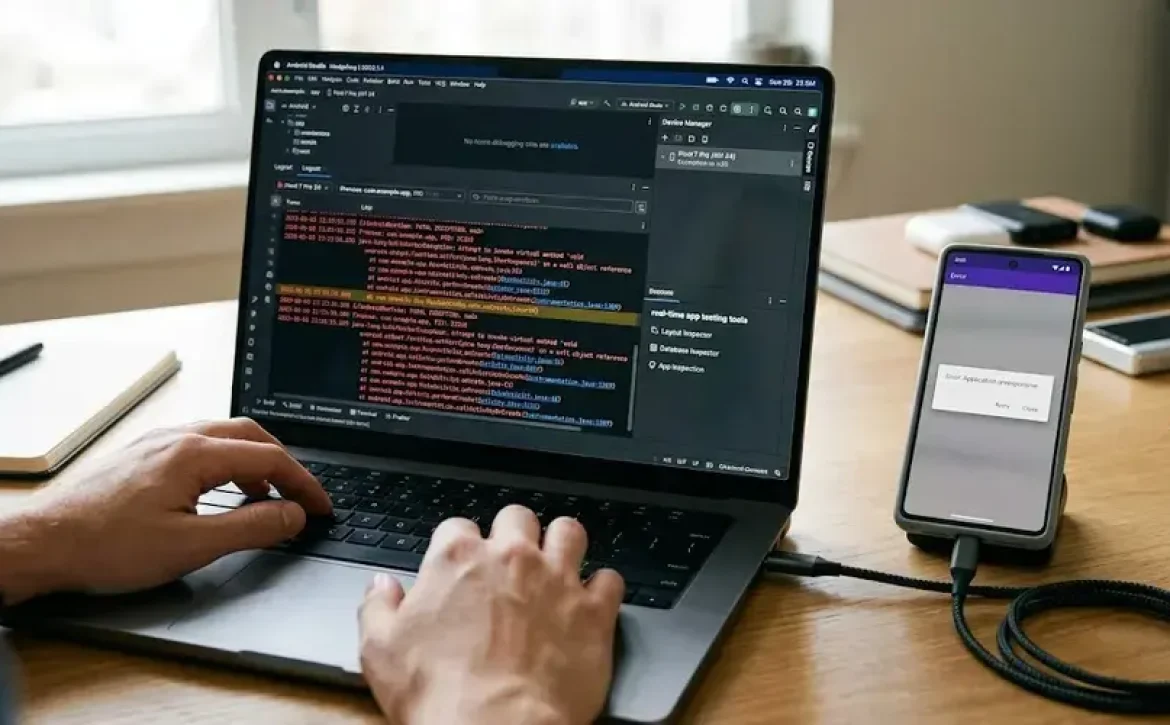
Most commonly used debugging tools in the software industry are software and hardware solutions that assist developers in locating, diagnosing, and correcting defects in computer programs. They provide visibility into code execution, memory usage, system behavior, and application performance. As software systems become more complex, effective debugging tools are essential for maintaining reliability, reducing downtime, and improving overall software quality.
Key Takeaways
- Debugging identifies and resolves software defects.
- Different environments require specialized debugging tools.
- Embedded systems often use GDB, OpenOCD, and TRACE32.
- JTAG debugging enables hardware-level diagnostics.
- Android Studio and ADB are widely used for mobile debugging.
- Structured debugging improves software quality and reliability.
- Modern development teams integrate debugging into CI/CD workflows.
What Is Debugging in Software Development?
The most commonly used debugging tools in the software industry support the process of identifying and resolving software defects that cause incorrect behavior, crashes, security vulnerabilities, or performance issues.
Debugging typically involves:
- Detecting errors
- Reproducing issues
- Analyzing root causes
- Correcting faulty code
- Verifying fixes
Common bug categories include:
| Bug Type | Description |
| Syntax Errors | Violations of programming language rules |
| Logic Errors | Incorrect program behavior despite successful execution |
| Runtime Errors | Failures occurring during execution |
| Memory Errors | Memory leaks, corruption, or overflow issues |
| Performance Bugs | Slow execution or resource bottlenecks |
Why Is Debugging Important in Software Engineering?
The most commonly used debugging tools in the software industry play a critical role in software quality management and operational reliability.
Benefits include:
- Improved application stability
- Reduced production failures
- Faster development cycles
- Better user experience
- Enhanced security and compliance
Organizations commonly integrate debugging practices within:
- Software Development Life Cycle (SDLC)
- DevOps workflows
- Continuous Integration and Continuous Deployment (CI/CD)
- Software testing and quality assurance programs
Many developers also explore related topics such as software testing tools, application performance monitoring platforms, and code profiling utilities when improving software quality.
What Are the Main Steps in the Software Debugging Process?
The most commonly used debugging tools in the software industry support a structured debugging workflow.
Standard Debugging Process
- Identify the defect.
- Reproduce the issue consistently.
- Isolate the root cause.
- Implement corrective changes.
- Test the fix thoroughly.
- Monitor for regressions.
Common Debugging Features
- Breakpoints
- Step-by-step execution
- Variable inspection
- Stack tracing
- Memory analysis
- Log monitoring
Embedded Software Debugging Tools and Techniques
Embedded systems require specialized debugging because software interacts directly with hardware components.
Popular embedded debugging tools include:
| Tool | Primary Use |
| GDB | Low-level embedded debugging |
| OpenOCD | On-chip debugging support |
| Lauterbach TRACE32 | Advanced processor analysis |
| SEGGER Ozone | ARM-based system debugging |
Common embedded debugging techniques:
- Real-time tracing
- Register inspection
- Firmware analysis
- Memory monitoring
- Hardware breakpoint implementation
These methods are widely used in automotive, industrial automation, aerospace, and IoT development.
Hardware Debugging Software for Microcontrollers and JTAG Systems
The most commonly used debugging tools in the software industry often include hardware-assisted debugging solutions.
Widely adopted hardware debugging software includes:
- WinDbg
- J-Link Debugger
- Keil µVision Debugger
- MPLAB X Debugger
- TRACE32
JTAG-Based Debugging Benefits
- Direct processor access
- Flash programming support
- Real-time diagnostics
- Register-level visibility
- Non-intrusive debugging
JTAG remains a standard interface for debugging microcontrollers and embedded processors.
Android and Mobile Application Debugging Software
Mobile application debugging focuses on performance, compatibility, stability, and user experience.
Popular Android debugging tools include:
| Tool | Function |
| Android Studio Debugger | Native Android debugging |
| ADB (Android Debug Bridge) | Device communication and diagnostics |
| Logcat | System log monitoring |
| Firebase Crashlytics | Crash reporting and analysis |
| Stetho | Application inspection |
Best Practices for Mobile Debugging
- Monitor memory consumption
- Analyze crash reports
- Test across device configurations
- Inspect network requests
- Validate performance metrics
These tools help developers maintain reliable mobile applications across different Android devices and operating system versions.
Which Debugging Tools Are Most Commonly Used Across the Industry?
The most commonly used debugging tools in the software industry vary by platform and application type.
| Tool | Primary Environment |
| GDB | Linux and Embedded Systems |
| WinDbg | Windows Systems |
| Chrome DevTools | Web Development |
| Visual Studio Debugger | .NET and Windows Applications |
| Android Studio Debugger | Mobile Development |
| LLDB | Apple Ecosystem |
| Firebase Crashlytics | Mobile Monitoring |
| OpenOCD | Embedded Systems |
| TRACE32 | Advanced Embedded Debugging |
| J-Link Debugger | Microcontroller Development |

Conclusion
Modern software development depends on selecting debugging tools that match the target platform, development environment, and system complexity. Understanding categories such as application, embedded, mobile, and hardware-assisted debugging enables more effective troubleshooting and software maintenance. For broader implementation strategies and platform-specific practices, organizations often combine these approaches with dedicated software debugging tools throughout the development lifecycle.
FAQ
What are debugging tools in software development?
Debugging tools are applications that help developers detect, analyze, and correct software defects during development and testing.
Which debugging tool is commonly used for Windows applications?
WinDbg and Visual Studio Debugger are widely used for debugging Windows-based software applications.
What is the purpose of JTAG debugging?
JTAG debugging provides low-level hardware access for inspecting processors, memory, and registers during embedded software development.
Which tool is best for Android debugging?
Android Studio Debugger is the primary debugging environment for Android application development.
Why are debugging tools important in software testing?
They help identify root causes of defects, improve software reliability, reduce failures, and support quality assurance processes.
Sources
- https://thectoclub.com/tools/best-debugging-tools/
- https://conclusive.tech/glossary/debugging-tools-the-best/
- https://saucelabs.com/resources/blog/best-debugging-tools
- https://www.ramotion.com/blog/tools-for-debugging/
- https://javascript.plainenglish.io/top-7-debugging-tools-every-developer-should-master-in-2025-fe09af885d1c
- https://wearebrain.com/blog/best-debugging-tools-for-software-developers/
- https://blog.eduonix.com/2025/09/the-top-10-debugging-tools-every-developer-should-master/
- https://promwad.com/news/top-debugging-tools-embedded-systems-2025