Best free coding debugging software refers to development tools that detect, analyze, and correct programming errors during software creation and testing. These tools are widely used in web development, embedded systems, application testing, and DevOps workflows. Why is debugging important? Efficient debugging reduces deployment failures, improves application stability, and supports secure software maintenance.
Key Takeaways
- Best free coding debugging software helps identify and fix programming errors efficiently.
- Debugging tools support runtime inspection, testing, and validation workflows.
- Online debuggers simplify collaboration and cloud-based development.
- C++ debugging commonly relies on GDB, LLDB, and Visual Studio tools.
- Software testing and debugging serve different but complementary functions.
Top Free Coding Debugging Software for Developers
Best free coding debugging software includes online debuggers, integrated development environments, and AI-assisted code analysis tools. Developers select tools based on language support, automation features, and compatibility.
| Tool | Main Function | Best Use Case |
| JDoodle | Online compiler and debugger | Multi-language coding |
| ZZZ Code AI | AI-assisted debugging | Fast error detection |
| Workik AI Debugger | Code correction and optimization | Automated fixes |
| GDB | GNU debugging tool | C and C++ debugging |
| Visual Studio Code | Integrated debugging environment | Full-stack development |
| Chrome DevTools | Browser debugging | JavaScript inspection |
| Pieces for Developers | Code snippet management | Workflow organization |
Software Used to Debug C++ Code
Several debugging platforms are designed specifically for C++ development environments.
Common examples include:
- GDB for command-line debugging
- LLDB for LLVM-based systems
- Visual Studio Debugger for Windows applications
- Code::Blocks integrated debugger
Important debugging functions include:
- Breakpoint analysis
- Stack tracing
- Variable inspection
- Memory leak detection
Developers searching for coding support also compare free AI tools for coding, online code debuggers, and AI code fixer free platforms for automated issue detection.
Essential Software Debugging Tools and Techniques
Best free coding debugging software is most effective when combined with structured debugging techniques. Professional software teams typically follow standardized debugging workflows.
Common Debugging Techniques
- Step-by-step execution
- Log analysis
- Static code analysis
- Unit testing
- Runtime monitoring
Example of a Simple Debugging Workflow
- Reproduce the software issue
- Identify the failing module
- Run breakpoint testing
- Analyze variable outputs
- Apply and validate the fix
USB Debugging Software for Windows
USB debugging software for Windows is commonly used for Android development and device-level diagnostics.
Popular tools include:
- Android Debug Bridge (ADB)
- Android Studio Debugger
- Samsung Odin Utility
- Device Manager Diagnostic Tools
These tools allow:
- Device communication testing
- APK installation validation
- Error logging
- Firmware troubleshooting
Software Testing, Validation, and Debugging Explained
Best free coding debugging software supports both software testing and validation processes. Although testing and debugging are related, they perform different functions.
| Process | Purpose | Outcome |
| Testing | Detect software defects | Error identification |
| Validation | Verify software requirements | Compliance confirmation |
| Debugging | Fix identified defects | Stable software behavior |
Testing and Debugging in Software Engineering
Testing and debugging in software engineering are core stages of the software development lifecycle.
Key industry practices include:
- Agile testing integration
- Continuous Integration/Continuous Deployment (CI/CD)
- Regression testing
- Automated debugging support
Industries such as finance, healthcare, and automotive software development often follow standards like:
- ISO/IEC 25010 for software quality
- IEEE software testing standards
- Secure coding validation frameworks
What Features Should Free Code Debuggers Include?
Best free coding debugging software should provide both usability and diagnostic depth.
Important features include:
- Multi-language compatibility
- Real-time error reporting
- Syntax highlighting
- Cloud-based execution
- Performance profiling
- Security vulnerability scanning
Developers often prioritize coding platform free solutions that support collaborative debugging and browser-based testing environments.
How Do Online Code Debuggers Improve Development Speed?
Online debugging platforms reduce local setup requirements and accelerate testing across devices.
Benefits include:
- Faster collaboration
- Remote debugging access
- Simplified environment configuration
- Cross-browser testing support
Cloud debugging tools are increasingly used in distributed development teams where rapid issue resolution is critical.
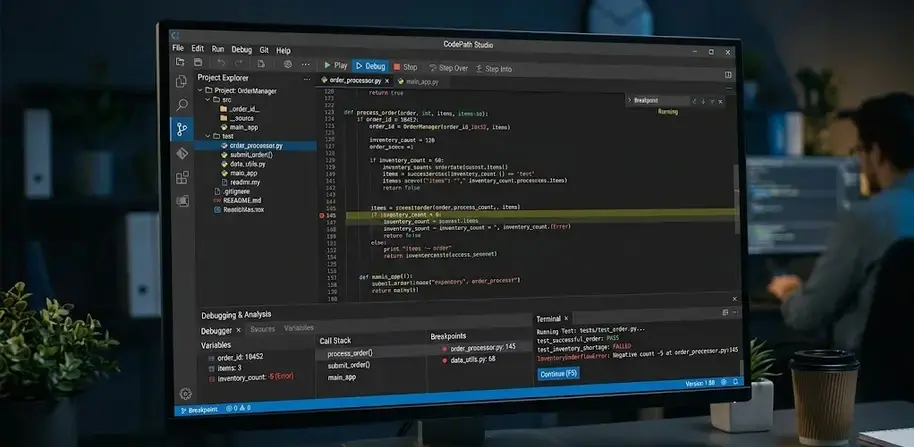
Conclusion
Best free coding debugging software improves software quality by supporting structured testing, runtime analysis, and efficient error correction. Modern debugging platforms now combine automated inspection, browser testing, and cloud-based workflows to simplify software maintenance across industries.
For broader desktop-focused development environments, many developers also compare tools discussed in best debugging software for windows to evaluate platform-specific debugging capabilities and advanced testing support.
FAQ
What is the best free coding debugging software?
Popular free debugging tools include Visual Studio Code, GDB, JDoodle, Chrome DevTools, and ZZZ Code AI.
Is online code debugging reliable for professional projects?
Yes. Many online debugging platforms support real-time collaboration, cloud execution, and multi-language testing suitable for professional workflows.
Which software is commonly used to debug C++ code?
GDB, LLDB, Visual Studio Debugger, and Code::Blocks are widely used for C++ debugging and runtime analysis.
What is the difference between testing and debugging?
Testing identifies software defects, while debugging focuses on locating and fixing those defects.
Can free debugging software support Android development?
Yes. Tools like Android Debug Bridge (ADB) and Android Studio support USB debugging, application testing, and device diagnostics.
Sources
https://www.akoode.com/blog/free-ai-tools-for-coding
https://zzzcode.ai/code-debug
https://www.jdoodle.com/
https://trendnologies.com/best-free-tools-to-practice-coding-and-debugging-online/
https://pieces.app/blog/9-best-ai-code-generation-tools
https://javascript.plainenglish.io/top-7-debugging-tools-every-developer-should-master-in-2025-fe09af885d1c
https://www.designrush.com/agency/web-development-companies/trends/ai-debugging-tools
https://www.reddit.com/r/webdev/comments/1gtjzpe/whats_the_best_ai_for_coding_and_debugging_dont/
https://sourceforge.net/directory/debuggers/
https://workik.com/ai-code-debugger