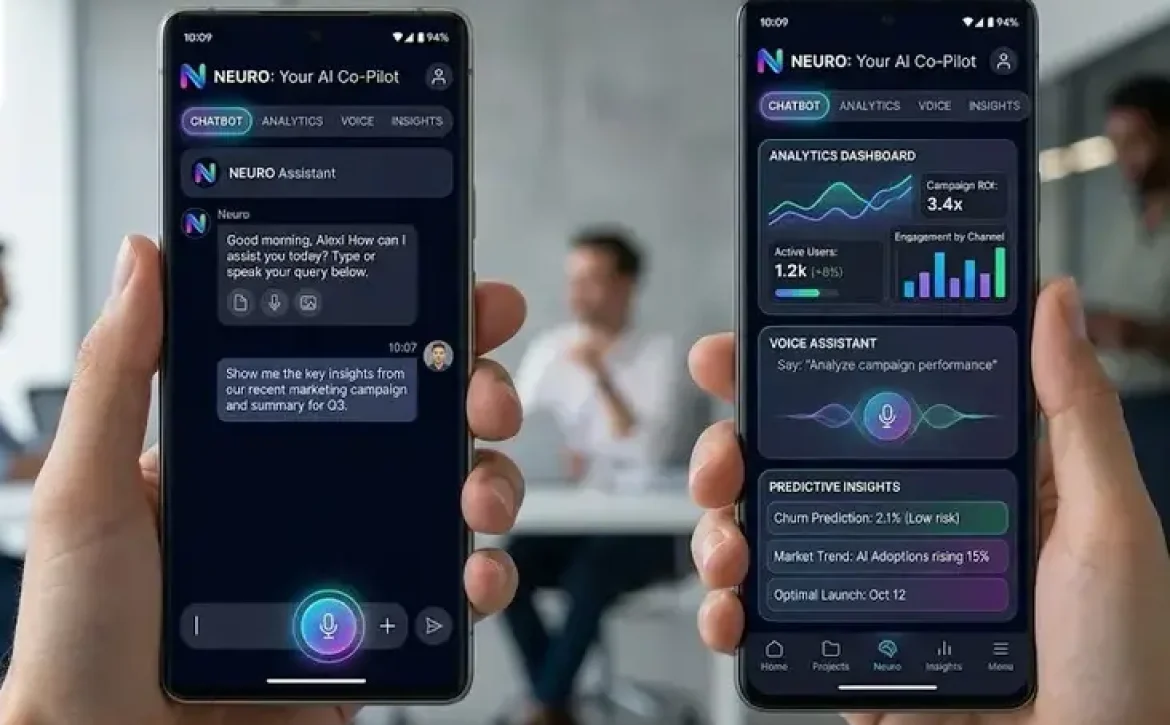
How to use ai in app development means incorporating intelligent algorithms and data-processing models into application design and functionality. They enable apps to utilize data insights, reduce manual effort through automation, and strengthen decision-making processes. As digital products evolve, integrating intelligent features has become essential for performance, scalability, and user engagement. What practical steps are required to implement this effectively?
Key Takeaways
- AI integration enhances app functionality through automation and prediction
- Beginners can start with APIs and pre-trained models
- Android apps commonly use on-device AI for speed and privacy
- Tool selection depends on scalability and complexity
- Data quality and compliance are critical for successful implementation
What does how to use ai in app development involve in practice?
How to use ai in app development involves embedding data-driven models into application workflows to automate or enhance functionality.
Core components include:
- Data collection: User behavior, logs, and external datasets
- Model selection: NLP, computer vision, or recommendation systems
- Integration layer: APIs or SDKs connecting models to apps
- Deployment: Cloud-based or on-device execution
Example use cases:
- Chatbots for customer support
- Fraud detection in fintech apps
- Image recognition in retail apps
How can beginners apply how to use ai in app development step by step?
How to use ai in app development for beginners requires a structured approach to reduce complexity.
Step-by-step process:
- Define the app’s problem (e.g., automation or prediction)
- Choose a suitable AI capability (e.g., classification, recommendation)
- Use pre-trained models via APIs
- Integrate using development tools (e.g., Android Studio, SDKs)
- Test with real-world data
- Monitor performance and refine
Beginner-friendly tools:
- Firebase AI tools
- Google ML Kit
- OpenAI APIs
What tools are commonly used for how to use ai in app development?
How to use ai in app development depends on selecting tools that match the platform and complexity.
| Category | Tools | Purpose |
| Mobile AI SDKs | ML Kit, TensorFlow Lite | On-device processing |
| Cloud Platforms | Google Cloud AI, Azure AI | Scalable model deployment |
| APIs | NLP, Vision APIs | Quick integration |
| Development Environments | Android Studio | App building and testing |
These tools enable both beginners and advanced developers to integrate intelligent features efficiently.
How is how to use ai in app development applied in Android apps?
How to use ai in app development for Android involves integrating AI libraries directly into mobile applications.
Common Android implementations:
- Voice assistants: Speech-to-text processing
- Smart replies: Predictive text suggestions
- Image scanning: Barcode and object recognition
Best practices:
- Use on-device models for privacy and speed
- Optimize models for low memory usage
- Follow Android performance guidelines
A common related context includes topics such as AI for Android app development, how to use AI in Android Studio, and best free AI tools for mobile apps
What are the main benefits of how to use ai in app development?
How to use ai in app development delivers measurable improvements across functionality and user experience.
Key benefits:
- Personalization: Tailored recommendations
- Automation: Reduced manual processes
- Efficiency: Faster data processing
- Scalability: Handles large datasets
- User engagement: Smarter interactions
Industry example:
- E-commerce apps use recommendation engines to increase conversions
- Healthcare apps use predictive models for diagnostics support
What challenges exist in how to use ai in app development?
How to use ai in app development also involves technical and operational challenges.
Common challenges:
- Data quality and availability
- Model accuracy and bias
- Integration complexity
- Regulatory compliance (e.g., data protection laws)
Mitigation strategies:
- Use validated datasets
- Regularly retrain models
- Implement transparent data policies

Conclusion
How to use ai in app development requires combining structured workflows, appropriate tools, and clear use cases to build intelligent applications. As adoption grows, developers should focus on scalable architectures and responsible data usage. For deeper implementation pathways, explore how to develop generative ai apps in azure to extend capabilities into enterprise-grade environments.
FAQs
How can you use AI to build an app?
You can use AI by integrating APIs or models that enable features like prediction, automation, or personalization within the app.
What is the 30% rule for AI?
The 30% rule suggests that AI implementation typically improves efficiency or productivity by around 30% in optimized workflows.
How can AI be used in apps?
AI can be used for chatbots, recommendation systems, image recognition, voice processing, and predictive analytics.
What are 7 types of AI?
Reactive systems, limited memory models, theory of mind AI, self-aware intelligence systems, narrow AI, general AI, and superintelligent intelligence.
Sources
https://developer.android.com/ai
https://www.youtube.com/watch?v=Jbks74dd7vg
https://developers.openai.com/tracks/ai-application-development
https://firebase.google.com/products/generative-ai
https://www.couchbase.com/blog/ai-app-development/
https://www.thedroidsonroids.com/blog/ai-mobile-app-development-guide
https://cloud.google.com/use-cases/how-to-build-an-app-with-ai
https://medium.com/@DaveThackeray/the-right-way-to-build-an-ai-app-08e876d6ba58
https://lovable.dev/blog/how-to-develop-an-app-with-ai