Android debugging software is a category of development and testing tools used to detect application errors, monitor device behavior, and troubleshoot Android systems during software development. These tools are important for mobile app reliability, USB debugging, performance optimization, and device communication through Android Debug Bridge (ADB). Android developers, testers, and embedded system engineers commonly use debugging software to improve application stability and reduce software failures before release.
Key Takeaways
- Android debugging software helps identify and fix Android application errors.
- ADB and Android Studio debugger are widely used development tools.
- USB debugging supports device communication and APK testing.
- Hardware debugging methods are important for embedded Android systems.
- Testing identifies issues, while debugging resolves them.
- Log monitoring and runtime analysis improve software reliability.
Software Debugging Tools for Android Development
What tools are commonly included in android debugging software?
Android debugging software typically includes integrated development utilities, command-line tools, and runtime monitoring systems. Android debugging software is widely used during coding, testing, and device validation.
| Tool | Primary Function |
| Android Debug Bridge (ADB) | Device communication and command execution |
| Android Studio Debugger | Breakpoint and runtime analysis |
| Logcat | Real-time log monitoring |
| Systrace | Performance analysis |
| GPU Rendering Tools | Graphics debugging |
Many developers also use Android SDK Platform-Tools for device management and APK troubleshooting.
A related area often discussed includes Android Debug Bridge, Android Studio debugger, ADB download tools, and Android Debug APK testing utilities.
USB Debugging Software for Windows
USB debugging software for Windows allows PCs to communicate directly with Android devices through USB connections. These tools are commonly used for:
- APK installation
- Device recovery
- Firmware testing
- Log extraction
- Developer mode management
Windows systems typically require:
- USB drivers
- Android SDK Platform-Tools
- Enabled USB debugging mode
Software to Enable USB Debugging From PC
Some android debugging software solutions can enable or manage USB debugging from a connected computer. These utilities are commonly used when:
- Device screens are damaged
- Developers need remote access
- Enterprise testing requires multiple devices
ADB commands such as adb devices and adb shell are standard methods for managing Android communication.
Hardware and Software Debugging Techniques for Android Devices
What hardware and software debugging techniques are used on Android devices?
Android debugging software supports both software-level and hardware-level troubleshooting. Developers often combine multiple debugging methods during testing.
Common software debugging techniques
- Breakpoint debugging
- Log analysis
- Memory leak detection
- Exception tracing
- Network traffic monitoring
Common hardware debugging techniques
- JTAG debugging
- Serial debugging
- USB debugging
- Embedded board diagnostics
Hardware debugging is especially important in:
- Automotive Android systems
- Smart TVs
- IoT devices
- Embedded Android boards
What Is Debugging Process in Software Testing
The debugging process in software testing is the systematic identification and correction of software defects.
Typical debugging stages include:
- Error detection
- Issue isolation
- Root cause analysis
- Code correction
- Retesting and validation
This process helps improve software reliability and reduces production failures.
How Software Testing Is Different From Debugging in Android Apps
How is software testing different from debugging in Android development?
Android debugging software is used after testing identifies a defect. Testing verifies software behavior, while debugging locates and fixes the actual problem.
| Software Testing | Debugging |
| Identifies failures | Fixes failures |
| Performed by QA teams | Performed by developers |
| Focuses on validation | Focuses on correction |
| Uses test cases | Uses debugging tools |
Testing types commonly used in Android development include:
- Unit testing
- Integration testing
- System testing
- UI testing
Debugging activities often involve:
- Stack trace analysis
- Runtime monitoring
- Variable inspection
- Device log analysis
Why is debugging important in Android applications?
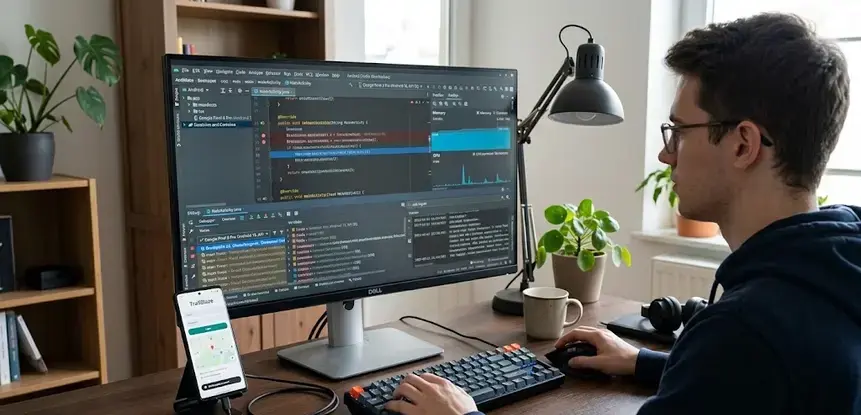
Android debugging software improves:
- Application stability
- Device compatibility
- Security validation
- Performance optimization
- User experience consistency
Efficient debugging also helps developers comply with software quality and mobile testing standards used in enterprise environments.
Conclusion
Android debugging software plays a critical role in application testing, device communication, and software reliability management. As Android ecosystems continue expanding across mobile and embedded environments, structured debugging methods and validation tools remain essential for maintaining application quality and operational stability. For broader device troubleshooting workflows, many developers also use android debugging mode software during USB communication and recovery operations.
FAQ
What is android debugging software?
Android debugging software is a set of tools used to detect, analyze, and fix issues in Android applications and connected devices.
What is ADB in Android debugging?
ADB, or Android Debug Bridge, is a command-line utility that enables communication between a computer and an Android device.
Is USB debugging safe?
USB debugging is generally safe for development and testing but should be disabled on public or unsecured devices when not in use.
Which software is best for Android debugging?
Android Studio Debugger, ADB, Logcat, and Systrace are commonly used Android debugging tools.
Why is debugging important in software testing?
Debugging helps developers identify the root cause of software failures and correct defects before application release.
Sources
- https://developer.android.com/tools/adb
- https://www.zipy.ai/blog/top-debugging-tools-for-mobile
- https://developer.android.com/studio/debug
- https://github.com/topics/android-debug-tools?o=desc&s=stars
- https://www.browserstack.com/guide/debugging-tools-in-android
- https://play.google.com/store/apps/details?id=com.htetznaing.adbotg&hl=en_IN
- https://en.wikipedia.org/wiki/Android_Debug_Bridge
- https://notificare.com/blog/2023/09/08/debugging-android-application-basics/
- https://tapptitude.com/blog/best-android-debugging-tools