Batch file debug software refers to utilities and development environments designed to analyze, test, and troubleshoot Windows .bat and .cmd scripts. These tools help developers detect syntax errors, monitor command execution, and validate automation behavior in enterprise, IT administration, and software maintenance environments. Batch debugging remains important because legacy Windows automation scripts are still widely used in system deployment, backup scheduling, and administrative operations.
Key Takeaways
- Batch file debug software helps troubleshoot Windows .bat and .cmd scripts.
- Common debugging methods include echo tracing, log inspection, and ErrorLevel testing.
- CMDebug provides dedicated breakpoint and step execution capabilities.
- Windows 11 administrators still rely on batch automation for system maintenance.
- Mixed-language debugging environments now support batch, PowerShell, JavaScript, and compiled applications.
Software Debugging Tools and Techniques for Batch File Troubleshooting
Testing and Debugging in Software Engineering for Batch Files
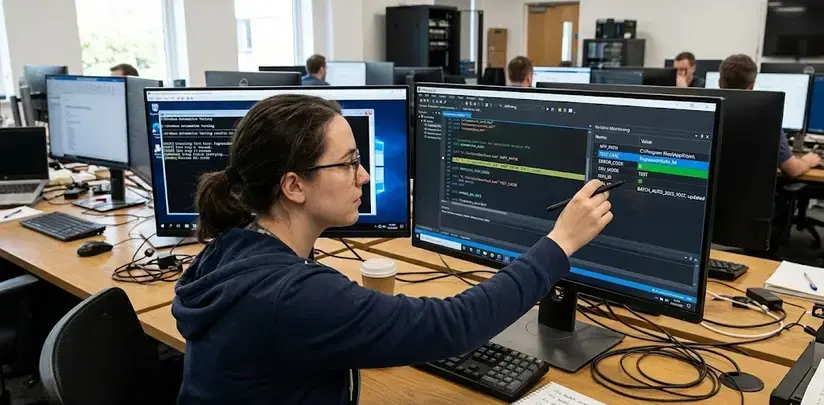
Batch file debug software commonly includes step execution, breakpoint monitoring, variable inspection, and logging features. These capabilities simplify troubleshooting in complex command-line workflows.
Common debugging techniques include:
- Echo tracing using ECHO ON
- Redirecting logs with >> logfile.txt
- Variable state inspection
- Error level testing using %ERRORLEVEL%
- Command isolation for sequential verification
| Technique | Purpose | Typical Use |
| Echo Debugging | Displays command execution | Script tracing |
| ErrorLevel Checks | Detects command failures | Conditional logic |
| Log Redirection | Stores execution history | Enterprise automation |
| Breakpoints | Pauses script execution | Interactive debugging |
Popular tools include:
- CMDebug
- BatDBug
- Visual Studio Code terminal debugging
- Batch File Debugger projects on SourceForge
Many administrators discussing batch file debug software also compare batch script checker tools, CMD troubleshooting utilities, and PowerShell migration workflows.
Process of Debugging in Software for Windows Batch Scripts
Batch file debug software for Windows 11 typically follows a structured troubleshooting process that improves execution consistency and reduces deployment failures.
Common Debugging Workflow
- Reproduce the batch script error
- Enable verbose command output
- Test commands independently
- Inspect variables and file paths
- Validate administrator permissions
- Review environment dependencies
- Re-run under controlled conditions
Frequent Batch Script Errors
| Error Type | Cause | Example |
| Path Errors | Incorrect directory references | Missing file paths |
| Syntax Errors | Invalid command formatting | Broken IF statements |
| Variable Expansion Issues | Delayed expansion conflicts | Loop variables |
| Permission Failures | Restricted system access | Registry edits |
Windows administrators often use SETLOCAL ENABLEDELAYEDEXPANSION to troubleshoot variable parsing inside loops and conditional statements.
Programming Debug Software Methods for Detecting Batch File Errors
Batch file debug software helps developers identify execution failures before deployment into production environments.
Software Tools to Debug Scripts, JavaScript, and C++ Code
Modern development environments increasingly support mixed-language troubleshooting, allowing batch scripts to interact with JavaScript, PowerShell, Python, and compiled applications.
Important debugging features include:
- Syntax highlighting
- Inline error detection
- Execution stepping
- Environment simulation
- Console monitoring
Commonly Used Batch Debugging Tools
| Tool | Main Capability | Platform |
| CMDebug | Interactive batch debugging | Windows |
| BatDBug | Open-source batch debugger | Windows |
| VS Code | Integrated terminal testing | Cross-platform |
| Quick Batch File Compiler | Script packaging and testing | Windows |
Visual Studio Code can assist with Vscode debug batch file workflows through terminal execution and task automation extensions, although native breakpoint debugging for .bat files remains limited compared to compiled languages.
How Does CMDebug Improve Batch File Analysis?
CMDebug is a dedicated debugger for batch scripts developed to simplify command execution analysis.
Key features include:
- Single-step execution
- Breakpoint insertion
- Variable monitoring
- Call stack inspection
- Syntax highlighting
CMDebug is commonly used in enterprise IT environments where legacy automation scripts remain critical for server administration and deployment management.
Why Is Batch File Debug Software Important for Windows 11?
USB Debugging Software for Windows and PC Troubleshooting
Batch file debug software supports Windows 11 system maintenance by improving automation reliability and reducing administrative errors.
Practical applications include:
- Network configuration scripts
- Scheduled maintenance tasks
- System backup automation
- Driver deployment
- USB device troubleshooting
Batch troubleshooting is sometimes integrated with USB debugging software for Windows when administrators automate hardware diagnostics or command-line recovery tasks.
Conclusion
Batch file debug software remains an important utility category for Windows automation, enterprise scripting, and administrative troubleshooting. Structured debugging methods, combined with specialized tools such as CMDebug and modern script editors, improve reliability, maintainability, and deployment accuracy across Windows environments.
Organizations maintaining legacy command-line workflows often combine these tools with related solutions such as back up or data recovery software that bypasses usb debugging to support broader recovery and troubleshooting operations.
FAQ
What is batch file debug software?
Batch file debug software is a utility that helps users identify and fix errors in Windows batch scripts through logging, tracing, and execution analysis.
Does Windows 11 support batch file debugging?
Yes. Windows 11 supports batch debugging through tools such as CMDebug, Visual Studio Code terminals, and command-line tracing methods.
Can Visual Studio debug BAT files?
Visual Studio and VS Code can execute and monitor BAT files, but advanced breakpoint debugging is usually provided by specialized batch debuggers.
What is the purpose of ErrorLevel in batch scripts?
%ERRORLEVEL% stores the exit status of commands and helps scripts detect execution failures for conditional processing.
Are batch scripts still used in enterprise environments?
Yes. Many organizations still use batch scripts for deployment automation, maintenance tasks, backup operations, and legacy system administration.
Sources
- https://jpsoft.com/products/cmdebug.html
- https://stackoverflow.com/questions/78534167/is-there-a-simple-debugger-for-batch-files
- https://sourceforge.net/projects/batchdebugger/
- https://github.com/Batch-Man/BatDBug
- https://www.softpedia.com/get/Programming/Debuggers-Decompilers-Dissasemblers/CMDebug.shtml
- https://softwarerecs.stackexchange.com/questions/51550/windows-batch-script-debugger-ide
- https://www.reddit.com/r/Batch/comments/1hth5rw/consolelike_ide_for_batch_files/
- https://www.capterra.in/software/1018882/quick-batch-file-compiler