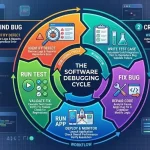
Debugging steps in software engineering refer to the structured process used to locate, investigate, and fix defects that cause software to behave incorrectly. Debugging is a core software engineering activity that supports application reliability, performance, and maintainability. By following a defined sequence of actions, development teams can reduce downtime, improve product quality, and prevent recurring issues throughout the software lifecycle.
Key Takeaways
- Debugging is the systematic process of finding and fixing software defects.
- A structured debugging workflow improves efficiency and accuracy.
- Root cause analysis is critical for preventing recurring issues.
- Embedded systems require specialized debugging techniques and tools.
- Modern debugging combines manual investigation with automated diagnostics.
- Effective debugging improves reliability, security, and maintainability.
What Is Debugging in Software Development?
Debugging steps in software engineering begin with understanding what debugging means. Debugging is the process of detecting, analyzing, and correcting errors, faults, or unexpected behaviors in software applications.
Common software defects include:
- Syntax errors
- Logical errors
- Runtime errors
- Integration defects
- Configuration issues
In practice, debugging works alongside testing. Testing identifies the presence of defects, while debugging determines their cause and implements corrective actions.
A related area often discussed includes debugging tools in software engineering, debugging techniques in embedded systems, and software testing methodologies.
Steps in Software Debugging
Debugging steps in software engineering generally follow a structured workflow.
| Step | Activity | Purpose |
| 1 | Identify the defect | Confirm that an issue exists |
| 2 | Reproduce the problem | Create consistent failure conditions |
| 3 | Collect diagnostic information | Gather logs, traces, and reports |
| 4 | Isolate the root cause | Determine the exact source of failure |
| 5 | Implement the fix | Correct the defect |
| 6 | Verify the solution | Confirm expected behavior |
| 7 | Document findings | Prevent recurrence |
Typical Debugging Process
- Observe the error or unexpected behavior.
- Reproduce the issue consistently.
- Review logs, outputs, and system states.
- Trace program execution.
- Identify the root cause.
- Apply corrective code changes.
- Retest affected components.
- Update documentation and issue records.
This structured approach reduces troubleshooting time and improves software maintainability.
Why Is Debugging Important in Software Engineering?
Debugging steps in software engineering are important because they directly affect software quality and operational reliability.
Key benefits include:
- Improved application stability
- Better user experience
- Reduced system downtime
- Enhanced security and compliance
- Lower maintenance costs
- Faster release cycles
Organizations commonly integrate debugging activities into quality assurance frameworks and software development life cycle (SDLC) practices to reduce production failures.
Debugging Embedded Software and Microprocessor-Based Systems
Embedded systems require specialized debugging because hardware and software operate together.
Common debugging challenges include:
- Memory constraints
- Real-time execution requirements
- Hardware interface failures
- Communication protocol issues
Examples include:
- STM32 debugging software workflows
- JTAG-based debugging environments
- Microprocessor debugging for 68000 and ARM architectures
Engineers often use hardware debuggers, oscilloscopes, logic analyzers, and firmware tracing tools to diagnose faults in embedded environments.
Essential Debugging Tools and Techniques for Software Engineers
Several tools support debugging steps in software engineering.
| Tool Type | Purpose |
| Interactive Debuggers | Step through code execution |
| Log Analysis Tools | Review system events |
| Profilers | Identify performance bottlenecks |
| Static Code Analyzers | Detect code defects |
| Crash Reporting Tools | Capture runtime failures |
Widely used techniques include:
- Breakpoint debugging
- Backtracking
- Program tracing
- Divide-and-conquer debugging
- Cause elimination
- Automated log analysis
Selecting the appropriate tool depends on application complexity, programming language, and deployment environment.
Mobile and System Software Debugging Approaches
Mobile and system-level applications require platform-specific debugging strategies.
Common approaches include:
- Android USB debugging
- Device emulation and simulation
- Crash analytics monitoring
- Kernel-level diagnostics
- Performance profiling
For Android applications, USB debugging enables developers to inspect application behavior directly from a connected workstation. System software debugging often involves monitoring operating system processes, drivers, memory allocation, and hardware interactions.

Conclusion
Debugging steps in software engineering provide a structured framework for identifying, isolating, correcting, and validating software defects. Consistent application of these steps improves software quality, reliability, and maintainability across development environments. Understanding the relationship between debugging activities and the broader software debugging process helps organizations build more resilient and efficient software systems.
FAQ
What is debugging in programming?
Debugging is the process of identifying, analyzing, and fixing errors or defects in software code to ensure correct program behavior.
What is the debugging process?
The debugging process involves defect identification, reproduction, root cause analysis, correction, verification, and documentation.
What are the main phases of debugging in software testing?
The main phases include problem detection, diagnosis, fault isolation, correction, retesting, and validation.
Which tools are commonly used for debugging?
Common tools include debuggers, log analyzers, profilers, static analysis tools, and crash reporting platforms.
How is embedded system debugging different from application debugging?
Embedded debugging involves both hardware and software analysis, while application debugging primarily focuses on software behavior and execution.
Sources
- https://www.geeksforgeeks.org/software-engineering/software-engineering-debugging/
- https://www.edureka.co/blog/what-is-debugging/
- https://www.ibm.com/think/topics/debugging
- https://www.meegle.com/en_us/topics/debugging/debugging-in-software-engineering
- https://www.ranorex.com/blog/what-is-debugging-software-testing/
- https://www.theknowledgeacademy.com/blog/what-is-debugging/
- https://www.tricentis.com/learn/debugging
- https://ebooks.inflibnet.ac.in/csp9/chapter/debugging/
- https://aws.amazon.com/what-is/debugging/