RCEE+Networks LLC
  • Home
  • About
  • Services
    • IMACAM™ Tech Support
  • Products
    • RetinaWiseAI™
  • Contact
1-844-2-THEOWL
info@rceenetworks.com
logotype
  • Home
  • About
  • Services
    • IMACAM™ Tech Support
  • Products
    • RetinaWiseAI™
  • Contact
logotype
  • Home
  • About
  • Services
    • IMACAM™ Tech Support
  • Products
    • RetinaWiseAI™
  • Contact
Author: Umesh Kumar Khiri
Home Umesh Kumar Khiri Page 7
Uncategorized
Umesh Kumar KhiriMay 15, 2026 0 Comments
Share article:TwitterFacebookLinkedin
15 Views
2 Likes

68000 Microprocessor Software Debug: 7 Powerful Techniques for Embedded System Analysis

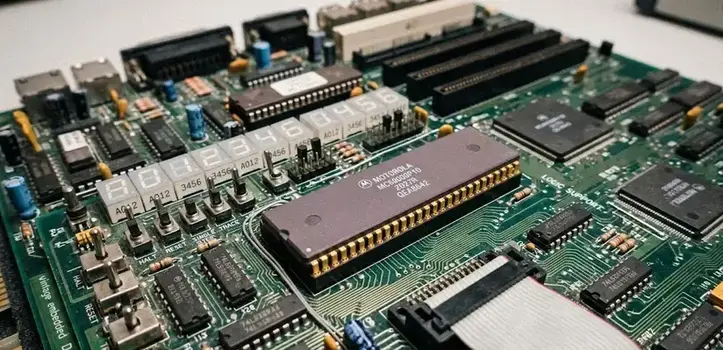
68000 microprocessor software debug refers to the tools, techniques, and procedures used to test and troubleshoot Motorola 68000 (68k) processor-based systems. The process includes breakpoint management, register inspection, memory tracing, and hardware-assisted debugging for embedded applications. Accurate debugging is critical because 68000 systems are widely used in legacy industrial controllers, development boards, and custom embedded computing environments.

Key Takeaways

  • 68000 microprocessor software debug focuses on fault detection and correction in embedded systems.
  • Debugging uses tools such as emulators, JTAG interfaces, and monitor programs.
  • The 68000 architecture includes hardware-assisted debugging features.
  • BTST and DBF instructions are commonly analyzed during diagnostics.
  • 68k systems remain relevant in industrial and educational environments.
  • Structured debugging improves firmware reliability and hardware integration.

What Is 68000 Microprocessor Software Debug?

68000 microprocessor software debug is the systematic analysis of software execution on the Motorola 68000 CPU architecture. It helps developers identify logic faults, memory errors, timing issues, and hardware communication failures.

What Is the Difference Between Software Testing and Debugging?

Software testing verifies whether a system behaves as expected, while debugging isolates and fixes detected faults.

ProcessPrimary GoalTypical Tools
TestingDetect failuresTest suites, simulators
DebuggingCorrect failuresBreakpoints, trace analyzers

Common debugging activities include:

  • Step-by-step instruction tracing
  • Register monitoring
  • Stack analysis
  • Exception vector inspection
  • Memory access validation

Which Tools Are Used in 68000 Microprocessor Software Debug?

68000 microprocessor software debug commonly relies on emulators, integrated debuggers, and hardware probes.

Which Software Tools Are Best for USB and STM32 Debugging?

Although STM32 platforms use ARM architectures rather than 68k processors, modern debugging principles overlap significantly.

Typical 68k debugging tools include:

  • GNU Debugger (GDB) adaptations
  • D68000 Linux debugger environments
  • In-circuit emulators (ICE)
  • JTAG-compatible debugging interfaces
  • Logic analyzers

Important debugging capabilities include:

  1. Real-time breakpoint handling
  2. Memory map visualization
  3. Assembly-level stepping
  4. Interrupt monitoring
  5. Bus-cycle tracing

A 68000 microprocessor software debug download package often includes monitor firmware, symbol loaders, and serial communication utilities for development boards.

How Does 68000 Hardware Support Debugging Operations?

68000 microprocessor software debug benefits from several hardware-assisted diagnostic features built into the architecture.

What Is 68000 BTST?

The BTST instruction checks individual bits within registers or memory locations. Developers use it to verify status flags and peripheral conditions during debugging sessions.

Key hardware debugging features include:

  • Supervisor and user execution modes
  • Exception vector tables
  • Trap instructions
  • Bus error detection
  • Interrupt prioritization
FeatureDebugging Purpose
Trap instructionsControlled breakpoint execution
Exception vectorsFault diagnosis
Supervisor modeProtected debugging access
Bus error handlingMemory fault detection

Why Is the 68000 Architecture Important in Embedded Development?

68000 microprocessor software debug remains relevant because the 68k architecture influenced modern embedded processor design.

What Is 68k DBF?

DBF (Decrement and Branch if False) is a loop-control instruction used for compact assembly loops and timing-sensitive operations.

Industries that still maintain 68000-based systems include:

  • Manufacturing automation
  • Telecommunications
  • Aerospace simulation
  • Educational electronics laboratories
  • Retro-computing restoration

The 68000 series is frequently discussed alongside 68000 development board platforms, 68k computer systems, and legacy workstation hardware.

How Does 68000 Compare With Other Processors?

68000 microprocessor software debug differs substantially from debugging simpler 8-bit systems.

What Is the Difference Between Z80 vs 68000?

The Z80 is an 8-bit processor with limited addressing capabilities, while the Motorola 68000 uses a 16/32-bit hybrid architecture with more advanced memory management and instruction handling.

ProcessorArchitectureDebug Complexity
Z808-bitLower
Motorola 6800016/32-bitHigher

The 68000 architecture supports larger address spaces, structured exception handling, and more advanced debugging workflows.

How Is Debugging Used in Software Engineering and System Testing?

68000 microprocessor software debug is integrated into broader embedded validation procedures.

How Is Debugging Used in Software Engineering and System Testing?

Engineers use debugging during:

  • Firmware integration
  • Real-time operating system validation
  • Peripheral communication testing
  • Interrupt timing verification
  • Hardware-software interface analysis

Many development teams also study related topics such as free JTAG debug software, software tools debug monitor systems, and unit testing in software engineering to improve embedded reliability.
Conclusion

68000 microprocessor software debug remains a foundational practice in embedded engineering, especially for maintaining legacy industrial and educational systems. Structured debugging methods that combine hardware tracing, software analysis, and architecture-specific diagnostics provide reliable fault isolation and long-term system stability. Developers working with legacy processor environments may also examine related diagnostic frameworks such as 64 debug software for broader embedded troubleshooting continuity.

FAQ

What is 68000 microprocessor software debug?

It is the process of identifying and correcting software and hardware execution faults in Motorola 68000-based systems.

What tools are commonly used for 68k debugging?

Common tools include GDB adaptations, in-circuit emulators, JTAG interfaces, monitor programs, and logic analyzers.

Why is the Motorola 68000 still studied?

The architecture influenced modern embedded systems and is still used in industrial controllers, retro computing, and education.

What is the purpose of BTST in 68000 debugging?

BTST checks individual bits in memory or registers to verify flags and hardware conditions.

How does the 68000 differ from the Z80?

The 68000 provides a more advanced 16/32-bit architecture with larger addressing capabilities and more sophisticated debugging support.

Sources

  • https://www.sciencedirect.com/science/article/pii/0010465585900967
  • https://www.nxp.com/docs/en/reference-manual/MC68000UM.pdf
  • https://reversing.pl/literatura/68k/The_68000_Microprocessor_Architecture_Software_and_Interfacing_Techniques.pdf
  • https://www.dcd.pl/d68000-ip-core-linux-mac-debugger/
  • https://www.scribd.com/document/332573374/Debugger-68k
  • http://bitsavers.informatik.uni-stuttgart.de/pdf//integratedSystems/mentor/68000_68300_Development_Tools_Brochure_1998.pdf
  • https://www.keysight.com/us/en/assets/9018-01195/user-manuals/9018-01195.pdf
READ MORE
Uncategorized
Umesh Kumar KhiriMay 15, 2026 0 Comments
Share article:TwitterFacebookLinkedin
18 Views
2 Likes

64 Debug Software: 7 Powerful Facts About x64 Debugging Tools

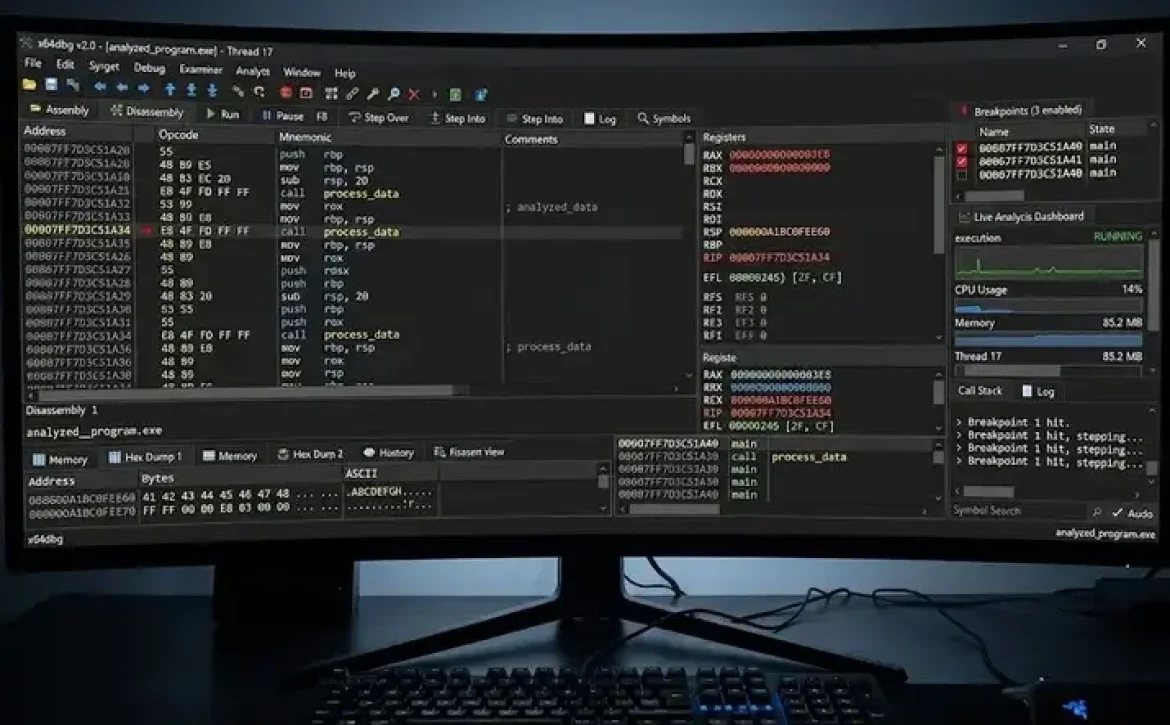
64 debug software is a category of debugging applications used to inspect, analyze, and troubleshoot 64-bit executable programs and system processes. These tools help developers and security researchers identify coding errors, memory faults, runtime exceptions, and binary-level vulnerabilities. Many debugging environments support assembly inspection, breakpoint management, stack tracing, and DLL analysis for Windows 10 and Windows 7 systems.

Key Takeaways

  • 64 debug software is designed for analyzing 64-bit Windows applications.
  • X64dbg is one of the most widely used open-source debugging platforms.
  • Debugging differs from software testing because it focuses on identifying root causes.
  • Reverse engineering and malware analysis commonly rely on debugging tools.
  • Hardware and software debugging tools serve different diagnostic functions.
  • Windows 10 and Windows 7 remain common environments for debugging workflows.

What Is 64 Debug Software Used For?

64 debug software is primarily used to examine the behavior of 64-bit applications during execution. It enables developers and analysts to monitor instructions, registers, memory allocation, and system calls in real time.

Common applications include:

  • Reverse engineering executable files
  • Malware analysis and digital forensics
  • Application crash diagnosis
  • Driver and kernel debugging
  • Software vulnerability research

Popular tools include:

ToolPrimary UsePlatform
X64dbgUser-mode debuggingWindows
OllyDbg32-bit binary debuggingWindows
X32dbg32-bit companion debuggerWindows
WinDbgKernel and crash analysisWindows

Many users searching for 64 debug software download also compare tools such as X64dbg, OllyDbg, and Debug 64-bit download free utilities for compatibility and plugin support.

How Does X64dbg Work in Windows Environments?

64 debug software such as X64dbg operates by attaching to running processes or loading executable files directly into a debugging environment. It supports both dynamic analysis and static inspection of binaries.

Core capabilities include:

  1. Breakpoint management
  2. Disassembly viewing
  3. Register monitoring
  4. Memory dumping
  5. API tracing
  6. DLL injection analysis

USB Debugging Software for Windows and PC

USB debugging utilities are often used alongside 64-bit debugging environments to test Android applications, embedded systems, and hardware-connected software modules.

Typical functions include:

  • Device communication monitoring
  • Firmware testing
  • Driver validation
  • Serial interface diagnostics

Windows 10 users frequently combine USB debugging tools with X64dbg for mobile and embedded software analysis.

Why Is 64 Debug Software Important for Reverse Engineering?

64 debug software allows analysts to inspect machine-level instructions and understand how compiled applications behave internally. This process is essential in cybersecurity investigations and software compatibility testing.

Industry practices include:

  • Analyzing ransomware behavior
  • Identifying packed executables
  • Tracking API hooks
  • Monitoring memory injections

Security teams commonly use debugging software within controlled sandbox environments to comply with enterprise security procedures and malware containment standards.

What Features Should You Compare in 64 Debug Software?

64 debug software varies significantly in interface design, scripting support, and plugin ecosystems. Selecting the correct tool depends on the intended debugging workload.

Important evaluation criteria include:

FeatureImportance
64-bit compatibilityRequired for modern systems
Symbol resolutionImproves debugging accuracy
Plugin supportExtends functionality
Assembly visualizationAssists reverse engineering
Memory inspectionHelps detect runtime faults
Open-source availabilityEnables customization

Best Software Tools for JavaScript, C++, and STM32 Debugging

Different programming environments require specialized debugging support.

Examples include:

  • JavaScript: Chrome DevTools, Node.js Inspector
  • C++: GDB, Visual Studio Debugger
  • STM32 debugging software: ST-LINK Utility, OpenOCD

Embedded developers often integrate hardware debuggers with 64-bit desktop debugging software for firmware validation.

How Does Software Testing Differ From Debugging?

64 debug software is used after software testing identifies faults or abnormal behavior. Testing verifies whether software meets expected requirements, while debugging isolates and fixes the root cause of errors.

Software Testing vs Debugging in Software Engineering

Key differences include:

Software TestingDebugging
Detects defectsIdentifies causes
Performed by QA teamsPerformed by developers
Uses test casesUses debugging tools
Focuses on validationFocuses on correction

Testing frameworks and debugging utilities are often integrated into continuous development pipelines for enterprise applications.

Which Windows Versions Support 64 Debug Software?

Most modern 64 debug software supports:

  • Windows 10
  • Windows 11
  • Windows 7 (legacy compatibility)
  • Windows Server editions

Many open-source debugging platforms provide both portable and installer-based versions for flexible deployment. Users looking for 64 debug software free download typically prioritize lightweight tools with active community maintenance.

Hardware and Software Debugging Tools Explained

Hardware debugging tools interact directly with processors, memory buses, and embedded devices, while software debuggers analyze executable instructions and operating-system interactions.

Common hardware debugging interfaces include:

  • JTAG
  • SWD
  • UART
  • ICE debuggers

Conclusion

64 debug software remains essential for modern software diagnostics, reverse engineering, and cybersecurity analysis across Windows environments. Structured debugging workflows that combine testing, binary analysis, and runtime monitoring improve application stability and security. Organizations evaluating advanced debugging platforms often compare these tools alongside concepts related to 3rd generation debugging software for broader development lifecycle integration.

FAQ

What is the best 64 debug software for Windows?

X64dbg is widely used because it supports 64-bit debugging, plugin extensions, and open-source customization for Windows systems.

Is X64dbg free to use?

Yes. X64dbg is an open-source debugging platform available free of charge.

Can 64 debug software analyze malware?

Yes. Security researchers use debugging software to inspect malware behavior, memory activity, and executable instructions in isolated environments.

Does OllyDbg support 64-bit applications?

OllyDbg primarily supports 32-bit applications, while X64dbg is designed for both 32-bit and 64-bit debugging.

What is X32dbg used for?

X32dbg is the 32-bit companion version of X64dbg and is commonly used for debugging legacy Windows applications.

Sources

  • https://x64dbg.com/
  • https://sourceforge.net/projects/x64dbg/
  • https://x64dbg.en.uptodown.com/windows
  • https://github.com/x64dbg/x64dbg
  • https://www.varonis.com/blog/how-to-use-x64dbg
  • https://en.wikipedia.org/wiki/X64dbg
  • https://x64dbg.en.softonic.com/
  • https://www.helpnetsecurity.com/2024/08/19/x64dbg-open-source-binary-debugger-windows/
READ MORE
Uncategorized
Umesh Kumar KhiriMay 13, 2026 0 Comments
Share article:TwitterFacebookLinkedin
19 Views
2 Likes

3rd Generation Debugging Software: 7 Powerful Tools and Industry Uses

3rd generation debugging software is a category of advanced diagnostic tools used to detect, trace, analyze, and resolve software and hardware execution errors in complex computing environments. These tools extend beyond traditional breakpoint debugging by supporting kernel analysis, distributed systems monitoring, virtualization diagnostics, and embedded device tracing. Modern development environments increasingly depend on these solutions to maintain software stability, security, and performance across Windows, Linux, cloud, and embedded platforms.

Key Takeaways

  • 3rd generation debugging software supports advanced runtime diagnostics and kernel analysis.
  • These tools are widely used in embedded systems, automotive, aerospace, and enterprise computing.
  • Common capabilities include tracing, memory inspection, and remote debugging.
  • Windows environments rely heavily on WinDbg and Debugging Tools for Windows packages.
  • Modern debugging platforms increasingly integrate automation and real-time monitoring.

What Is 3rd Generation Debugging Software?

3rd generation debugging software combines traditional debugging functions with advanced runtime analysis, hardware interaction, and automated diagnostics. Unlike earlier debugging utilities, these platforms support multi-threaded systems, virtualization, and real-time embedded architectures.

Common capabilities include:

  • Symbolic debugging
  • Kernel memory inspection
  • Real-time trace analysis
  • Remote debugging
  • AI-assisted code issue detection
  • Multi-core processor monitoring
  • Crash dump analysis

Examples of widely used platforms include:

ToolPrimary Use Case
WinDbgWindows kernel and crash debugging
Lauterbach TRACE32Embedded systems debugging
GDBLinux and Unix debugging
Visual Studio DebuggerEnterprise application debugging
LLDBLLVM-based debugging environments

Many users searching for 3rd generation debugging software also explore debugging software download options, Debugging Tools for Windows install procedures, and Windows x64 diagnostic utilities.

How Does 3rd Generation Debugging Software Work?

3rd generation debugging software operates by monitoring software execution at runtime while interacting directly with system memory, registers, and processor states.

Typical workflow includes:

  1. Load executable symbols
  2. Attach debugger to target process
  3. Set breakpoints or watchpoints
  4. Monitor memory and stack activity
  5. Trace exceptions and execution flow
  6. Generate diagnostic reports

Advanced systems additionally support:

  • JTAG hardware interfaces
  • Hypervisor-level inspection
  • Cloud-native debugging
  • Virtual machine introspection
  • Real-time telemetry collection

These capabilities are important in safety-critical sectors governed by standards such as:

  • ISO 26262 (automotive safety)
  • IEC 61508 (functional safety)
  • DO-178C (aerospace software)

Which Industries Use 3rd Generation Debugging Software?

3rd generation debugging software is widely adopted in environments where software reliability and low-level hardware analysis are essential.

Major Industry Applications

  • Automotive ECU development
  • Aerospace flight control systems
  • Industrial automation
  • Cybersecurity investigations
  • Semiconductor validation
  • Operating system development
  • Cloud infrastructure monitoring

Embedded Systems Example

Embedded engineers commonly use tools such as Lauterbach TRACE32 for:

  • ARM processor debugging
  • RTOS inspection
  • Flash memory analysis
  • Multi-core synchronization diagnostics

Windows developers often use Debugging Tools for Windows 10 download packages and Debugging Tools for Windows 11 download utilities for crash dump analysis and driver debugging.

What Features Define Modern 3rd Generation Debugging Software?

3rd generation debugging software includes advanced features designed for large-scale software ecosystems.

Core Features

FeatureFunction
Real-time tracingMonitors execution events instantly
Kernel debuggingInspects operating system internals
Remote debuggingDiagnoses systems across networks
Memory leak detectionIdentifies inefficient allocations
Symbolic executionMaps binary code to source logic
Multi-thread analysisTracks concurrent execution

Modern Enhancements

  • Cross-platform compatibility
  • Automated exception reporting
  • Integrated performance profiling
  • Secure debugging channels
  • Cloud-native observability integration

Many enterprise environments standardize debugging workflows to support DevOps pipelines and continuous software validation.

Why Is 3rd Generation Debugging Software Important for Windows Systems?

3rd generation debugging software supports advanced diagnostics for modern Windows environments, including drivers, kernel modules, and enterprise applications.

Common Windows Debugging Functions

  • BSOD crash dump analysis
  • Driver verification
  • Kernel memory inspection
  • Process tracing
  • Event log correlation

Frequently Used Windows Packages

  • Debugging Tools for Windows download
  • Debugging Tools for Windows x64
  • Debugging Tools for Windows install
  • 3rd generation debugging software Windows 10
  • 3rd generation debugging software download

Microsoft WinDbg remains one of the most recognized tools for enterprise Windows diagnostics and low-level kernel troubleshooting.

How Is 3rd Generation Debugging Software Evolving?

3rd generation debugging software continues evolving alongside distributed computing, virtualization, and intelligent automation.

Current trends include:

  • Automated root-cause analysis
  • Cloud workload debugging
  • Virtualized embedded testing
  • AI-assisted error classification
  • Continuous runtime monitoring

Organizations increasingly integrate debugging frameworks with observability platforms to improve software reliability across hybrid infrastructures.

Conclusion

3rd generation debugging software provides structured diagnostic capabilities for modern software ecosystems, embedded systems, and enterprise infrastructure. Its classification framework combines runtime analysis, kernel inspection, trace monitoring, and cross-platform diagnostics to support reliable software development.

As systems become more distributed and performance-sensitive, advanced debugging platforms will remain essential alongside related tools such as free debug softwares used for entry-level diagnostics and testing workflows.

FAQ

What is 3rd generation debugging software?

3rd generation debugging software is an advanced diagnostic platform that supports real-time tracing, system-level analysis, and automated fault detection across complex software environments.

Is 3rd generation debugging software available for Windows 11?

Yes. Many enterprise debugging platforms support Debugging Tools for Windows 11 download packages and Windows x64 architectures.

What industries use advanced debugging software?

Automotive, aerospace, telecommunications, embedded systems, cloud computing, and medical device industries commonly use advanced debugging platforms.

What is the difference between traditional and 3rd generation debugging tools?

Traditional tools mainly focus on source-level debugging, while 3rd generation platforms support real-time tracing, kernel diagnostics, virtualization, and automated analysis.

Can embedded systems use 3rd generation debugging software?

Yes. Embedded developers frequently use these tools for firmware tracing, processor diagnostics, and hardware-assisted debugging.

Sources

  • https://www.siliconflow.com/articles/en/the-best-code-generation-and-debugging-platform
  • https://codewithsense.com/blog/top-6-ai-debugging-tools-for-software-developers
  • https://www.createq.com/en/software-engineering-hub/ai-debugging-tools
  • https://www.machineware.de/media/press-blog/virtualized-automotive-software-development-advanced-software-debugging-3-3
  • https://ubiminds.com/en-us/best-debugging-tools-2/
  • https://learn.microsoft.com/en-us/windows-hardware/drivers/debugger/debugger-download-tools
  • https://www.lauterbach.com/
  • https://promwad.com/news/top-debugging-tools-embedded-systems-2025
  • https://www.scribd.com/document/908900353/AI-for-Code-Generation-and-Debugging-Review-Paper
READ MORE
Uncategorized
Umesh Kumar KhiriMay 13, 2026 0 Comments
Share article:TwitterFacebookLinkedin
18 Views
2 Likes

Free Debug Softwares: 10 Powerful Tools for Windows and Android

Free debug softwares are applications that help developers detect coding issues, runtime failures, memory leaks, and performance bottlenecks in software systems. They are commonly used in desktop, mobile, embedded, and cloud application development environments. Why are these tools important? They reduce troubleshooting time, improve software quality, and support structured testing workflows across industries such as finance, healthcare, retail, and SaaS development.

Key Takeaways

  • Free debug softwares help developers identify and fix software errors efficiently.
  • Windows and Android platforms provide multiple free debugging solutions.
  • x64dbg and WinDbg are widely used for 64-bit Windows debugging.
  • Android debugging commonly uses ADB, Logcat, and Android Studio tools.
  • Debugging supports software testing, API analysis, and performance optimization.
  • Selecting the right debugger depends on platform, language, and project complexity.

What Are the Best Free Debug Softwares Available Today?

Free debug softwares include desktop debuggers, API troubleshooting platforms, and mobile debugging tools. The most commonly used solutions support Windows, Android, and cross-platform development.

ToolPrimary UsePlatform
x64dbgReverse engineering and debuggingWindows
WinDbgKernel and user-mode debuggingWindows
Android Debug Bridge (ADB)Android device debuggingAndroid
JamBug reporting and session debuggingWeb
ZZZ Code AI DebuggerCode issue analysisWeb
Software Verify ToolsMemory and crash debuggingWindows

Best free debug software solutions often include:

  • Breakpoint management
  • Stack tracing
  • Memory inspection
  • API request monitoring
  • Real-time log analysis

People frequently compare these tools with free debugger for Windows, debugging tools in software testing, and Debugging Tools for Windows 10 download resources.

How Do Free Debug Softwares Work?

Free debug softwares monitor software execution and identify abnormal behavior during runtime. They allow developers to pause execution, inspect variables, and isolate faulty code segments.

Common debugging functions include:

  1. Setting breakpoints
  2. Tracking variable states
  3. Monitoring CPU and memory usage
  4. Inspecting call stacks
  5. Detecting crashes and exceptions

Industry-standard debugging practices often follow:

  • Unit testing workflows
  • Static code analysis
  • Runtime diagnostics
  • Regression testing procedures

Many organizations combine debugging with CI/CD pipelines to improve release stability.

Which Free Debug Software Is Best for Windows 10?

Free debug software for Windows 10 typically focuses on desktop applications, driver debugging, and low-level system analysis.

Common Windows Debugging Tools

  • WinDbg
    • Developed by Microsoft
    • Supports kernel debugging
    • Used for crash dump analysis
  • x64dbg
    • Popular open-source debugger
    • Supports 32-bit and 64-bit applications
    • Commonly used for reverse engineering
  • Software Verify Tools
    • Focuses on memory leaks and crash detection
    • Useful for C and C++ applications

Debug 64-bit download free options are commonly associated with x64dbg because it supports advanced 64-bit debugging operations.

What Are the Best Free Debugging Apps for Android?

Free debug software for Android helps developers troubleshoot mobile applications, analyze logs, and monitor device performance.

Popular Android Debugging Tools

ToolMain Function
ADBDevice communication and diagnostics
Android Studio DebuggerApp execution analysis
LogcatReal-time Android logs
StethoNetwork and database inspection

Best free debugging app for Android solutions usually support:

  • USB debugging
  • APK inspection
  • Emulator diagnostics
  • Performance profiling

Android debugging practices often align with Google’s Android development standards and mobile testing guidelines.

How Are Debugging Tools Used in Software Testing?

Free debug softwares are integrated into software testing workflows to improve defect detection and application stability.

Debugging in Testing Includes:

  • Functional testing
  • Performance testing
  • Security testing
  • API monitoring
  • Regression validation

For example:

  • REST API debugging tools inspect request-response behavior.
  • Memory debugging tools identify resource leaks.
  • Mobile debuggers analyze app crashes and ANR errors.

A related area often discussed alongside debugging is software profiling, log monitoring, and automated testing frameworks used in enterprise QA processes.

What Features Should You Look for in Free Debug Softwares?

Free debug softwares vary by platform and technical capability. Selecting the correct tool depends on project requirements.

Important Features

  • Multi-platform support
  • Real-time log capture
  • Stack trace visualization
  • Memory analysis
  • API inspection
  • Remote debugging capability

Selection Considerations

  1. Programming language compatibility
  2. Operating system support
  3. 32-bit or 64-bit debugging
  4. Integration with IDEs
  5. Security and compliance needs

Enterprise teams often prioritize tools that support scalable troubleshooting and standardized development environments.

Conclusion

Free debug softwares play a critical role in maintaining software quality, improving application stability, and reducing troubleshooting time across desktop, mobile, and cloud environments. As development ecosystems continue evolving, organizations increasingly rely on structured debugging frameworks, automated diagnostics, and integrated testing workflows to support reliable deployments. Businesses researching advanced troubleshooting methods often also explore related topics such as debugging softwares for enterprise-scale application management.

FAQ

What are free debug softwares?

Free debug softwares are tools used to identify, analyze, and fix software errors without requiring paid licenses.

Which is the best free debug software for Windows?

WinDbg and x64dbg are among the most commonly used free debuggers for Windows systems.

Are free debug softwares available for Android?

Yes. Android Debug Bridge (ADB) and Android Studio debugging tools are widely used free options for Android debugging.

What is a 64-bit debugging tool?

A 64-bit debugging tool is software designed to analyze and troubleshoot applications built for 64-bit operating systems and processors.

Why are debugging tools important in software testing?

Debugging tools help developers detect runtime issues, memory leaks, crashes, and API failures before software deployment.

Sources

https://thectoclub.com/tools/best-debugging-tools/
https://zzzcode.ai/code-debug
https://learn.microsoft.com/en-us/windows-hardware/drivers/debugger/debugger-download-tools
https://sourceforge.net/projects/x64dbg/
https://www.moesif.com/blog/technical/api-tools/The-Best-Free-REST-API-Debugging-Tools-For-Developing-APIs/
https://x64dbg.com/
https://developer.android.com/tools/a
https://jam.dev/
https://www.softwareverify.com/free-software/

READ MORE
Uncategorized
Umesh Kumar KhiriMay 13, 2026 0 Comments
Share article:TwitterFacebookLinkedin
17 Views
4 Likes

Debugging Softwares: 10 Powerful Tools for Faster Error Detection

Debugging softwares are applications and utilities designed to identify, isolate, and correct programming errors within software systems. They are widely used in software engineering, cybersecurity, embedded development, and quality assurance to improve performance and reliability. Modern debugging tools support breakpoints, memory inspection, runtime analysis, and automated diagnostics across multiple programming environments.

Key Takeaways

  • Debugging softwares identify and resolve software defects.
  • Common tools include WinDbg, GDB, LLDB, and Visual Studio Debugger.
  • Debugging supports software testing, maintenance, and deployment.
  • Features such as breakpoints and memory analysis improve diagnostics.
  • Debugging tools are classified by platform, environment, and use case.
  • Structured debugging steps improve software reliability and stability.

What Are Debugging Softwares Used For?

Debugging softwares help developers locate defects, monitor execution flow, and validate software behavior during development and testing.

Common functions include:

  • Detecting runtime errors
  • Monitoring memory usage
  • Tracking variable values
  • Analyzing application crashes
  • Testing APIs and system integrations
  • Evaluating performance bottlenecks

Industries such as healthcare, finance, automotive, and cloud computing rely on debugging tools to maintain software reliability and compliance standards.

FunctionPurpose
Breakpoint AnalysisStops execution at selected lines
Stack TracingIdentifies error origin
Memory InspectionDetects leaks and corruption
Performance MonitoringMeasures execution efficiency
Remote DebuggingTroubleshoots distributed systems

Which Are the Best Debugging Softwares Available?

Debugging softwares vary depending on programming languages, operating systems, and development environments.

Popular debugging tools include:

  1. Microsoft WinDbg — widely used for Windows kernel and driver debugging
  2. GDB (GNU Debugger) — common in Linux and C/C++ development
  3. Visual Studio Debugger — integrated debugging for .NET and C#
  4. LLDB — debugger for LLVM-based projects and macOS systems
  5. Lauterbach TRACE32 — used in embedded and automotive systems
  6. Intel System Debugger — supports hardware-level debugging
  7. Ranorex Debugging Utilities — commonly referenced in software testing workflows

Debugging software for Windows 10 frequently includes WinDbg, Visual Studio Debugger, and Sysinternals diagnostic tools.

How Does Debugging Work in Programming?

Debugging in programming involves systematically identifying and correcting software defects during development or testing.

Typical debugging steps include:

  1. Reproduce the issue
  2. Isolate the faulty component
  3. Analyze logs, variables, and execution flow
  4. Apply and validate the fix

Developers often combine manual inspection with automated debugging tools to accelerate issue resolution.

A related area frequently discussed alongside debugging softwares includes profiling tools, software testing frameworks, and performance monitoring utilities.

Why Are Debugging Tools Important in Software Testing?

Debugging tools in software testing help testers and developers confirm whether applications behave according to specifications.

Key benefits include:

  • Faster defect identification
  • Reduced application downtime
  • Improved software security
  • Better code maintainability
  • Enhanced user experience

Debugging in software testing is especially important for:

  • Regression testing
  • API validation
  • Mobile application testing
  • Embedded systems testing
  • Enterprise software deployment

Many organizations integrate debugging software into DevOps and continuous integration pipelines to support rapid release cycles.

What Features Should Debugging Softwares Include?

Effective debugging softwares typically include advanced diagnostic and monitoring capabilities.

Important features include:

  • Real-time execution tracking
  • Multi-thread debugging
  • Remote debugging support
  • Memory leak detection
  • Call stack analysis
  • Crash dump analysis
  • Cross-platform compatibility

For enterprise environments, debugging software download packages often include SDKs, plugins, and command-line utilities for automation workflows.

How Are Debugging Tools Classified?

Debugging softwares are commonly classified based on environment, functionality, and deployment type.

ClassificationExamples
Source-Level DebuggersGDB, LLDB
Kernel DebuggersWinDbg
Embedded System DebuggersTRACE32
IDE-Based DebuggersVisual Studio Debugger
Remote DebuggersChrome DevTools Remote Debugging

These classifications help organizations choose tools compatible with operating systems, programming languages, and infrastructure requirements.

Conclusion

Debugging softwares remain essential for maintaining application reliability, security, and performance across modern development environments. As systems become more distributed and complex, structured debugging workflows and specialized diagnostic tools continue supporting efficient software maintenance and testing practices.

Organizations exploring broader development ecosystems also evaluate related technologies such as ai tools for web development to improve coding efficiency, testing workflows, and deployment management.

FAQ

What is software debugging?

Software debugging is the process of identifying, analyzing, and correcting errors or defects in computer programs during development or testing.

Which software is used for debugging?

Common debugging software includes WinDbg, GDB, Visual Studio Debugger, LLDB, and Lauterbach TRACE32.

What is F5 F6 F7 F8 in debugging?

These function keys commonly control debugging actions in IDEs:
F5 = Start or continue debugging
F6 = Step over
F7 = Step into
F8 = Resume or continue execution

What is debugging 4 steps?

The four basic debugging steps are:
Identify the issue
Reproduce the error
Analyze the root cause
Fix and retest the software

What are debugging tools in software testing?

Debugging tools in software testing are utilities that help testers inspect execution flow, detect defects, and validate software functionality during testing processes.

Sources

https://thectoclub.com/tools/best-debugging-tools/
https://www.geeksforgeeks.org/software-engineering/software-engineering-debugging/
https://learn.microsoft.com/en-us/windows-hardware/drivers/debugger/debugger-download-tools
https://www.ranorex.com/blog/what-is-debugging-software-testing/
https://www.ibm.com/think/topics/debugging
https://www.lauterbach.com/
https://help.zoho.com/portal/en/community/topic/debugging-tools
https://designintools.intel.com/equipment/debug-tools.html

READ MORE
Uncategorized
Umesh Kumar KhiriMay 13, 2026 0 Comments
Share article:TwitterFacebookLinkedin
21 Views
5 Likes

ai tools for web development: 10 Powerful Platforms for Faster Modern Websites

AI tools for web development are technology platforms that help build websites and applications using automation, predictive coding, and natural language capabilities. Businesses use these solutions to accelerate development cycles, improve application reliability, and optimize frontend and backend workflows. and support scalable web applications across cloud-based environments.

Key Takeaways

  • AI tools automate coding, testing, and deployment workflows
  • GitHub Copilot, ChatGPT, and Tabnine remain widely adopted
  • Free tools are suitable for prototyping and learning environments
  • Security and compliance remain important evaluation criteria
  • Modern AI platforms support React, Node.js, Python, and cloud infrastructure
  • AI-assisted development improves scalability and production speed

What Are AI Tools for Web Development?

AI tools for web development help automate and simplify common development activities such as writing code, generating layouts, detecting errors, and improving performance. These platforms are used by frontend developers, backend engineers, DevOps teams, and UI designers.

Common capabilities include:

  • Code completion and generation
  • Automated debugging
  • UI and UX prototyping
  • Accessibility recommendations
  • API workflow automation
  • Performance optimization
  • Cloud deployment assistance

Popular examples include GitHub Copilot, Tabnine, Replit Ghostwriter, ChatGPT, and Builder.io.

A related area often discussed alongside this topic includes AI web builders, AI coding assistants, and automated testing platforms.

Which Are the Best AI Tools for Web Development in 2026?

AI tools for web development in 2026 vary based on project size, programming language, and deployment requirements.

ToolPrimary FunctionCommon Use Case
GitHub CopilotAI code generationJavaScript and Python development
TabninePredictive codingEnterprise coding assistance
ChatGPTCode explanation and generationFull-stack development support
Replit GhostwriterCloud coding assistantCollaborative development
Builder.ioVisual website creationNo-code and low-code websites
UizardAI interface designUI prototyping
DurableAutomated website builderSmall business websites
n8nWorkflow automationAPI and backend integration

Many developers also explore AI tools for web development free platforms before moving to enterprise-grade subscriptions.

How Do AI Tools Improve Web Development Workflows?

AI tools for web development reduce repetitive engineering tasks and improve development efficiency through automation.

Key workflow improvements include:

  1. Faster code generation
  2. Reduced debugging time
  3. Automated documentation
  4. Rapid UI prototyping
  5. Improved accessibility testing
  6. Simplified API integrations

Example workflow

  • A developer generates frontend React components using GitHub Copilot
  • UI layouts are created in Uizard
  • Backend automation is handled through n8n
  • Testing scripts are validated using AI-assisted debugging tools

This process shortens production cycles while maintaining development consistency.

What Features Should Businesses Evaluate Before Selecting AI Tools?

AI tools for web development should be evaluated using technical, operational, and compliance criteria.

Important evaluation factors

  • Language compatibility
  • IDE integration support
  • Security and privacy controls
  • Cloud deployment support
  • API integration capabilities
  • Team collaboration features
  • Pricing structure
  • Scalability

Common technology stack compatibility

TechnologySupported by Most AI Platforms
JavaScriptYes
PythonYes
ReactYes
Node.jsYes
DockerFrequently supported
KubernetesEnterprise support available

Organizations handling regulated data often review GDPR, SOC 2, and ISO 27001 compliance requirements before adopting AI-assisted coding environments.

Are Free AI Tools for Web Development Reliable?

Free AI tools for web development are commonly used for prototyping, educational projects, and small-scale websites. However, enterprise teams often require advanced governance, security controls, and collaboration features available in paid versions.

Advantages of free tools

  • Lower entry cost
  • Rapid experimentation
  • Beginner-friendly interfaces
  • Community-supported integrations

Limitations

  • Restricted usage quotas
  • Limited enterprise security
  • Reduced customization
  • Fewer deployment integrations

Developers frequently compare free and paid solutions when researching the best AI tools for web development free platforms.

How Are AI Tools Changing the Future of Web Development?

AI tools for web development are reshaping software engineering by increasing automation across design, coding, testing, and deployment stages. Modern development teams increasingly combine AI coding assistants with cloud-native infrastructure, CI/CD pipelines, and automated monitoring systems.

Businesses across healthcare, finance, logistics, retail, and SaaS use these technologies to strengthen scalable online services and optimize product development workflows.

Conclusion

AI tools for web development are becoming standard components within modern software engineering workflows because they improve efficiency, automate repetitive tasks, and support scalable application delivery. Businesses selecting these platforms typically evaluate coding support, security standards, deployment flexibility, and collaboration features to align with operational requirements.

Organizations exploring broader implementation strategies often examine related technologies such as ai in web development to understand long-term infrastructure and automation trends.

FAQ

What are AI tools for web development?

AI tools for web development are software platforms that assist with coding, testing, UI design, debugging, deployment, and automation tasks.

Which AI tools are most popular for web developers?

GitHub Copilot, ChatGPT, Tabnine, Builder.io, Uizard, and Replit Ghostwriter are widely used across modern web development workflows.

Are free AI web development tools useful?

Free tools are useful for learning, prototyping, and small projects, but enterprise applications often require advanced paid features.

Can AI tools replace web developers?

AI tools assist developers by automating repetitive tasks, but software architecture, security decisions, and business logic still require human expertise.

Do AI coding tools support modern frameworks?

Most leading platforms support frameworks such as React, Angular, Vue.js, Node.js, and Python-based backend systems.

Sources

  • https://hygraph.com/blog/ai-web-development-tools
  • https://www.aitude.com/ai-tools-for-web-development-and-app-building/
  • https://codewave.com/insights/ai-tools-web-development/
  • https://www.oshyn.com/blog/ai-web-development
  • https://www.orangemantra.com/blog/top-ai-tools-for-web-development/
  • https://web.dev/explore/ai
  • https://hosting.com/blog/ai-tools-for-web-development/
  • https://blog.n8n.io/best-ai-for-coding/
  • https://bloomcs.com/top-7-ai-tools-for-web-development/
READ MORE
Uncategorized
Umesh Kumar KhiriMay 13, 2026 0 Comments
Share article:TwitterFacebookLinkedin
22 Views
3 Likes

AI App Development Company in Texas: 7 Powerful Industry Trends in 2026

An ai app development company in texas provides custom software development services that integrate machine learning, natural language processing, computer vision, predictive analytics, and automation technologies into mobile, web, and enterprise applications. Businesses across Texas use these services to improve operational efficiency, automate workflows, strengthen customer engagement, and support scalable digital transformation initiatives.

Key Takeaways

  • Texas is a major U.S. hub for enterprise AI application development.
  • AI development services support automation, analytics, and scalable software systems.
  • Healthcare, finance, logistics, and manufacturing are key adoption sectors.
  • Cloud deployment, cybersecurity, and compliance frameworks are critical evaluation factors.
  • Modern AI applications commonly use Python, TensorFlow, PyTorch, Kubernetes, and cloud platforms.
  • Long-term AI success depends on governance, monitoring, and scalable infrastructure.

What Does an AI App Development Company in Texas Provide?

An ai app development company in texas typically delivers end-to-end AI software engineering services for enterprise and startup environments.

Common services include:

  • Custom AI application development
  • Generative AI integration
  • Machine learning model deployment
  • AI-powered mobile app development
  • Intelligent automation systems
  • Natural language processing solutions
  • Computer vision applications
  • AI chatbot and virtual assistant development
  • Cloud AI deployment and MLOps support

Industries frequently adopting these services include:

IndustryCommon AI Application
HealthcareClinical data analysis and diagnostics
FinanceFraud detection and risk modeling
RetailRecommendation engines and personalization
LogisticsRoute optimization and forecasting
ManufacturingPredictive maintenance systems

Top ai app development company in texas providers often combine cloud engineering, cybersecurity, and enterprise integration capabilities within a single development workflow.

Why Is Texas a Major Hub for AI App Development?

An ai app development company in texas benefits from the state’s strong technology infrastructure, startup ecosystem, and enterprise investment environment.

Key factors include:

  1. Large technology centers in Austin, Dallas, Houston, and San Antonio
  2. Strong cloud computing and data infrastructure
  3. Access to engineering and AI research talent
  4. Rapid enterprise AI adoption across multiple sectors
  5. Lower operational costs compared to several coastal technology markets

Texas also supports significant growth in energy technology, healthcare systems, aerospace engineering, and industrial automation, all of which increase demand for AI-powered applications.

People often compare AI development services with generative AI consulting, machine learning integration, enterprise automation, and AI-powered mobile app development.

Which Technologies Are Commonly Used by an AI App Development Company in Texas?

An ai app development company in texas commonly uses modern AI frameworks, cloud platforms, and scalable software infrastructure.

Frequently Used Technologies

  • Python
  • TensorFlow
  • PyTorch
  • OpenAI APIs
  • Kubernetes
  • Docker
  • Apache Kafka
  • AWS
  • Microsoft Azure
  • Google Cloud Platform

Typical Development Architecture

Technology AreaPrimary Function
Machine Learning FrameworksModel training and deployment
Cloud PlatformsScalable hosting infrastructure
APIs and IntegrationsData exchange and automation
Containerization ToolsApplication portability
MLOps SystemsMonitoring and lifecycle management

Best ai app development company in texas providers also prioritize API scalability, model governance, and secure cloud deployment standards.

How Do Texas AI Development Companies Handle Compliance and Security?

An ai app development company in texas generally follows strict compliance and cybersecurity frameworks to protect enterprise systems and customer data.

Common regulatory frameworks include:

  • HIPAA for healthcare applications
  • GDPR for international data protection
  • SOC 2 for cloud security controls
  • CCPA for consumer privacy compliance

Security practices often include:

  • End-to-end encryption
  • Identity and access management
  • Secure API authentication
  • Continuous monitoring
  • Role-based access controls
  • Cloud security auditing

Ai app development company in texas reviews frequently evaluate firms based on scalability, compliance expertise, deployment reliability, and long-term support capabilities.

What Should Businesses Evaluate Before Hiring an AI Development Company?

An ai app development company in texas should be evaluated based on technical expertise, deployment experience, and industry specialization.

Important Evaluation Criteria

  • Experience with enterprise AI systems
  • Cloud deployment capabilities
  • Industry-specific case studies
  • Data governance processes
  • MLOps and monitoring support
  • Security and compliance certifications
  • Integration with existing enterprise software

Questions Businesses Commonly Ask

  1. Does the company support scalable cloud deployment?
  2. Can the solution integrate with ERP or CRM systems?
  3. What compliance frameworks are supported?
  4. Is post-launch monitoring included?
  5. How is AI model accuracy maintained over time?

How Is the Texas AI App Development Market Evolving?

An ai app development company in texas is increasingly focusing on generative AI, enterprise automation, edge computing, and intelligent analytics platforms.

Emerging trends include:

  • AI copilots for enterprise workflows
  • Industry-specific AI assistants
  • Predictive analytics for operations
  • AI-powered cybersecurity systems
  • Autonomous business process automation

Organizations are also investing more heavily in hybrid cloud environments and AI governance frameworks to improve operational control and regulatory transparency.

Conclusion

An ai app development company in texas plays a central role in enterprise digital transformation by combining AI engineering, cloud infrastructure, compliance management, and scalable software development practices. Businesses evaluating long-term AI adoption strategies should prioritize technical specialization, regulatory alignment, and lifecycle support capabilities when selecting development partners.

Organizations exploring regional technology ecosystems may also compare providers specializing in ai app development company in houston services for industry-specific enterprise deployments and automation initiatives.

FAQs

What does an AI app development company in Texas do?

An AI app development company in Texas develops software applications that use machine learning, automation, analytics, and intelligent data processing technologies.

Which industries use AI app development services in Texas?

Healthcare, finance, manufacturing, logistics, retail, and energy are among the largest adopters of AI-powered applications in Texas.

What programming languages are commonly used for AI development?

Python is the most widely used programming language alongside TensorFlow, PyTorch, and cloud AI platforms.

Why is Texas considered a strong market for AI development?

Texas offers strong technology infrastructure, enterprise investment, engineering talent, and growing demand for automation technologies.

What compliance standards are important for AI applications?

HIPAA, GDPR, SOC 2, and CCPA are commonly used compliance standards for securing enterprise AI applications and customer data.

Sources

  • https://clutch.co/developers/artificial-intelligence/texas
  • https://usmsystems.com/top-10-innovative-mobile-app-development-companies-in-houston-texas/
  • https://www.concettolabs.com/ai-development-in-texas
  • https://www.rightfirms.co/directory/generative-ai/state/top-ai-development-companies-texas
  • https://www.raininfotech.com/ai-development-company-in-texas/
  • https://zaptatech.com/blogs/10-best-ai-software-development-firms-in-texas-2026-review
  • https://arcitech.ai/ai-automation-company-in-texas/
  • https://steemit.com/aiapp/@ashnarain/top-ai-app-development-companies-in-texas
  • https://www.elyriasoft.com/ai-development-in-texas/
  • https://www.techavidus.com/location/ai-development-austin-texas
READ MORE
Uncategorized
Umesh Kumar KhiriMay 12, 2026 0 Comments
Share article:TwitterFacebookLinkedin
19 Views
4 Likes

AI App Development Company in Houston: 7 Powerful Facts Businesses Should Know

An AI app development company in Houston provides businesses with custom software solutions powered by machine learning, automation, predictive analytics, and intelligent data processing. These companies develop mobile apps, enterprise platforms, and cloud-based systems designed to improve operational efficiency and customer engagement. Houston’s expanding technology ecosystem and industrial infrastructure have made AI application development an important component of digital transformation across multiple sectors.

Key Takeaways

  • Houston is a growing center for enterprise AI application development.
  • AI applications support automation, analytics, and operational efficiency.
  • Common AI technologies include Python, TensorFlow, PyTorch, and Kubernetes.
  • Healthcare, logistics, finance, and energy are major adoption sectors.
  • Compliance and cybersecurity standards are critical for deployment.
  • Long-term scalability and cloud infrastructure are important evaluation factors.

What Services Does an AI App Development Company in Houston Offer?

An AI app development company in Houston commonly delivers end-to-end software engineering and AI integration services for enterprise and startup environments.

Core services include:

  • Custom AI application development
  • AI-powered mobile and web apps
  • Machine learning model integration
  • Natural language processing systems
  • Computer vision applications
  • Predictive analytics platforms
  • AI chatbot development
  • Cloud deployment and MLOps support
Service CategoryPrimary Business Function
Machine LearningForecasting and predictions
NLP SystemsCustomer interaction automation
Computer VisionImage and video analysis
AI AnalyticsBusiness intelligence
Generative ApplicationsWorkflow automation

Healthcare, logistics, retail, and energy companies are among the leading adopters of these services in Houston.

Why Do Businesses Hire an AI App Development Company in Houston?

An AI app development company in Houston helps organizations modernize workflows and process large volumes of operational data efficiently.

Businesses typically choose Houston-based providers because of:

  1. Enterprise software expertise
  2. Access to skilled AI engineers
  3. Cloud infrastructure capabilities
  4. Regulatory compliance experience
  5. Scalable deployment support

Many organizations also evaluate AI consulting firms, SaaS development companies, enterprise software providers, and automation specialists while comparing service partners.

How Much Does an AI App Development Company in Houston Charge?

An AI app development company in Houston generally prices projects according to application complexity, infrastructure requirements, integrations, and compliance standards.

Estimated development costs include:

Application TypeEstimated Cost Range
Basic AI Mobile App$20,000–$50,000
Mid-Level AI Platform$50,000–$150,000
Enterprise AI Solution$150,000–$500,000+

Key pricing factors include:

  • Dataset preparation requirements
  • API and third-party integrations
  • Real-time processing capabilities
  • Cloud hosting infrastructure
  • Security and compliance implementation

Post-launch maintenance and model optimization are usually billed separately.

What Technologies Are Used by an AI App Development Company in Houston?

An AI app development company in Houston typically uses modern development frameworks, programming languages, and cloud platforms to build scalable applications.

Common technologies include:

  • Python
  • TensorFlow
  • PyTorch
  • OpenAI APIs
  • Kubernetes
  • Docker
  • Apache Kafka
TechnologyPrimary Use
PythonBackend and AI development
TensorFlowMachine learning training
PyTorchDeep learning systems
DockerApplication containerization
KubernetesCloud orchestration

AWS, Microsoft Azure, and Google Cloud Platform are widely used for deployment and infrastructure management.

How Do Houston AI Development Companies Handle Security and Compliance?

An AI app development company in Houston usually follows established cybersecurity and regulatory standards to protect sensitive business and customer information.

Common compliance frameworks include:

  • HIPAA
  • GDPR
  • SOC 2
  • CCPA

Security practices often involve:

  • End-to-end encryption
  • Secure API architecture
  • Identity and access management
  • Continuous vulnerability monitoring
  • Data governance controls

Healthcare and financial organizations often require additional compliance validation before deployment.

What Should Businesses Evaluate Before Selecting an AI App Development Company in Houston?

An AI app development company in Houston should be evaluated based on technical capability, project experience, and long-term support services.

Important evaluation criteria include:

  • Industry specialization
  • Enterprise AI deployment experience
  • Cloud and infrastructure expertise
  • Client reviews and case studies
  • Maintenance and scalability support

Companies such as 75way Technologies are frequently referenced in discussions related to AI app development company in Houston reviews because of their enterprise software and AI application development services.

Conclusion

An AI app development company in Houston supports enterprise growth through intelligent automation, predictive analytics, scalable infrastructure, and cloud-based application development. As businesses continue adopting advanced digital systems, compliance readiness, deployment scalability, and specialized engineering expertise remain essential selection factors. Organizations evaluating regional providers may also compare an ai app development company in chicago to assess broader enterprise development capabilities.

FAQ

What industries use AI app development services in Houston?

Healthcare, logistics, energy, finance, retail, and manufacturing industries are among the largest users of AI-powered applications in Houston.

How long does AI app development take?

Most AI application projects require between 3 and 12 months depending on complexity, integrations, testing, and deployment requirements.

Which programming language is commonly used for AI app development?

Python is the most widely used programming language for AI application development because of its machine learning libraries and scalability.

What cloud platforms are commonly used for AI applications?

AWS, Microsoft Azure, and Google Cloud Platform are commonly used for AI deployment, storage, and infrastructure scalability.

Why is compliance important in AI app development?

Compliance frameworks such as HIPAA, GDPR, SOC 2, and CCPA help protect customer data, ensure security standards, and reduce operational risk.

Sources

  • https://75way.com/ai-development-company-in-usa
  • https://usmsystems.com/top-10-innovative-mobile-app-development-companies-in-houston-texas/
  • https://www.rightfirms.co/directory/generative-ai/city/top-ai-development-companies-houston
  • https://www.abbacustechnologies.com/top-ai-development-companies-in-houston/
  • https://www.techavidus.com/location/ai-development-houston-texas
  • https://clutch.co/developers/artificial-intelligence/houston
  • https://techbehemoths.com/companies/artificial-intelligence/houston
  • https://nevinainfotech.com/top-mobile-app-development-company-houston-tx
  • https://www.concettolabs.com/services/ai-consulting-company-in-houston/
  • https://builtin.com/companies/location/houston/type/app-development-companies
READ MORE
Uncategorized
Umesh Kumar KhiriMay 12, 2026 0 Comments
Share article:TwitterFacebookLinkedin
21 Views
4 Likes

AI-Powered App Development in New York: 5 Powerful Business Advantages

AI-powered app development in New York refers to the process of designing and deploying mobile or web applications that use artificial intelligence technologies for automation, prediction, personalization, and data analysis. Enterprises in diverse industries adopt AI applications to boost operational performance, personalize customer engagement, and improve business intelligence. New York’s strong startup ecosystem, enterprise investment activity, and access to technical talent continue to drive demand for advanced AI software solutions.

Key Takeaways

  • AI-powered app development in New York supports automation, analytics, and intelligent business operations.
  • Healthcare providers, financial institutions, retailers, and logistics companies increasingly rely on AI applications.
  • Core technologies include NLP systems, predictive data analysis, and visual recognition software.
  • Regulatory frameworks like HIPAA, GDPR, and SOC 2 impact software governance and compliance.
  • Cloud ecosystems such as AWS, Azure, and Google Cloud support enterprise scalability.
  • Costs vary according to AI architecture, cloud resources, and application features.

How Do Industries in New York Use AI-Powered App Development?

AI-powered app development in New York is widely adopted across regulated and data-intensive industries. Organizations use AI applications to automate workflows, analyze customer behavior, and improve operational accuracy.

IndustryCommon AI Application
HealthcareDiagnostic support, patient monitoring
FinanceFraud detection, algorithmic trading
RetailRecommendation engines, demand forecasting
LogisticsRoute optimization, inventory automation
Real EstateProperty analytics, virtual assistants

Common technologies include:

  • Natural language processing (NLP)
  • Computer vision
  • Predictive analytics
  • Generative AI systems
  • Recommendation algorithms

AI-powered applications are often discussed alongside AI mobile development, machine learning platforms, enterprise automation software, and intelligent customer service systems.

How Does AI-Powered App Development in New York Work?

AI-powered app development in New York typically follows a structured development lifecycle focused on scalability and compliance.

Standard Development Process

  1. Business requirement analysis
  2. Data collection and preparation
  3. AI model selection and training
  4. Mobile or web application development
  5. Cloud deployment and testing
  6. Ongoing monitoring and optimization

Common development technologies include:

  • Python
  • TensorFlow
  • PyTorch
  • OpenAI APIs
  • Kubernetes
  • Docker

Most enterprise applications are deployed on cloud infrastructure such as Amazon Web Services, Microsoft Azure, and Google Cloud Platform for scalability and security.

Why Is New York a Major Market for AI Application Development?

AI-powered app development in New York benefits from the city’s concentration of financial institutions, healthcare organizations, media companies, and venture-backed startups.

Several factors support industry growth:

  • Access to enterprise clients
  • Strong venture capital activity
  • High demand for automation
  • Advanced cloud infrastructure adoption
  • Availability of AI engineering talent

New York also hosts major research universities and innovation centers that contribute to AI software development and applied machine learning research.

What Compliance Standards Affect AI-Powered Applications?

AI-powered app development in New York must comply with industry-specific data protection and cybersecurity requirements. Regulatory compliance is especially important in finance, healthcare, and e-commerce applications.

Common Compliance Frameworks

  • HIPAA for healthcare data
  • GDPR for international privacy protection
  • SOC 2 for enterprise security controls
  • CCPA for consumer privacy
  • PCI DSS for payment processing systems

Development teams commonly implement:

  • End-to-end encryption
  • Role-based access control
  • AI audit logging
  • Cloud security monitoring
  • Multi-factor authentication

How Much Does AI-Powered App Development in New York Cost?

AI-powered app development in New York varies based on application complexity, infrastructure, integrations, and AI model requirements.

Application TypeEstimated Cost Range
Basic AI mobile app$30,000–$60,000
Mid-level enterprise AI app$80,000–$200,000
Advanced AI platform$250,000+

Key pricing factors include:

  • Custom AI model development
  • Third-party API integrations
  • Cloud hosting infrastructure
  • Data engineering requirements
  • Ongoing maintenance and MLOps support

What Features Are Common in AI-Powered Applications?

AI-powered app development in New York often includes intelligent automation and predictive functionality designed to improve usability and operational efficiency.

Frequently Implemented Features

  • AI chatbots and virtual assistants
  • Personalized recommendations
  • Predictive analytics dashboards
  • Voice recognition
  • Image classification systems
  • Automated reporting tools

Many enterprise applications also integrate real-time analytics and workflow automation for business intelligence operations.

Conclusion

AI-powered app development in New York continues to expand across healthcare, finance, retail, and enterprise software markets due to increasing demand for automation and predictive intelligence. Businesses that adopt scalable AI architectures, cloud infrastructure, and compliance-focused development frameworks are better positioned for long-term operational growth.

Organizations evaluating enterprise software solutions often compare AI-powered platforms with broader ai app development services in new york to assess scalability, integration capabilities, and regulatory readiness.

FAQ

How much does it cost to develop a mobile app in NYC?

Mobile app development in NYC generally ranges from $25,000 to over $250,000 depending on complexity, integrations, and infrastructure requirements.

Who’s the best AI startup in NYC?

Several prominent AI startups operate in New York, including companies focused on healthcare AI, fintech automation, and enterprise analytics. Selection criteria vary according to industry demands and application functionality.

How much does it cost to develop an AI-powered app?

AI-powered applications typically cost between $30,000 and $250,000+ based on features, data infrastructure, AI model complexity, and deployment scale.

What is the best mobile app development company in New York?

The best company for mobile app development depends on application requirements, specialized expertise, and security compliance practices.

What programming languages are commonly used in AI app development?

Python is the most widely used language for AI applications, alongside JavaScript, Java, and frameworks such as TensorFlow and PyTorch.

Sources

  • https://www.apptunix.com/blog/ai-powered-app-development-in-new-york-step-by-step-guide/
  • https://www.perfectiongeeks.com/ai-app-development-in-new-york
  • https://myfluiditi.com/blogs/best-ai-app-development-company-in-new-york-myfluiditi-3/
  • https://75way.com/app-development-new-york
  • https://arcitech.ai/mobile-app-development-in-new-york/
  • https://www.winklix.com/blog/how-ai-and-machine-learning-are-transforming-mobile-app-development-in-new-york/
  • https://ideausher.com/blog/ai-powered-app-development-in-new-york/
  • https://rtslabs.com/ai-software-development-company-in-nyc
  • https://imperoit.com/mobile-app-development-company-new-york-city-ny
READ MORE
Uncategorized
Umesh Kumar KhiriMay 12, 2026 0 Comments
Share article:TwitterFacebookLinkedin
23 Views
2 Likes

AI App Development Services in New York: 7 Powerful Industry Insights

AI app development services in New York help businesses develop intelligent applications powered by machine learning, data analytics, and cloud-based systems. These services are designed to streamline operations, automate processes, and strengthen customer communication through advanced AI capabilities. New York remains a major market for enterprise AI adoption due to its concentration of financial institutions, healthcare networks, retail companies, and technology startups.

Key Takeaways

  • AI app development services support automation, analytics, and enterprise scalability.
  • Healthcare, finance, retail, and logistics are major AI adoption sectors.
  • Compliance frameworks influence enterprise AI implementation decisions.
  • Many enterprises use AWS, Azure, and Google Cloud to manage scalable infrastructure and application deployment processes.
  • Machine learning, NLP, and predictive analytics are core AI application technologies.
  • New York remains a major enterprise AI development market due to strong industry demand.

What Do AI App Development Services in New York Include?

AI app development services in New York typically cover the complete lifecycle of enterprise AI application delivery. Common service categories include:

  • Custom AI software development
  • AI-powered mobile and web applications
  • Machine learning model integration
  • Natural language processing systems
  • Predictive analytics platforms
  • Computer vision applications
  • AI chatbot and virtual assistant deployment
  • Cloud infrastructure and MLOps support
Service AreaCommon Enterprise Use
Predictive AnalyticsDemand forecasting and business intelligence
NLP SystemsCustomer support automation
Computer VisionQuality inspection and surveillance
Generative AIContent generation and workflow automation
AI AutomationProcess optimization and reporting

AI app development is often discussed alongside enterprise automation platforms, machine learning consulting, and intelligent mobile application development.

Which Industries Use AI App Development Services in New York?

AI app development services in New York are widely adopted in industries with large-scale data processing and compliance requirements.

Major adoption sectors include:

  1. Healthcare
  2. Financial services
  3. Retail and ecommerce
  4. Logistics and supply chain
  5. Real estate technology
  6. Media and entertainment

For example:

  • Healthcare organizations use AI for diagnostic support and patient data analysis.
  • Financial institutions apply AI to fraud detection and risk assessment.
  • Retail businesses use recommendation engines and inventory forecasting.
  • Logistics companies automate route optimization and warehouse operations.

Many enterprise projects must align with regulatory standards such as HIPAA, GDPR, SOC 2, and CCPA to protect sensitive data and maintain operational compliance.

How Do Companies Evaluate AI App Development Services in New York?

AI app development services in New York are commonly evaluated based on technical capability, scalability, and industry expertise.

Businesses typically assess:

  • Experience with enterprise AI systems
  • Cloud deployment capabilities
  • Compliance and cybersecurity practices
  • Integration with existing software systems
  • Model training and data engineering expertise
  • Long-term maintenance and support services

Common technology frameworks include:

  • Python
  • TensorFlow
  • PyTorch
  • OpenAI integrations
  • AWS AI services
  • Microsoft Azure AI
  • Google Cloud Vertex AI

Organizations also review development methodologies, API integration standards, and deployment timelines before selecting a technology partner.

Why Is New York a Major Market for AI Application Development?

AI app development services in New York benefit from the city’s concentration of enterprise businesses, financial institutions, healthcare providers, and startup ecosystems.

Key advantages include:

  • Access to enterprise clients
  • Strong venture capital activity
  • Availability of specialized AI engineers
  • Advanced cloud infrastructure adoption
  • Proximity to regulated industries requiring AI modernization

New York companies increasingly invest in AI-powered applications to improve customer engagement, automate operations, and reduce operational inefficiencies.

What Technologies Power AI App Development Services in New York?

AI app development services in New York rely on modern cloud-native and machine learning technologies.

Core technologies include:

  • Machine learning frameworks
  • Large language models
  • Data engineering pipelines
  • API-based AI integrations
  • Edge AI systems
  • Real-time analytics infrastructure

Common deployment platforms:

PlatformPrimary Use
AWSScalable enterprise hosting
Microsoft AzureAI workflow integration
Google CloudData analytics and ML deployment

Modern AI applications often require continuous model monitoring, automated retraining pipelines, and cybersecurity controls to maintain long-term performance.

How Do AI App Development Services Support Enterprise Scalability?

AI app development services in New York support scalability through cloud deployment, automation architecture, and modular software engineering practices.

Scalability strategies include:

  • Microservices architecture
  • Containerized deployment environments
  • Real-time data processing
  • Automated monitoring systems
  • Multi-cloud infrastructure support

These practices help businesses expand AI operations across multiple departments while maintaining security, performance, and compliance standards.

Conclusion

AI adoption continues to expand across finance, healthcare, retail, and logistics sectors where automation and predictive analytics improve operational efficiency. Businesses evaluating enterprise AI solutions often compare development capabilities, compliance readiness, and cloud scalability before selecting an implementation partner. Organizations researching long-term enterprise solutions may also explore an ai app development company in new york to evaluate broader software engineering and deployment expertise.

FAQ

What are AI app development services in New York?

AI app development services involve building AI-powered software applications using machine learning, automation, analytics, and cloud technologies for enterprise use.

Which industries use AI applications most frequently?

Healthcare, finance, retail, logistics, and manufacturing are among the largest adopters of enterprise AI applications.

What programming languages are commonly used in AI app development?

Many AI development environments rely on Python in combination with machine learning frameworks such as TensorFlow and PyTorch, along with scalable cloud AI solutions.

Why is compliance important in AI application development?

Businesses implement compliance standards such as HIPAA, GDPR, SOC 2, and CCPA to strengthen data privacy and reduce security risks.

Which cloud platforms are commonly used for AI deployment?

AWS, Microsoft Azure, and Google Cloud Platform are widely used for scalable AI application deployment and infrastructure management.

Sources

  • https://75way.com/ai-development-company-in-usa
  • https://www.techaheadcorp.com/services/ai-development-services-in-new-york/
  • https://www.zazz.io/blog/top-ai-development-companies-new-york
  • https://usmsystems.com/top-10-innovative-app-development-companies-in-new-york/
  • https://myfluiditi.com/blogs/best-ai-app-development-company-in-new-york-myfluiditi-3/
  • https://arcitech.ai/mobile-app-development-in-new-york/
  • https://www.techavidus.com/location/ai-development-new-york
  • https://rtslabs.com/ai-software-development-company-in-nyc
  • https://altumind.ai/top-9-app-development-companies-in-nyc-2026/
  • https://www.winklix.com/mobile-app-development-nyc/
READ MORE
  • 1
  • …
  • 5
  • 6
  • 7
  • 8
  • 9
  • …
  • 15

Recent Posts

  • Software Releases That Often Need Debugging: 7 Critical Facts Developers Should Know
  • How to Improve Embedded Software Debugging: 7 Powerful Strategies for Embedded Engineers
  • Software Devices That Often Need Debugging: 7 Powerful Examples and Proven Solutions
  • What Is Backtracking in Software Debugging? 7 Powerful Insights Explained
  • Various Software Tools Used for Debugging: 11 Powerful Solutions Explained

Recent Comments

  1. Fred Hyman on Yellow Cap
  2. Fred Hyman on T-Shirt Full Hand
  3. Fred Hyman on Yellow Cap
  4. Randal Gray on Black T-Shirt
  5. John Harris on Black T-Shirt

Archives

  • June 2026
  • May 2026
  • April 2026
  • March 2026

Categories

  • AI in App Development
  • Uncategorized
Recent Posts
  • Software Releases That Often Need Debugging: 7 Critical Facts Developers Should Know
    Software Releases That Often Need Debugging: 7 Critical Facts Developers Should Know
    June 17, 2026
  • How to Improve Embedded Software Debugging: 7 Powerful Strategies for Embedded Engineers
    How to Improve Embedded Software Debugging: 7 Powerful Strategies for Embedded Engineers
    June 17, 2026
  • Software Devices That Often Need Debugging: 7 Powerful Examples and Proven Solutions
    Software Devices That Often Need Debugging: 7 Powerful Examples and Proven Solutions
    June 17, 2026
Categories
  • AI in App Development5
  • Uncategorized141
logotype

RCEENetworks LLC

1-844-284-3695

info@rceenetworks.com

3010 Lyndon B Johnson Fwy #1200, Dallas, TX 75234, United States

Menu

HomeServices

ProductsBlog

Contact

Other Links

RetinaWiseAI™Privacy PolicyContent PolicyTerms & Conditions

Social Links

TwitterFacebookInstagramLinkedin

Copyright © 2026 RCEENetworks LLC. All Rights Reserved