RCEE+Networks LLC
  • Home
  • About
  • Services
    • IMACAM™ Tech Support
  • Products
    • RetinaWiseAI™
  • Contact
1-844-2-THEOWL
info@rceenetworks.com
logotype
  • Home
  • About
  • Services
    • IMACAM™ Tech Support
  • Products
    • RetinaWiseAI™
  • Contact
logotype
  • Home
  • About
  • Services
    • IMACAM™ Tech Support
  • Products
    • RetinaWiseAI™
  • Contact
Uncategorized
Home Uncategorized Page 4

Category: Uncategorized

Uncategorized
Umesh Kumar KhiriMay 20, 2026 0 Comments
Share article:TwitterFacebookLinkedin
11 Views
1 Like

Application Development Software With Debugging: 7 Powerful Tools and Techniques

Application development software with debugging includes integrated development environments (IDEs), testing platforms, and monitoring utilities that help developers detect and resolve software defects during coding and deployment. These tools support breakpoint analysis, runtime monitoring, code tracing, log inspection, and performance testing. Modern development workflows rely on debugging systems to improve software reliability, reduce deployment failures, and maintain application quality across operating systems and devices.

Key Takeaways

  • Application development software with debugging helps detect and resolve coding and runtime issues.
  • Debugging differs from testing because it focuses on correcting identified defects.
  • USB debugging tools support mobile application deployment and diagnostics.
  • Hardware and software debugging methods improve application stability.
  • Modern debugging platforms integrate monitoring, profiling, and automated error tracking.

Software Debugging Tools Used in Application Development

Application development software with debugging commonly includes integrated debugging frameworks that help developers isolate coding and runtime issues.

Software Testing vs Debugging in Application Development

Software testing identifies whether defects exist, while debugging focuses on locating and correcting the root cause of those defects.

FunctionTestingDebugging
PurposeDetect errorsFix errors
Performed ByTest engineersDevelopers
Process TypeValidationTroubleshooting
Tools UsedTest automation suitesDebuggers and profilers

Common debugging platforms include:

  • Android Studio
  • Flutter DevTools
  • Visual Studio Debugger
  • Xcode Instruments
  • Eclipse Debugger

Developers often compare free application development software with debugging, application development software with debugging GitHub projects, and cross-platform debugging utilities when selecting tools.

USB Debugging Software for Windows and PC Connectivity

USB debugging tools allow communication between computers and mobile devices for testing and deployment.

Important capabilities include:

  • Device log monitoring
  • APK installation
  • Shell command execution
  • Real-time performance analysis
  • Crash reporting

Android Studio uses Android Debug Bridge (ADB) to support USB debugging for Android applications. Windows-based debugging systems frequently include driver validation and device authorization controls to maintain secure communication channels.

Hardware and Software Debugging Techniques for Reliable Applications

Application development software with debugging supports both hardware-level and software-level diagnostics for stable application performance.

Testing and Debugging in Software Engineering Workflows

Software engineering workflows typically integrate debugging during multiple development stages:

  1. Unit testing
  2. Integration testing
  3. System testing
  4. User acceptance testing
  5. Deployment validation

Common debugging techniques include:

  • Breakpoint debugging
  • Stack trace analysis
  • Memory leak detection
  • Static code analysis
  • Runtime profiling

Embedded systems and IoT applications may additionally use hardware debugging interfaces such as JTAG and serial debugging tools.

A related area often discussed alongside debugging tools includes Android Studio, Flutter, MIT App Inventor, and other mobile application development platforms used for testing and deployment.

What Are the Most Common Debugging Methods?

The most widely used debugging methods include:

  • Manual debugging
  • Remote debugging
  • Automated logging
  • Interactive runtime debugging
  • Post-crash dump analysis

Many professional development teams also implement continuous integration pipelines that automatically execute debugging and validation checks during software builds.

Importance of Debugging in Software Development and Testing

Application development software with debugging improves software quality, operational stability, and security compliance.

Why Is Debugging Important for Application Reliability?

Debugging reduces operational failures and improves maintainability by identifying issues before production deployment.

Key benefits include:

  • Faster issue resolution
  • Improved application security
  • Better user experience
  • Reduced downtime
  • Higher code quality

Industries such as healthcare, automotive systems, financial technology, and industrial automation often require extensive debugging and testing validation due to regulatory and operational requirements.

How Do Modern Debugging Platforms Improve Development Efficiency?

Modern debugging systems integrate artificial runtime monitoring, cloud-based logging, and automated error tracking.

Important platform capabilities include:

FeaturePurpose
Live DebuggingMonitor applications in real time
Error ReportingDetect failures automatically
Performance ProfilingAnalyze resource usage
Source-Level DebuggingTrack code execution
Version IntegrationSupport collaborative development

Best app development software free solutions frequently include open-source debugging libraries and integrated testing modules that reduce infrastructure costs for smaller development teams.

Conclusion

Application development software with debugging plays a critical role in modern software engineering by supporting structured testing, runtime analysis, and defect resolution. As applications become more complex across mobile, cloud, and embedded environments, integrated debugging systems help maintain software reliability, security, and performance consistency.

Organizations implementing advanced debugging workflows often also use tools related to android usb debugging software download to support mobile device diagnostics, deployment validation, and application troubleshooting continuity.

FAQ

What is application development software with debugging?

It is software that combines application creation tools with integrated debugging features for testing and error correction.

What is the difference between testing and debugging?

Testing identifies defects, while debugging locates and fixes the causes of those defects.

Which tools are commonly used for application debugging?

Common tools include Android Studio, Flutter DevTools, Visual Studio Debugger, and Xcode Instruments.

Why is USB debugging important?

USB debugging enables direct communication between devices and development systems for testing and deployment.

Can free debugging software support professional development?

Yes. Many open-source and free debugging tools provide advanced testing, logging, and monitoring features suitable for professional workflows.

Sources

  • https://www.getapp.com/development-tools-software/application-development/f/debugging/
  • https://www.iubenda.com/en/blog/top-5-mobile-app-development-tools-for-developers-and-beginners/
  • https://www.softobotics.org/blogs/top-testing-and-debugging-tools-for-mobile-app-development/
  • https://algoace.com/top-debugging-tools-for-cross-platform-app-development-in-2024/
  • https://www.zipy.ai/blog/top-debugging-tools-for-mobile
  • https://medium.com/@akashnagpal112/24-best-debugging-tools-for-developers-in-2026-d5e34cee5880
  • https://play.google.com/store/apps/details?id=com.legendsoftware.appdebug&hl=en_IN
  • https://wearebrain.com/blog/best-debugging-tools-for-software-developers/
  • https://developer.android.com/studio/debug
READ MORE
Uncategorized
Umesh Kumar KhiriMay 19, 2026 0 Comments
Share article:TwitterFacebookLinkedin
12 Views
0 Likes

Android USB Debugging Software Download: 7 Powerful Tools for Fast Device Connection

Android usb debugging software download describes the process of obtaining applications and utilities that enable USB debugging and ADB communication on Android devices. USB debugging allows a smartphone or tablet to exchange commands, logs, and files with a connected computer for testing, diagnostics, software installation, and recovery operations. These software tools support Android development, device troubleshooting, and advanced debugging tasks for technical users and repair experts.

Key Takeaways

  • These tools support ADB-based communication between Android devices and connected PCs.
  • Official Android SDK Platform Tools remain the standard debugging package.
  • USB debugging supports app testing, diagnostics, and firmware management.
  • Correct USB drivers are essential for reliable device recognition.
  • Windows 10 users commonly require updated OEM drivers for stable ADB connections.

Best Android USB Debugging Software Download Tools for PC and Mac

Android usb debugging software download tools are designed to simplify Android device communication and debugging tasks across desktop operating systems.

Some widely used tools include:

ToolMain FunctionPlatform
Android Debug Bridge (ADB)Command-line debugging and file transferWindows, macOS, Linux
Android SDK Platform ToolsOfficial Android debugging packageCross-platform
ClockworkMod ADB InstallerSimplified ADB driver installationWindows
Android USB Control ADBDevice management interfaceWindows
USB Debug AppUSB debugging toggle managementAndroid

USB Debugging Software for Windows Free Download

Free Windows debugging tools often include USB drivers, ADB binaries, and device recognition utilities. Most Android developers use the official Android SDK Platform Tools package because it supports secure debugging, log capture, and APK installation.

How to Enable USB Debugging from PC Using Software

To enable USB debugging:

  1. Open Settings on the Android device
  2. Select About Phone
  3. Tap Build Number seven times
  4. Open Developer Options
  5. Enable USB Debugging
  6. Connect the device using a USB cable
  7. Authorize the computer connection prompt

Some PC utilities also automate driver installation for Samsung, Xiaomi, OnePlus, and Motorola devices.

Software Testing vs Debugging: Key Differences Explained

Software testing identifies defects, while debugging isolates and fixes the root cause of those defects. USB debugging tools mainly support debugging operations such as:

  • Log monitoring
  • Application tracing
  • ADB shell commands
  • USB driver diagnostics
  • APK deployment

Many users also compare Android usb debugging software download tools with ADB download packages, Android Debug Bridge utilities, and Samsung USB debugging applications.

How to Download and Install Android USB Debugging Software Safely

Android usb debugging software download packages should always be obtained from verified developer platforms or trusted repositories.

Safe installation practices include:

  • Downloading official Android SDK tools from Google
  • Verifying software version compatibility
  • Installing updated OEM USB drivers
  • Avoiding modified APK files from untrusted sources
  • Using digitally signed installers when available

Recommended Installation Workflow

StepPurpose
Download Platform ToolsObtain official ADB binaries
Install USB DriversEnsure device recognition
Enable Developer OptionsAllow debugging access
Connect DeviceStart USB communication
Test ADB ConnectionVerify successful pairing

For Windows 10 systems, updated USB drivers are important because outdated drivers may block device authorization or ADB detection.

Common Android USB Debugging Software Problems and Fixes

Android usb debugging software download tools may encounter connection, authorization, or driver-related issues during operation.

Common Problems

  • Device not detected by PC
  • Unauthorized ADB connection
  • Missing USB drivers
  • Faulty USB cable
  • Disabled Developer Options

Common Fixes

IssueSolution
Device not visibleReinstall OEM USB drivers
ADB unauthorizedRevoke USB debugging authorizations
No ADB connectionRestart ADB server
USB debugging disabledRe-enable Developer Options
Driver conflictRemove old driver packages

ADB troubleshooting often includes commands such as:

adb devices
adb kill-server
adb start-server

These commands help refresh Android Debug Bridge communication and restore USB connectivity.

Conclusion

Android USB debugging software download tools remain essential for Android diagnostics, application testing, and secure device communication across Windows and macOS systems. As Android development standards continue evolving, maintaining updated ADB utilities, USB drivers, and debugging permissions improves compatibility and operational reliability. For broader Android device management and troubleshooting workflows, users often also explore android usb debugging software solutions for advanced recovery and testing environments.

FAQ

What is Android USB debugging software used for?

Android USB debugging software allows computers to communicate with Android devices for testing, file transfer, diagnostics, and app deployment.

Is Android USB debugging software free to download?

Many Android debugging tools, including Android SDK Platform Tools and ADB utilities, are available free of charge.

Can USB debugging work without Developer Options?

No. USB debugging must be enabled inside Developer Options before ADB communication can begin.

Can USB debugging work without Developer Options?

ADB is generally safe when downloaded from official Android developer sources and used with authorized devices.

Why is my Android phone not detected during USB debugging?

The issue is commonly caused by outdated USB drivers, disabled debugging permissions, faulty cables, or incorrect ADB configuration.

Sources

  • https://play.google.com/store/apps/details?id=com.bluedragonfly.developeroptions&hl=en_IN
  • https://developer.android.com/tools/adb
  • https://www.microsoft.com/en-in/p/android-usb-control-adb/9nfql7xzfcgz
  • https://usb-debugging.en.softonic.com/android
  • https://developer.android.com/studio/run/win-usb
  • https://help.hcl-software.com/voltmx/v9.2/Iris/iris_user_guide/Content/AndroidUSBDebugging_Windows10.html
  • https://play.google.com/store/apps/details?id=com.ds.usbdebug&hl=en_IN
  • https://usb-debug-app.soft112.com/
  • https://adb.clockworkmod.com/
  • https://android-sdk-platform-tools.en.uptodown.com/windows
READ MORE
Uncategorized
Umesh Kumar KhiriMay 19, 2026 0 Comments
Share article:TwitterFacebookLinkedin
11 Views
1 Like

Android USB Debugging Software: 7 Powerful Tools and Methods for Device Testing

Android USB debugging software is a category of tools that enables communication between Android devices and computers through USB debugging mode. It is commonly used for app testing, ADB commands, firmware flashing, log monitoring, and device troubleshooting. USB debugging is part of Android Developer Options and is important for developers, repair technicians, and advanced Android users who require direct system access.

Key Takeaways

  • Android USB debugging software enables device-to-PC communication.
  • ADB is the standard Android debugging utility.
  • USB debugging supports app testing, diagnostics, and firmware tasks.
  • Driver compatibility is critical for successful device detection.
  • Official Android SDK Platform-Tools are recommended for secure debugging.
  • Windows systems often require updated OEM USB drivers.

How Android USB Debugging Software Helps Test and Debug Devices

Android USB debugging software allows developers and technicians to access Android devices through a secure debugging interface. The software works with Android Debug Bridge (ADB), which is included in Android SDK Platform-Tools.

Common functions include:

  • Installing APK files from a PC
  • Monitoring device logs
  • Running ADB shell commands
  • Testing applications before release
  • Recovering devices during troubleshooting
  • Transferring debugging data between systems

Typical Device Testing Tasks

TaskPurpose
App debuggingDetect application errors
USB communication testingVerify device connectivity
Logcat monitoringReview runtime logs
Firmware diagnosticsAnalyze system-level faults
Device authorizationSecure PC-device pairing

Android Debug Bridge, Android SDK Platform-Tools, Android platform-tools download, and ADB download are commonly discussed alongside Android device diagnostics and developer testing workflows.

USB Debugging Software for Windows: Features and Compatibility

Windows-compatible Android USB debugging software usually includes USB drivers, ADB binaries, and debugging interfaces designed for Android smartphones and tablets.

Important compatibility features include:

  • Support for Windows 10 and Windows 11
  • OEM USB driver integration
  • Fastboot compatibility
  • Device authentication support
  • Command-line and GUI operation modes

Most Android debugging utilities support Samsung, Xiaomi, Motorola, OnePlus, and Google Pixel devices.

How to Enable USB Debugging from a PC Using Android Software

Android USB debugging software requires USB debugging mode to be enabled manually on the device.

Steps to Enable USB Debugging

  1. Open Settings
  2. Tap About Phone
  3. Select Build Number seven times
  4. Open Developer Options
  5. Enable USB Debugging
  6. Connect the device to a PC
  7. Accept the RSA authorization prompt

Users searching for how to enable USB debugging on Android or how to disable USB debugging on Android phone usually follow this same developer settings workflow.

USB Debugging PC Software Free Download: What to Look For

USB debugging PC software should prioritize security, compatibility, and official Android support.

Important Selection Criteria

  • Official ADB integration
  • Verified USB drivers
  • Secure device authorization
  • Platform compatibility
  • Regular software updates

Avoid unofficial utilities that request unnecessary device permissions or install bundled software.

Essential Software Debugging Tools and Techniques for Android USB Debugging

Android USB debugging software includes command-line utilities, device drivers, and graphical debugging applications. Most professional environments rely on ADB because it supports standardized Android debugging procedures.

Common Debugging Techniques

  1. USB device authorization
  2. Real-time log analysis
  3. Remote shell access
  4. APK deployment testing
  5. Performance monitoring

Frequently Used Tools

ToolMain Use
Android Debug Bridge (ADB)Device communication
Android SDK Platform-ToolsOfficial debugging package
USB driver utilitiesDevice recognition
Logcat viewersRuntime log analysis
Firmware recovery toolsDevice maintenance

Some enterprise environments also use serial debugging software and embedded debugging platforms for Android-based hardware systems.

Android Debug Bridge and Android SDK Platform-Tools Overview

Android Debug Bridge is the primary command-line tool used for Android debugging. It supports app installation, shell access, device diagnostics, and data transfer between computers and Android devices.

Android SDK Platform-Tools includes:

  • ADB executable
  • Fastboot utility
  • USB debugging libraries
  • Device communication modules

These tools are maintained through official Android developer resources.

Common USB Debugging Techniques Used in Android Development

Developers use Android USB debugging software to validate application behavior before deployment.

Common techniques include:

  • Monitoring crash logs
  • Testing API responses
  • Measuring application performance
  • Checking memory usage
  • Simulating device commands

These practices help improve application reliability and system compatibility.

ADB Commands and Device Communication Methods

ADB commands allow direct communication between a computer and an Android device.

Common ADB Commands

CommandFunction
adb devicesLists connected devices
adb installInstalls APK files
adb rebootRestarts the device
adb logcatDisplays system logs
adb shellOpens device shell access

ADB communication typically requires authorized USB debugging access and compatible drivers.

Common Android USB Debugging Problems and Software Solutions

Android USB debugging software may fail because of driver conflicts, disabled developer settings, or incompatible USB configurations.

Common Problems

  • Device not detected by PC
  • Unauthorized ADB connection
  • Missing USB drivers
  • Faulty USB cable
  • Unsupported operating system version

Recommended Solutions

  • Enable Developer Options again
  • Update Android USB drivers
  • Install official platform-tools
  • Change USB transfer mode to “File Transfer”
  • Reauthorize the device connection

In Windows environments, driver signature enforcement and outdated OEM drivers are common causes of connection failure.

Why Android Devices Are Not Detected During USB Debugging

Android devices may fail to appear in debugging software because of damaged USB cables, outdated drivers, or disabled debugging permissions.

Recommended checks include:

  • Replacing the USB cable
  • Updating OEM drivers
  • Restarting ADB services
  • Reconnecting the device
  • Switching USB connection modes

How to Fix Unauthorized ADB Connection Errors

Unauthorized ADB errors occur when a device has not approved the debugging connection request.

Fix Procedure

  1. Disconnect the USB cable
  2. Revoke USB debugging authorizations
  3. Reconnect the device
  4. Accept the RSA fingerprint prompt
  5. Restart ADB services if required

This process refreshes secure device authorization.

USB Driver Installation and Compatibility Troubleshooting

USB drivers are essential for stable Android debugging communication on Windows systems.

Important troubleshooting methods include:

  • Installing official OEM drivers
  • Updating Windows USB controller drivers
  • Using Google USB Driver packages
  • Disabling conflicting device managers

Correct driver installation improves ADB device recognition and debugging reliability.

Conclusion

Android USB debugging software remains an essential part of Android development, diagnostics, and device maintenance workflows. Standardized tools such as ADB and Android SDK Platform-Tools provide structured debugging environments for application testing, device communication, and firmware troubleshooting.

For users exploring alternative connection methods, related workflows may also include android screen share no usb debugging software for wireless device interaction and display management.

FAQ

What is Android USB debugging software?

Android USB debugging software enables communication between Android devices and computers for testing, diagnostics, and development tasks.

Is USB debugging safe for Android devices?

USB debugging is generally safe when enabled temporarily and used with trusted computers and official debugging tools.

What is ADB in Android debugging?

ADB, or Android Debug Bridge, is a command-line utility used for device communication, app installation, debugging, and system access.

Why is my Android phone not detected during USB debugging?

Common causes include outdated USB drivers, disabled Developer Options, faulty cables, or unauthorized ADB connections.

Can USB debugging work without Android Studio?

Yes. Android SDK Platform-Tools and standalone ADB packages allow USB debugging without installing Android Studio.

Sources

  • https://play.google.com/store/apps/details?id=com.bluedragonfly.developeroptions&hl=en_IN
  • https://developer.android.com/tools/adb
  • https://usb-debugging.en.softonic.com/android
  • https://dev.iridi.com/Android_USB_Debugging/en
  • https://docs.kony.com/konylibrary/visualizer/visualizer_user_guide/Content/AndroidUSBDebugging_Windows10.htm
  • https://play.google.com/store/apps/details?id=com.ds.usbdebug&hl=en_IN
  • https://developer.android.com/studio/run/win-usb
  • https://www.embedded.com/debugging-software-apps-for-android-based-designs-using-usb/
READ MORE
Uncategorized
Umesh Kumar KhiriMay 19, 2026 0 Comments
Share article:TwitterFacebookLinkedin
12 Views
0 Likes

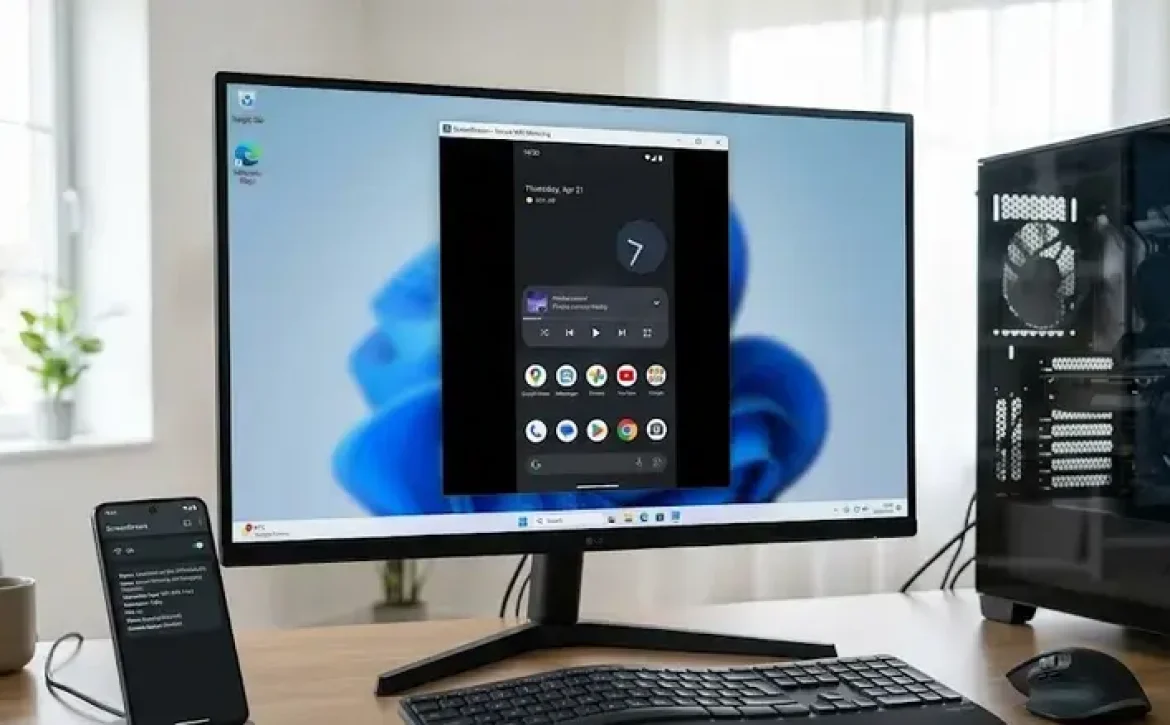
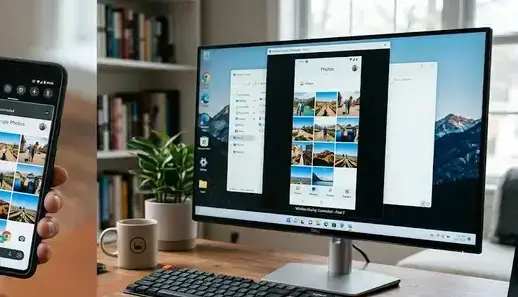
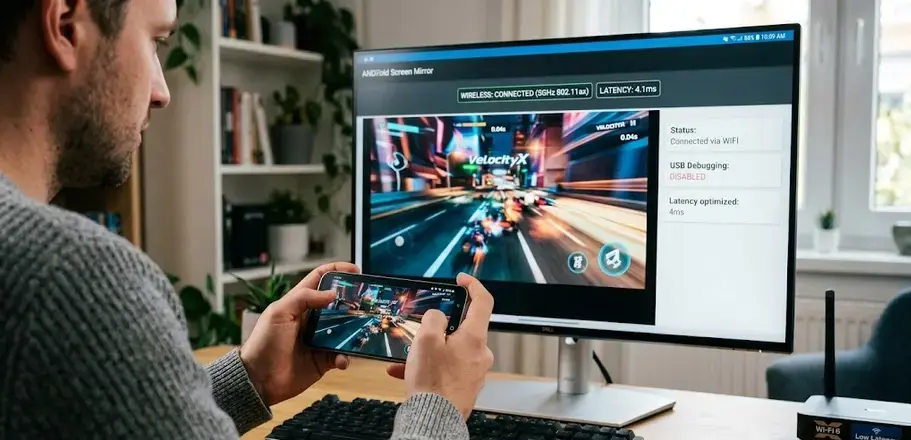
Android Screen Share No USB Debugging Software: 7 Powerful Methods for Wireless Screen Mirroring

Android screen share no usb debugging software describes wireless or cloud-based screen-mirroring applications that allow Android devices to share displays without enabling USB debugging mode. These tools are important for users with damaged screens, restricted developer access, or enterprise security policies that block USB debugging. Many current solutions support Windows, smart TVs, tablets, and web browsers through encrypted wireless communication.

Key Takeaways

  • Android screen-sharing software can operate without USB debugging through wireless protocols.
  • Wi-Fi casting and QR authentication are common connection methods.
  • Broken-screen access depends on device permissions and manufacturer support.
  • Security testing and compatibility validation are essential for enterprise use.
  • Wireless mirroring tools differ in latency, resolution, and operating-system support

Software Debugging Tools for Android Screen Sharing

Android screen share no usb debugging software commonly uses wireless display frameworks instead of low-level debugging access. Most tools connect through QR pairing, local Wi-Fi discovery, or cloud authentication.

USB Debugging Software Free Download for Android Screen Sharing

Several applications provide limited or full Android screen sharing without requiring USB debugging activation.

ToolPrimary FunctionUSB Debugging RequiredPlatform Support
scrcpyAndroid display mirroringUsually yesWindows, Linux, macOS
Screen Mirror AppWireless phone castingNoAndroid, PC
AirDroidRemote access and mirroringOptionalAndroid, Windows
Samsung Smart ViewTV and PC castingNoSamsung devices

Key industry practices include:

  • WPA2 or WPA3 wireless encryption
  • QR-code device authentication
  • Enterprise device pairing policies
  • Temporary session-based screen sharing

Many users also compare Android screen sharing tools with wireless casting apps, broken-screen recovery utilities, and remote Android control software.

USB Debugging PC Software for Wireless Device Connection

Wireless Android mirroring software typically works through:

  1. Local Wi-Fi pairing
  2. Bluetooth-assisted discovery
  3. Browser-based streaming
  4. Smart TV casting protocols
  5. Cloud relay synchronization

These methods avoid Android developer settings while maintaining display functionality for meetings, gaming, education, and technical demonstrations.

Mobile App Debugging Software Reviews for Screen Mirroring Apps

Android screen share no usb debugging software varies significantly in latency, security, and compatibility. Users should evaluate screen-sharing apps according to practical deployment requirements.

What Features Matter Most in Screen Mirroring Apps?

Important evaluation criteria include:

  • Resolution support
  • Wireless stability
  • Device compatibility
  • Audio synchronization
  • Encryption standards
  • Enterprise management support

Software to Enable USB Debugging From PC Without Root Access

Some utilities claim to enable USB debugging remotely, but Android security architecture generally restricts this process unless prior authorization exists.

For broken or black-screen devices, manufacturers sometimes allow alternatives such as:

  • OTG mouse navigation
  • Recovery-mode access
  • Wireless backup tools
  • Smart Switch migration
  • Accessibility-based screen control

Samsung, Xiaomi, and Motorola devices may support proprietary recovery or casting functions depending on Android version and security patch level.

Software Testing and Debugging Techniques for Wireless Android Screen Sharing

Android screen share no usb debugging software must be tested for latency, packet stability, and compatibility across Android versions.

How Is Wireless Screen Sharing Tested?

Software testing commonly includes:

Test TypePurpose
Connectivity TestingConfirms stable Wi-Fi pairing
Latency TestingMeasures screen delay
Compatibility TestingValidates Android version support
Security TestingEvaluates encryption integrity
Stress TestingMonitors long-session stability

What Problems Commonly Affect Wireless Screen Sharing?

Common technical issues include:

  • Network congestion
  • Android permission restrictions
  • Device-specific casting limitations
  • Firewall blocking
  • Codec incompatibility

Enterprise environments often restrict wireless mirroring through Mobile Device Management (MDM) policies to reduce unauthorized screen broadcasting risks.

Conclusion

Android screen share no usb debugging software provides practical wireless display access for users who cannot enable developer-mode permissions. Modern screen-mirroring tools increasingly rely on encrypted wireless protocols, cloud pairing, and device-specific recovery frameworks for secure operation.

Users researching advanced Android device control may also explore related solutions such as android root software usb debugging for deeper system-level access and recovery workflows.

FAQ

Can Android screen sharing work without USB debugging?

Yes. Many modern screen-sharing applications use Wi-Fi pairing or cloud authentication instead of USB debugging.

Is Scrcpy usable without USB debugging?

scrcpy normally requires USB debugging because it relies on Android Debug Bridge communication.

How can I view a broken phone screen on a computer without USB debugging?

Users can try wireless casting, OTG mouse control, manufacturer recovery software, or cloud-based synchronization tools if the device display partially functions.

Is wireless Android screen sharing secure?

Most reputable applications use encrypted wireless transmission and authenticated device pairing to protect session data.

Do Samsung phones support screen sharing without developer mode?

Yes. Many Samsung devices support Smart View or wireless casting without enabling USB debugging.

Sources

  • https://pigeoncast.com/blogs/view-broken-phone-screen-on-computer-without-usb-debugging
  • https://techcommunity.microsoft.com/discussions/windows11/how-can-i-mirror-android-phone-screen-to-pc-wirelessly-or-via-usb-without-root/4512781
  • https://www.reddit.com/r/techsupport/comments/17bity7/how_to_cast_android_screen_to_pc_without_any/
  • https://github.com/genymobile/scrcpy
  • https://emteria.com/blog/android-screen-mirroring
  • https://www.airdroid.com/screen-mirror/view-phone-screen-on-pc-via-usb/
  • https://scrcpy.org/
  • https://play.google.com/store/apps/details?id=com.screenmirrorapp&hl=en_IN
READ MORE
Uncategorized
Umesh Kumar KhiriMay 19, 2026 0 Comments
Share article:TwitterFacebookLinkedin
14 Views
0 Likes

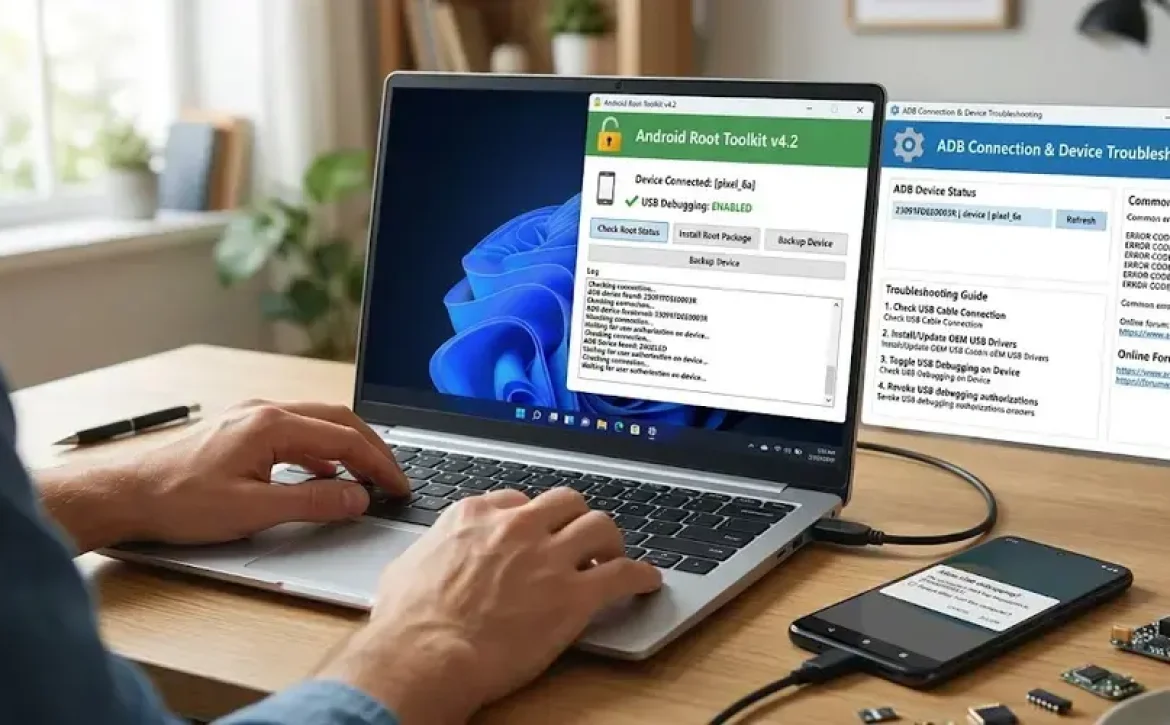
Android Root Software USB Debugging: 7 Powerful Tools and Setup Methods

Android root software usb debugging is a process that combines Android rooting utilities with USB debugging features to enable deeper device communication through Android Debug Bridge (ADB). This configuration allows developers, technicians, and advanced users to install firmware, recover devices, remove system restrictions, and diagnose software issues. USB debugging is controlled through Android Developer Options and should be managed carefully because it affects device security and system permissions.

Key Takeaways

  • Android root software usb debugging enables advanced Android device management.
  • ADB and Fastboot are the primary debugging tools used in Android environments.
  • Driver issues and authorization failures are common debugging problems.
  • Windows systems commonly support Android USB debugging utilities.
  • USB debugging should be disabled after troubleshooting for security protection.
  • Official debugging tools are safer than modified third-party APK downloads.

Software Not Working Despite Enabling USB Debugging

Android root software usb debugging may fail even when USB debugging is enabled because of driver conflicts, authorization issues, or restricted bootloader settings.

Common causes include:

  • Missing ADB drivers
  • Faulty USB cable connections
  • Unauthorized PC access
  • OEM lock restrictions
  • Outdated Android platform tools

Typical Troubleshooting Steps

IssuePossible CauseRecommended Action
Device not detectedMissing driversInstall OEM USB drivers
Unauthorized ADBRSA authorization failedReconnect and approve prompt
Root tool crashesUnsupported Android versionUpdate rooting software
USB debugging inactiveDeveloper options disabledRe-enable Developer Options

Many users also compare topics such as Android Debug Bridge, USB debugging Android, and how to disable USB debugging on Android phones when troubleshooting connection failures.

Software to Enable USB Debugging From PC

Some Android utilities can activate USB debugging functions through recovery environments or manufacturer-specific tools. Samsung, Xiaomi, and Motorola devices may support PC-assisted debugging activation under maintenance modes.

Key examples include:

  1. ADB platform tools
  2. OEM flashing utilities
  3. Fastboot command interfaces
  4. Device recovery management software

Mobile App Debugging Software Reviews

Android root software usb debugging tools are commonly evaluated based on compatibility, rooting support, security controls, and firmware recovery functions.

Popular Categories of Mobile Debugging Software

Software TypePrimary Function
ADB utilitiesDevice communication
Root management appsSuperuser permissions
Flashing toolsFirmware installation
Recovery softwareData and system repair
Log monitoring toolsError tracking

Professional repair environments often prioritize:

  • Secure bootloader handling
  • Cross-version Android compatibility
  • Encrypted debugging support
  • Stable USB driver integration

USB Debugging Software for Windows

Windows-based USB debugging software is widely used because Android SDK tools are optimized for Windows desktop environments.

Common Windows debugging functions include:

  • ADB shell access
  • Fastboot flashing
  • Device logging
  • APK installation
  • Recovery image deployment

Examples of supported environments:

  • Windows 10
  • Windows 11
  • Android Studio SDK platform tools

Software Debugging Tools

Android root software usb debugging relies on specialized debugging tools for firmware modification, application testing, and low-level system communication.

Common Software Debugging Tools

ToolPurpose
ADBAndroid device communication
FastbootBootloader operations
LogcatSystem logging
Android StudioApplication debugging
Recovery utilitiesSystem restoration

How USB Debugging Works

  1. Enable Developer Options
  2. Activate USB debugging
  3. Connect the Android device to a PC
  4. Authorize RSA debugging access
  5. Use ADB commands through terminal tools

USB Debugging Software Free Download

Several debugging utilities are distributed freely through official developer platforms and OEM support channels.

Free software commonly includes:

  • Android SDK Platform Tools
  • ADB command packages
  • Device USB drivers
  • Open-source recovery tools

Users should avoid unofficial APK downloads because modified debugging applications may introduce malware or unauthorized root access.

What Are the Security Risks of Android Root Software USB Debugging?

Android root software usb debugging increases system-level access and can expose devices to security vulnerabilities if left enabled permanently.

Important security considerations include:

  • Unauthorized device access through ADB
  • Elevated root permissions
  • Potential malware installation
  • Reduced enterprise security compliance

Best Practices

  • Disable USB debugging after use
  • Lock the bootloader when possible
  • Install software only from verified sources
  • Monitor root permissions regularly

Conclusion

Android root software usb debugging remains an important process for Android maintenance, firmware management, and advanced device troubleshooting. Proper use of ADB tools, USB debugging controls, and secure root management practices helps maintain system stability and device security.

Organizations and repair professionals increasingly classify debugging tools based on compatibility, access control, and recovery capabilities. For related troubleshooting methods, users may also review android recovery software without usb debugging for alternative device recovery approaches.

FAQ

What is Android root software USB debugging?

It is the combination of rooting utilities and USB debugging features used to access advanced Android device functions through ADB communication.

Is USB debugging required for rooting Android phones?

Many rooting methods require USB debugging enabled because ADB commands are used to communicate with the device.

How do I enable USB debugging on Android?

Go to Settings > About Phone > Tap Build Number seven times > Open Developer Options > Enable USB Debugging.

How do I disable USB debugging?

Open Developer Options in Android settings and switch off USB Debugging to prevent unauthorized access.

Is USB debugging safe?

USB debugging is safe when used temporarily with trusted computers, but leaving it enabled continuously can increase security risks.

Sources

  • https://developer.android.com/tools/adb
  • https://pswalia2u.medium.com/rooting-android-device-84a8d4649e0c
  • https://www.hexnode.com/blogs/usb-debugging-in-android-devices-and-why-disable-it/
  • https://www.scaler.com/topics/android/usb-debugging-on-android/
  • https://corsecure.blog/2024/02/27/rooting-an-android-device/
  • https://nsysgroup.com/blog/get-to-the-root-of-your-android-issues/
  • https://www.appbrain.com/app/%5Broot%5D-enable-usb-debug/com.ayeah.rootenableusbdebug
  • https://www.reddit.com/r/androidroot/comments/1j421of/how_do_i_root_a_phone_that_has_usb_debugging/
READ MORE
Uncategorized
Umesh Kumar KhiriMay 19, 2026 0 Comments
Share article:TwitterFacebookLinkedin
12 Views
0 Likes

Android Recovery Software Without USB Debugging: 7 Powerful Recovery Methods

Android recovery software without USB debugging is a category of recovery tools designed to extract or restore data from Android devices without requiring Developer Options or USB debugging access. These tools are commonly used when a device screen is broken, the phone is locked, or the operating system cannot fully boot. Recovery approaches may include cloud synchronization, custom recovery access, OTG control methods, or manufacturer-supported recovery utilities.

Key Takeaways

  • Android recovery software without USB debugging supports recovery from locked or damaged devices.
  • Recovery methods include OTG access, recovery mode, cloud backups, and specialized utilities.
  • USB debugging is helpful but not always required for Android data recovery.
  • Windows recovery tools commonly support ADB communication and driver installation.
  • Device encryption and hardware condition strongly affect recovery success.

Software Not Working Despite Enabling USB Debugging

Android recovery software without USB debugging may still fail even after USB debugging is enabled because authorization prompts, damaged screens, or driver conflicts can block device communication.

Common causes include:

  • Broken or black screens preventing RSA authorization
  • Incorrect USB drivers on Windows systems
  • Locked bootloaders
  • Unsupported Android security patches
  • Faulty USB cables or ports

Software to Enable USB Debugging From PC

Some tools attempt to enable USB debugging remotely through recovery mode or ADB-based recovery environments. However, Android security restrictions usually require prior device authorization.

Typical methods include:

  1. Using OTG adapters with a mouse
  2. Accessing recovery mode
  3. Flashing custom recovery environments
  4. Using manufacturer service utilities

Several users also compare tools such as Scrcpy, DroidKit, and locked phone data recovery software when searching for recovery options for damaged Android devices.

USB Debugging Software for Windows

Windows-based recovery platforms commonly support:

FeaturePurpose
ADB communicationDevice access
Driver installationHardware recognition
File extractionRecover media and documents
Recovery mode accessSystem-level operations

Popular compatibility environments include Windows 10 and Windows 11 systems used in repair centers and mobile support operations.

What Is Debugging Process in Software Testing

The debugging process in software testing involves identifying, analyzing, and correcting software or communication errors. In Android recovery workflows, debugging primarily relates to device communication validation and fault isolation.

Mobile App Debugging Software Reviews

Android recovery software without USB debugging is often evaluated based on recovery success rate, device compatibility, and security handling.

Common evaluation criteria include:

  • Android version support
  • Recovery without root access
  • Encrypted storage handling
  • Recovery speed
  • File preview support

Free Android Recovery Software Without USB Debugging

Free recovery utilities may provide limited recovery features such as:

  • Preview-only recovery
  • Restricted file export
  • Limited device compatibility
  • Basic photo and contact recovery

Android Recovery Software Without USB Debugging Free Download

Before downloading recovery software, users should verify:

  • Official vendor source
  • Malware scanning
  • Supported Android versions
  • Privacy and encryption policies

Enterprise and repair technicians generally prefer verified recovery platforms that comply with device security and data handling practices.

Best Android Recovery Software Without USB Debugging

Frequently referenced recovery solutions include:

  • DroidKit
  • EaseUS Android Data Recovery
  • AnyRecover
  • Android Data Recovery tools
  • ADB-based recovery utilities

Each tool differs in recovery depth, supported brands, and access requirements.

Software Debugging Tools

Android recovery software without USB debugging frequently depends on specialized debugging and recovery utilities used in mobile diagnostics and forensic workflows.

Common debugging tool categories include:

  • ADB utilities
  • Recovery mode tools
  • Bootloader communication tools
  • File system extraction utilities
  • Log analysis software

How to Enable USB Debugging on Android With Broken/Black Screen

Possible recovery approaches include:

  1. Connecting a USB OTG mouse
  2. Using HDMI screen mirroring if supported
  3. Accessing Samsung DeX on compatible devices
  4. Booting into custom recovery mode

These methods depend on hardware condition and Android manufacturer restrictions.

Locked Phone Data Recovery Software

Locked phone recovery tools are designed to retrieve:

  • Photos
  • Videos
  • SMS records
  • Contacts
  • App documents

Some solutions use cloud synchronization backups, while others attempt direct device extraction through recovery partitions.

How to Recover Data From Locked Android Phone With Broken Screen Free

Free recovery methods may include:

  • Google account synchronization
  • Google Photos backup recovery
  • SD card extraction
  • Manufacturer cloud backups
  • ADB recovery if previously authorized

Recovery success depends on device encryption status and whether backups were enabled before device failure.

Conclusion

Android recovery software without USB debugging provides practical recovery options for devices with locked screens, damaged displays, or inaccessible developer settings. Recovery success depends on Android security configuration, hardware condition, and the recovery method used. Users comparing advanced recovery approaches may also explore android recovery software no root no usb debugging for broader compatibility and reduced system modification requirements.

FAQs

Can Android data be recovered without USB debugging?

Yes. Data recovery is possible through cloud backups, OTG access, recovery mode tools, or specialized recovery software.

Is USB debugging mandatory for Android recovery software?

No. Some recovery solutions use alternative methods such as recovery partitions or cloud synchronization.

Which files can recovery software restore?

Most tools support recovery of photos, videos, contacts, SMS records, and documents.

Does Android recovery software work on broken screens?

Some tools work with broken screens if the device powers on and storage remains accessible.

Are free Android recovery tools safe?

Safety depends on the software provider. Official downloads and verified vendors reduce security risks.

Sources

  • https://sites.google.com/view/phone-data-recovery/recover-data-from-locked-android-with-broken-screen
  • https://www.imobie.com/android-recovery/recover-data-on-broken-android-without-usb-debugging.htm?srsltid=AfmBOooyz0tQtdA8ZlPWBLtC_oDEsLtO3DDW8AbrXsVpRUqUFrZSGb6V
  • https://www.anyrecover.com/android-recovery/android-data-recovery-without-usb-debugging/?srsltid=AfmBOooLEG1c2Mix0XZA2rXfAWsCWIMNxNq0v5LSygInvmS0Y9lB4afy
  • https://xdaforums.com/t/tool-adb-data-recovery-recover-data-from-a-phone-with-broken-screen.2339530/
  • https://www.tataneu.com/pages/electronics/consumer-electronics/how-to-recover-data-without-usb-debugging-a-step-by-step-guide
  • https://android-data-recovery-free.en.softonic.com/
  • https://www.easeus.com/android-data-recovery-software/free-android-data-recovery.html?srsltid=AfmBOorh-pvIkQfQEFymessI7YYkNZggdBzY1lmpHaK0wueZ7xmU5MYl
READ MORE
Uncategorized
Umesh Kumar KhiriMay 18, 2026 0 Comments
Share article:TwitterFacebookLinkedin
15 Views
1 Like

Android Recovery Software No Root No USB Debugging: 7 Powerful Recovery Methods

Android recovery software no root no usb debugging is a category of Android data recovery tools that extract deleted or inaccessible files without modifying system permissions or enabling developer settings. These tools are important for users dealing with broken screens, disabled devices, failed updates, or accidental deletion. Many Android manufacturers restrict low-level system access, so recovery applications often rely on backup systems, temporary scanning methods, or cloud synchronization technologies.

Key Takeaways

  • Android recovery software no root no usb debugging helps retrieve data without rooting devices.
  • Modern Android encryption limits full recovery access.
  • Samsung, Xiaomi, and newer Android devices use stronger security protections.
  • Free recovery tools usually provide limited scanning functionality.
  • Windows debugging software assists with driver and device communication.
  • Online-only Android recovery services have restricted capabilities.

Software Not Working Despite Enabling USB Debugging

Why does android recovery software no root no usb debugging sometimes fail even after USB debugging is enabled?

Android recovery software no root no usb debugging may still fail because Android security policies limit direct access to encrypted storage. Modern Android versions use advanced protections such as:

  • File-based encryption
  • Secure boot validation
  • Knox security on Samsung devices
  • Scoped storage restrictions introduced in Android 10+

Common causes include:

IssueEffect on Recovery
Damaged USB driversDevice not detected
Locked bootloaderLimited partition access
Corrupted storagePartial recovery only
Unsupported Android versionScan failure

Some Samsung devices also require additional authorization through OEM unlocking or recovery mode utilities.

Software to Enable USB Debugging From PC

Several desktop utilities attempt to enable USB debugging remotely through ADB-based communication or recovery mode access. However, Android manufacturers usually restrict this process for security compliance.

Typical supported functions include:

  1. Device recognition
  2. Driver installation
  3. Recovery mode detection
  4. Backup extraction
  5. Limited debugging activation

Mobile App Debugging Software Reviews

Which android recovery software no root no usb debugging tools are commonly reviewed by users?

Android recovery software no root no usb debugging platforms are commonly evaluated based on recovery success rate, device compatibility, and data safety.

Popular examples include:

  • Dr.Fone Android Data Recovery
  • EaseUS MobiSaver
  • FonePaw Android Recovery
  • iMyFone D-Back

Important evaluation criteria:

  • Android version compatibility
  • Recovery without root access
  • Preview before recovery
  • Encrypted device support
  • Read-only scanning methods

Many users also compare free Android data recovery software without root, APK recovery utilities, Samsung recovery tools, and Android mobile data recovery online free services when selecting a solution.

USB Debugging Software for Windows

Windows-based debugging utilities are frequently used during Android recovery procedures. These programs often include:

Tool TypePrimary Use
ADB utilitiesDevice communication
Driver packagesUSB recognition
Recovery suitesFile extraction
Debug monitorsError diagnostics

Compatibility with Windows 10 and Windows 11 is now standard among major recovery vendors.

USB Debugging Software Free Download

Free recovery and debugging software may provide:

  • Limited file scanning
  • Preview mode
  • Basic photo recovery
  • SMS recovery
  • SD card extraction

However, free editions often restrict full recovery exports or advanced repair functions.

Free Online Debugging Software

Can android recovery software no root no usb debugging work through online services?

Android recovery software no root no usb debugging generally requires local device interaction because Android security systems prevent direct cloud-level extraction from internal storage. Online recovery services typically support:

  • Cloud backup restoration
  • Google Drive synchronization
  • Samsung Cloud recovery
  • WhatsApp backup import

Completely browser-based Android recovery remains limited due to device encryption requirements.

What is the safest recovery approach?

Industry-standard recovery procedures usually follow this sequence:

  1. Stop using the device immediately
  2. Avoid overwriting deleted files
  3. Use verified recovery software
  4. Perform read-only scans
  5. Export recovered files to external storage

Professional technicians often recommend recovery before performing factory resets or firmware flashing.

Conclusion

Android recovery software no root no usb debugging provides a safer method for retrieving lost Android files while preserving device security and warranty compliance. Recovery success depends on encryption standards, Android version compatibility, and storage condition. For broader troubleshooting workflows, many technicians also combine recovery utilities with android debugging software to improve device diagnostics and communication reliability.

FAQs

Can Android data be recovered without root?

Yes. Many recovery tools can recover photos, contacts, and messages without root access using temporary scanning and backup extraction methods.

Does USB debugging need to be enabled for Android recovery?

Not always. Some recovery tools use recovery mode access or cloud synchronization instead of USB debugging.

Is free Android recovery software safe?

Trusted recovery software from established vendors is generally safe when downloaded from official sources.

Can broken Samsung phones recover data without debugging?

Yes. Certain Samsung recovery tools support extraction through download mode or cloud backup recovery.

Why do some recovery tools fail on Android 13 and Android 14?

Newer Android versions use stronger encryption and scoped storage protections that limit deep file access.

Sources

  • https://drfone.wondershare.com/android-data-recovery.html
  • https://xdaforums.com/t/no-root-no-usb-debugging-unlock-your-android-pattern.2308130/
  • https://www.fonepaw.com/recovery/android-data-recovery-without-root.html
  • https://mail.apsense.com/article/best-android-data-recovery-software-no-root-required.html
  • https://www.imyfone.com/android-recovery-tips/how-to-recover-data-from-broken-android-phone-without-usb-debugging/
  • https://www.easeus.com/android-data-recovery-software/free-android-data-recovery.html
READ MORE
Uncategorized
Umesh Kumar KhiriMay 18, 2026 0 Comments
Share article:TwitterFacebookLinkedin
10 Views
1 Like

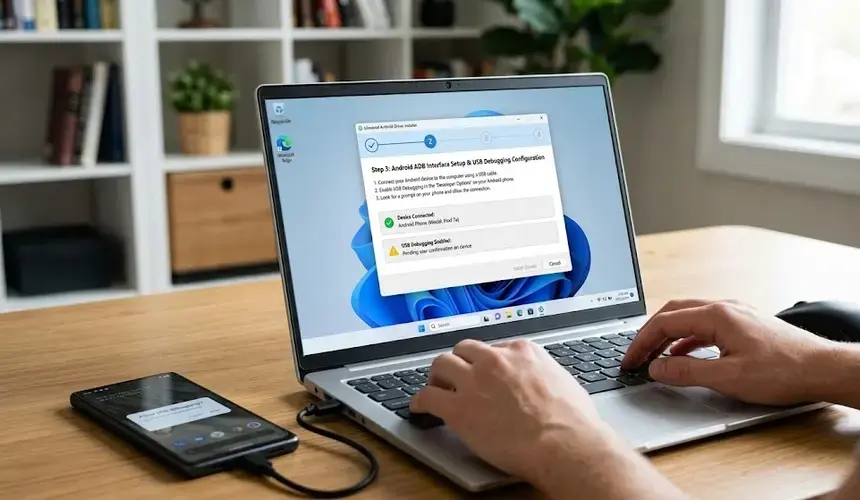
Android Debugging Software: 7 Powerful Tools and Techniques for Reliable App Testing

Android debugging software is a category of development and testing tools used to detect application errors, monitor device behavior, and troubleshoot Android systems during software development. These tools are important for mobile app reliability, USB debugging, performance optimization, and device communication through Android Debug Bridge (ADB). Android developers, testers, and embedded system engineers commonly use debugging software to improve application stability and reduce software failures before release.

Key Takeaways

  • Android debugging software helps identify and fix Android application errors.
  • ADB and Android Studio debugger are widely used development tools.
  • USB debugging supports device communication and APK testing.
  • Hardware debugging methods are important for embedded Android systems.
  • Testing identifies issues, while debugging resolves them.
  • Log monitoring and runtime analysis improve software reliability.

Software Debugging Tools for Android Development

What tools are commonly included in android debugging software?

Android debugging software typically includes integrated development utilities, command-line tools, and runtime monitoring systems. Android debugging software is widely used during coding, testing, and device validation.

ToolPrimary Function
Android Debug Bridge (ADB)Device communication and command execution
Android Studio DebuggerBreakpoint and runtime analysis
LogcatReal-time log monitoring
SystracePerformance analysis
GPU Rendering ToolsGraphics debugging

Many developers also use Android SDK Platform-Tools for device management and APK troubleshooting.

A related area often discussed includes Android Debug Bridge, Android Studio debugger, ADB download tools, and Android Debug APK testing utilities.

USB Debugging Software for Windows

USB debugging software for Windows allows PCs to communicate directly with Android devices through USB connections. These tools are commonly used for:

  • APK installation
  • Device recovery
  • Firmware testing
  • Log extraction
  • Developer mode management

Windows systems typically require:

  1. USB drivers
  2. Android SDK Platform-Tools
  3. Enabled USB debugging mode

Software to Enable USB Debugging From PC

Some android debugging software solutions can enable or manage USB debugging from a connected computer. These utilities are commonly used when:

  • Device screens are damaged
  • Developers need remote access
  • Enterprise testing requires multiple devices

ADB commands such as adb devices and adb shell are standard methods for managing Android communication.

Hardware and Software Debugging Techniques for Android Devices

What hardware and software debugging techniques are used on Android devices?

Android debugging software supports both software-level and hardware-level troubleshooting. Developers often combine multiple debugging methods during testing.

Common software debugging techniques

  • Breakpoint debugging
  • Log analysis
  • Memory leak detection
  • Exception tracing
  • Network traffic monitoring

Common hardware debugging techniques

  • JTAG debugging
  • Serial debugging
  • USB debugging
  • Embedded board diagnostics

Hardware debugging is especially important in:

  • Automotive Android systems
  • Smart TVs
  • IoT devices
  • Embedded Android boards

What Is Debugging Process in Software Testing

The debugging process in software testing is the systematic identification and correction of software defects.

Typical debugging stages include:

  1. Error detection
  2. Issue isolation
  3. Root cause analysis
  4. Code correction
  5. Retesting and validation

This process helps improve software reliability and reduces production failures.

How Software Testing Is Different From Debugging in Android Apps

How is software testing different from debugging in Android development?

Android debugging software is used after testing identifies a defect. Testing verifies software behavior, while debugging locates and fixes the actual problem.

Software TestingDebugging
Identifies failuresFixes failures
Performed by QA teamsPerformed by developers
Focuses on validationFocuses on correction
Uses test casesUses debugging tools

Testing types commonly used in Android development include:

  • Unit testing
  • Integration testing
  • System testing
  • UI testing

Debugging activities often involve:

  • Stack trace analysis
  • Runtime monitoring
  • Variable inspection
  • Device log analysis

Why is debugging important in Android applications?

Android debugging software improves:

  • Application stability
  • Device compatibility
  • Security validation
  • Performance optimization
  • User experience consistency

Efficient debugging also helps developers comply with software quality and mobile testing standards used in enterprise environments.

Conclusion

Android debugging software plays a critical role in application testing, device communication, and software reliability management. As Android ecosystems continue expanding across mobile and embedded environments, structured debugging methods and validation tools remain essential for maintaining application quality and operational stability. For broader device troubleshooting workflows, many developers also use android debugging mode software during USB communication and recovery operations.

FAQ

What is android debugging software?

Android debugging software is a set of tools used to detect, analyze, and fix issues in Android applications and connected devices.

What is ADB in Android debugging?

ADB, or Android Debug Bridge, is a command-line utility that enables communication between a computer and an Android device.

Is USB debugging safe?

USB debugging is generally safe for development and testing but should be disabled on public or unsecured devices when not in use.

Which software is best for Android debugging?

Android Studio Debugger, ADB, Logcat, and Systrace are commonly used Android debugging tools.

Why is debugging important in software testing?

Debugging helps developers identify the root cause of software failures and correct defects before application release.

Sources

  • https://developer.android.com/tools/adb
  • https://www.zipy.ai/blog/top-debugging-tools-for-mobile
  • https://developer.android.com/studio/debug
  • https://github.com/topics/android-debug-tools?o=desc&s=stars
  • https://www.browserstack.com/guide/debugging-tools-in-android
  • https://play.google.com/store/apps/details?id=com.htetznaing.adbotg&hl=en_IN
  • https://en.wikipedia.org/wiki/Android_Debug_Bridge
  • https://notificare.com/blog/2023/09/08/debugging-android-application-basics/
  • https://tapptitude.com/blog/best-android-debugging-tools
READ MORE
Uncategorized
Umesh Kumar KhiriMay 18, 2026 0 Comments
Share article:TwitterFacebookLinkedin
14 Views
1 Like

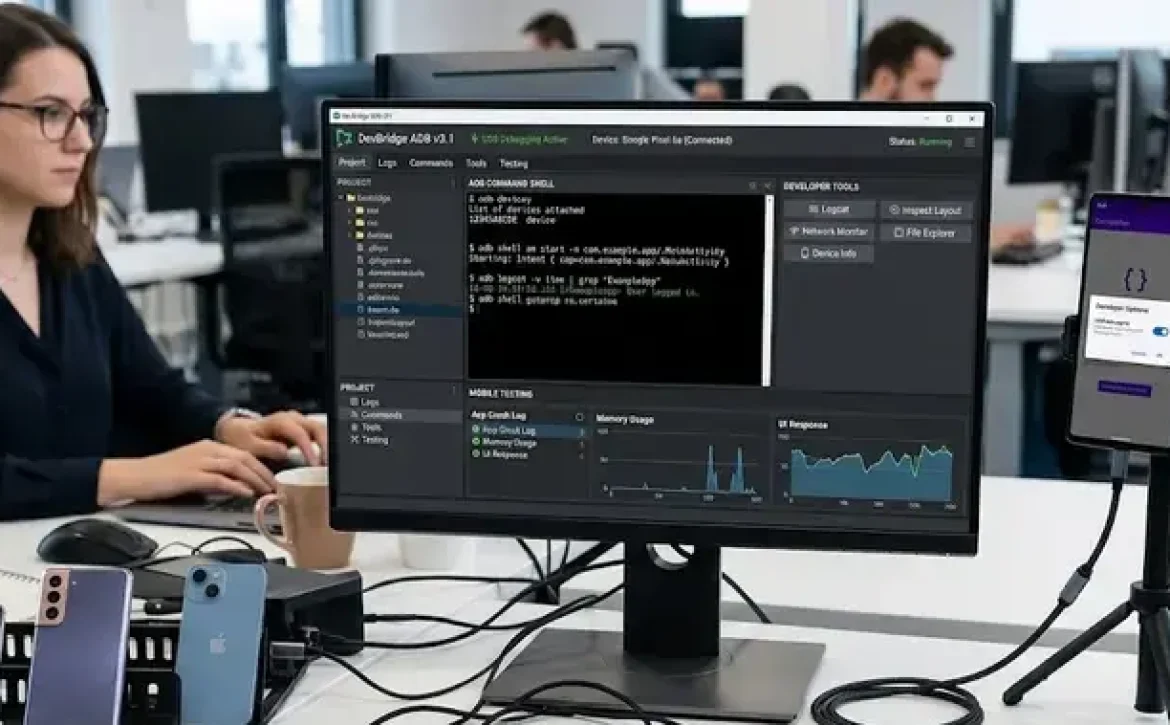
Android Debugging Mode Software: 7 Powerful Tools for Testing and Troubleshooting

Android debugging mode software is a category of development and diagnostic tools that enable communication between Android devices and computers for testing, troubleshooting, and application analysis. It is widely used in mobile app development, device servicing, firmware management, and software validation. Android debugging functions are commonly accessed through Developer Options and Android Debug Bridge (ADB), allowing developers and technicians to inspect logs, test applications, and identify runtime errors.

Key Takeaways

  • Android debugging mode software supports testing, diagnostics, and USB communication.
  • ADB is one of the most widely used Android debugging utilities.
  • Debugging and software testing perform different functions in development.
  • USB driver configuration is essential for successful Android debugging.
  • Common debugging methods include Logcat analysis, breakpoints, and remote debugging.
  • Android Studio provides integrated debugging and performance profiling tools.

Best Android Debugging Mode Software and Tools

What are the most commonly used Android debugging mode software tools?

Android debugging mode software includes command-line utilities, desktop debugging suites, and mobile diagnostic applications. These tools help developers analyze application behavior, USB communication, and device performance.

Common tools include:

ToolPrimary FunctionPlatform
Android Debug Bridge (ADB)Device communication and command executionWindows, Linux, macOS
Android Studio DebuggerApp debugging and performance testingDesktop
Chrome DevToolsWebView and browser debuggingDesktop
USB Debugging AppsEnable developer settings shortcutsAndroid
STM32 Debugging SoftwareEmbedded Android hardware diagnosticsWindows/Linux

Many users also compare Android debugging mode software download options, debugging APK utilities, and Samsung USB debugging tools when troubleshooting device connections.

How does Android debugging mode help test and debug software?

Android debugging mode software allows developers to inspect running applications, monitor logs, and detect coding errors before release.

Key debugging functions include:

  • Real-time log monitoring
  • USB communication testing
  • Memory and CPU profiling
  • Breakpoint analysis
  • Crash reporting
  • Device emulation

For example, Android Studio supports step-by-step debugging for Java and Kotlin applications, while ADB enables shell commands and device-level testing. In software engineering workflows, debugging is separate from testing because testing identifies defects, while debugging locates and fixes them.

What are the best USB debugging software options for Windows and Android devices?

Android debugging mode software for USB management is commonly used to establish secure communication between a PC and an Android phone.

Popular USB debugging utilities include:

  1. Android Debug Bridge (ADB)
  2. Samsung USB Driver Tools
  3. USB Debugging Apps
  4. BrowserStack Device Testing
  5. OEM diagnostic utilities

Windows-based debugging software often requires:

  • USB drivers
  • Developer Options enabled
  • Authorized device pairing
  • Updated Android SDK components

If an application will not run in debug mode on Android, technicians usually verify driver installation, USB authorization prompts, and Android SDK compatibility.

How Android Debugging Mode Helps Test and Debug Software

Which software tools are used to debug JavaScript and C++ code on Android?

Android debugging mode software supports multiple programming environments, including JavaScript, C++, Java, and Kotlin.

Examples include:

  • Chrome DevTools for JavaScript debugging
  • LLDB debugger for C++ applications
  • Android Studio native debugger
  • Proxy debugging software for network traffic analysis

C++ debugging in Android often relies on the Native Development Kit (NDK), which supports breakpoint inspection, variable tracking, and thread analysis.

Why is testing and debugging important in software engineering?

Android debugging mode software improves software quality by identifying runtime failures, compatibility problems, and performance bottlenecks.

Industry benefits include:

  • Faster issue resolution
  • Improved application stability
  • Safer firmware deployment
  • Better user experience
  • Reduced crash frequency

In regulated industries such as healthcare, automotive systems, and industrial automation, debugging processes may also support compliance validation and software verification procedures.

Common Android Debugging Techniques and Troubleshooting Methods

What are the most effective Android debugging techniques?

Android debugging mode software uses several standard troubleshooting methods.

Common techniques include:

TechniquePurpose
Breakpoint DebuggingPause execution for analysis
Logcat MonitoringView runtime logs
Remote DebuggingInspect devices remotely
USB Packet AnalysisDiagnose connectivity issues
Memory ProfilingDetect leaks and performance issues

Developers frequently use debugging alongside software testing, validation, embedded system diagnostics, and reverse engineering workflows.

How can Android debugging connection problems be fixed?

Android debugging mode software may fail because of USB driver conflicts, disabled Developer Options, or outdated SDK tools.

Basic troubleshooting steps:

  1. Enable Developer Options
  2. Turn on USB Debugging
  3. Install updated USB drivers
  4. Authorize the connected computer
  5. Restart ADB services
  6. Verify SDK platform tools

These methods are commonly used for Samsung, Xiaomi, Motorola, and Pixel devices.

Conclusion

Android debugging mode software plays a central role in application testing, USB communication management, and mobile software validation. Understanding debugging classifications, tools, and troubleshooting methods helps developers and technicians maintain stable Android environments across devices and operating systems.

For advanced device communication utilities, many professionals also explore android debug bridge software free download resources to support firmware management and application testing continuity.

FAQ

What is Android debugging mode software?

Android debugging mode software refers to tools that allow developers and technicians to test, analyze, and troubleshoot Android devices and applications.

Is Android Debug Bridge the same as USB debugging?

No. USB debugging is a device setting, while Android Debug Bridge (ADB) is the software tool that communicates with the device.

Can Android debugging mode software work on Windows?

Yes. Most Android debugging tools support Windows, including Android Studio, ADB, and OEM USB utilities.

Why does USB debugging sometimes fail?

USB debugging can fail because of missing drivers, unauthorized device connections, damaged cables, or outdated SDK tools.

Which programming languages can Android debugging tools support?

Modern Android debugging software supports Java, Kotlin, C++, JavaScript, and native application debugging environments.

Sources

  • https://developer.android.com/tools/adb
  • https://play.google.com/store/apps/details?id=com.bluedragonfly.developeroptions&hl=en_IN
  • https://developer.android.com/studio/debug
  • https://www.zipy.ai/blog/top-debugging-tools-for-mobile
  • https://www.browserstack.com/guide/debugging-tools-in-android
  • https://developer.chrome.com/docs/devtools/remote-debugging
  • https://en.wikipedia.org/wiki/Android_Debug_Bridge
  • https://docs.kony.com/konylibrary/visualizer/visualizer_user_guide/Content/AndroidUSBDebugging_Windows10.htm
READ MORE
Uncategorized
Umesh Kumar KhiriMay 18, 2026 0 Comments
Share article:TwitterFacebookLinkedin
10 Views
1 Like

Android Debug Bridge Software Free Download: 7 Powerful Tools for Windows and PC

Android debug bridge software free download refers to obtaining the Android Debug Bridge utility and related debugging tools for Windows PCs and Android devices. ADB is part of the Android SDK Platform Tools and allows developers, testers, and technicians to connect Android smartphones or tablets to a computer through USB or wireless debugging. It is commonly used for app installation, log monitoring, device recovery, and performance testing.

Key Takeaways

  • Android Debug Bridge enables communication between Android devices and PCs
  • ADB supports debugging, testing, app installation, and recovery tasks
  • USB debugging must be enabled before using ADB tools
  • ADB works on Windows 7, Windows 10, and Windows 11
  • Android Studio and Fastboot commonly integrate with ADB
  • Official Platform Tools are the safest download source

Free Debugging Software for AOS and Android Devices

USB Debugging Software for Windows and PC

Android debug bridge software free download packages for Windows 10, Windows 11, and Windows 7 generally include ADB.exe, Fastboot, USB drivers, and command-line tools. These tools help establish communication between Android devices and PCs.

PlatformCommon UseSupported Features
Windows 10/11Android developmentADB shell, Fastboot
Windows 7Legacy device testingUSB debugging
Linux/macOSDeveloper environmentsWireless ADB

Common functions include:

  • Installing APK files
  • Accessing ADB shell commands
  • Capturing system logs
  • Unlocking bootloaders
  • Running debugging sessions

ADB download packages are often discussed alongside ADB shell download, Android Debug Bridge file download, and USB debugging software free download tools.

Software to Enable USB Debugging From PC

To start communication with an Android device, free ADB software tools generally depend on USB debugging being enabled first.

Follow these steps:

  1. Open Settings
  2. Select About Phone
  3. Tap Build Number seven times
  4. Enable Developer Options
  5. Turn on USB Debugging
  6. Connect the device to the PC
  7. Authorize the RSA fingerprint prompt

For Samsung devices, additional USB drivers may be required for stable ADB communication.

Software Debugging Tools for Android App Development

What Is the Debugging Process in Software Testing

Android debug bridge software free download utilities support software testing by identifying coding, connectivity, and performance issues during application development.

The debugging process typically includes:

  • Error identification
  • Log analysis
  • Breakpoint testing
  • Memory monitoring
  • Command execution through ADB shell

Developers often combine ADB with:

  • Android Studio
  • Logcat
  • Fastboot
  • Device Monitor tools
  • Java and JavaScript debugging software

ADB is especially useful in automated testing environments where applications must be validated across multiple Android versions and device configurations.

How Software Testing and Debugging Improve Android Performance

Android debug bridge software free download packages contribute to Android performance optimization by allowing developers to test applications under real device conditions.

Key performance improvements include:

  • Faster bug detection
  • Reduced application crashes
  • Improved battery efficiency
  • Better memory allocation
  • Stable USB device communication

Common ADB Commands

CommandFunction
adb devicesLists connected devices
adb installInstalls APK files
adb logcatDisplays device logs
adb rebootReboots device
adb shellOpens command shell

In enterprise environments, ADB is also used for:

  • Device fleet management
  • Security auditing
  • Firmware installation
  • Recovery mode operations

Many testing teams use Android Debug Bridge download Windows tools to validate applications before production deployment.

What Are the Main Benefits of Android Debug Bridge Software?

Android debug bridge software free download solutions provide a standardized method for Android device communication and diagnostics.

Main advantages:

  • Free availability through Android SDK Platform Tools
  • Cross-platform compatibility
  • Support for advanced debugging
  • Integration with Android Studio
  • Efficient mobile app testing workflows

ADB also supports wireless debugging over TCP/IP, which is increasingly used in remote testing environments and embedded Android systems.

How Can You Download and Install ADB Safely?

Android debug bridge software free download files should be obtained from trusted developer or repository sources.

Recommended installation practices:

  • Download official Platform Tools
  • Verify driver compatibility
  • Avoid modified executable files
  • Use updated USB drivers
  • Maintain current SDK versions

Windows users should confirm whether they need:

  • ADB download Windows 10
  • ADB download Windows 11
  • Android debug bridge software free download for PC
  • Android debug bridge software free download for Windows 7

Conclusion

Android Debug Bridge remains one of the most important utilities for Android device management, software testing, and application debugging. Proper use of ADB tools improves diagnostic accuracy, device communication, and application reliability across multiple Android environments.

Organizations and developers working with Android maintenance or recovery workflows often also reference android data recovery software no usb debugging when standard USB debugging access is unavailable.

FAQ

What is Android Debug Bridge used for?

Android Debug Bridge helps users communicate with Android devices to install apps, monitor logs, troubleshoot issues, and execute system-level commands.

Is Android Debug Bridge free to download?

Yes. ADB is available free as part of the Android SDK Platform Tools package.

Can ADB work on Windows 11?

Yes. ADB supports Windows 11, Windows 10, Windows 7, Linux, and macOS systems.

Does ADB require USB debugging?

Yes. USB debugging must be enabled in Developer Options before ADB can access the Android device.

What is ADB shell?

ADB shell is a command-line interface that allows users to execute commands directly on an Android device.

Sources

  • https://developer.android.com/tools/adb
  • https://play.google.com/store/apps/details?id=com.htetznaing.adbotg&hl=en_IN
  • https://android-debug-bridge.software.informer.com/1.0/
  • https://apps.microsoft.com/detail/9ppgn2wm50qb
  • https://help.esper.io/hc/en-us/articles/12657625935761-Installing-the-Android-Debug-Bridge-ADB-Tool
  • https://adb.clockworkmod.com/
  • https://www.xda-developers.com/install-adb-windows-macos-linux/
  • https://tadb-android-debug-bridge.en.uptodown.com/android
  • https://adb-otg-android-debug-bridge-on-the-go.soft112.com/
  • https://github.com/lana-20/android-debug-bridge
READ MORE
  • 1
  • 2
  • 3
  • 4
  • 5
  • 6
  • …
  • 13

Recent Posts

  • Debugging Goals in Software Testing: 7 Powerful Benefits for Reliable Applications
  • Importance of Debugging in Software Development: 7 Powerful Benefits for Software Quality
  • What Is the Purpose of Debugging in Software Testing? 7 Powerful Benefits You Must Know
  • How to Debug Software: 7 Essential Methods for Finding and Fixing Errors
  • Debugging in Software Development Cycle: 7 Powerful Techniques for Error-Free Applications

Recent Comments

  1. Fred Hyman on Yellow Cap
  2. Fred Hyman on T-Shirt Full Hand
  3. Fred Hyman on Yellow Cap
  4. Randal Gray on Black T-Shirt
  5. John Harris on Black T-Shirt

Archives

  • June 2026
  • May 2026
  • April 2026
  • March 2026

Categories

  • AI in App Development
  • Uncategorized
Recent Posts
  • Debugging Goals in Software Testing: 7 Powerful Benefits for Reliable Applications
    Debugging Goals in Software Testing: 7 Powerful Benefits for Reliable Applications
    June 9, 2026
  • Importance of Debugging in Software Development: 7 Powerful Benefits for Software Quality
    Importance of Debugging in Software Development: 7 Powerful Benefits for Software Quality
    June 9, 2026
  • What Is the Purpose of Debugging in Software Testing? 7 Powerful Benefits You Must Know
    What Is the Purpose of Debugging in Software Testing? 7 Powerful Benefits You Must Know
    June 8, 2026
Categories
  • AI in App Development5
  • Uncategorized129
logotype

RCEENetworks LLC

1-844-284-3695

info@rceenetworks.com

3010 Lyndon B Johnson Fwy #1200, Dallas, TX 75234, United States

Menu

HomeServices

ProductsBlog

Contact

Other Links

RetinaWiseAI™Privacy PolicyContent PolicyTerms & Conditions

Social Links

TwitterFacebookInstagramLinkedin

Copyright © 2026 RCEENetworks LLC. All Rights Reserved